メインコンテンツにスキップ

Osram Lightify Disassembly

必要な工具と部品

  1. Osram Lightify Disassembly, Osram: 手順 1、 1の画像 1
    • Remove the front using a metal spudger.

    • Once you can get your fingers in, remove the rest using your hand.

  2. Osram Lightify Disassembly: 手順 2、 2の画像 1 Osram Lightify Disassembly: 手順 2、 2の画像 2
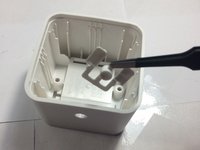
    • On the back of the front cover, remove the white plastic using a metal spudger.

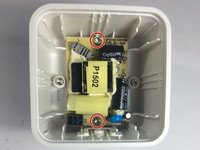
    • Remove the PCB using a spudger

  3. Osram Lightify Disassembly: 手順 3、 2の画像 1 Osram Lightify Disassembly: 手順 3、 2の画像 2
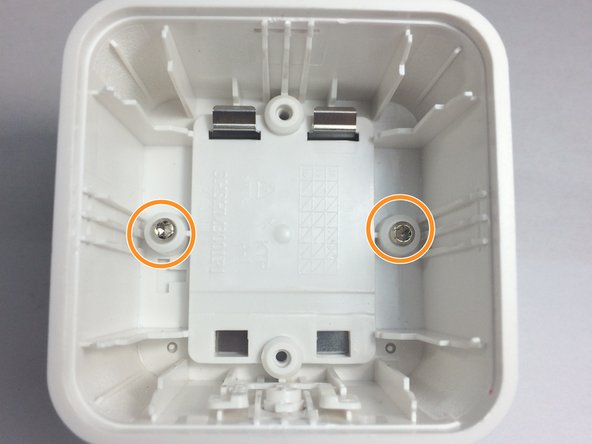
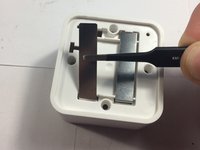
    • Once the PCB is removed, use a Torx T9 screwdriver to unscrew and remove the power supply.

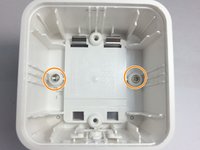
    • Remove the screws holding on the back cover with a Torx T9 screwdriver and remove the back cover.

    • all the screws are the same. they can be mixed with no problem.

  4. Osram Lightify Disassembly: 手順 4、 3の画像 1 Osram Lightify Disassembly: 手順 4、 3の画像 2 Osram Lightify Disassembly: 手順 4、 3の画像 3
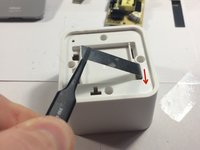
    • Remove the button by grabbing the tab over the button and pulling it out.

    • it will not come out if the button is not depressed.

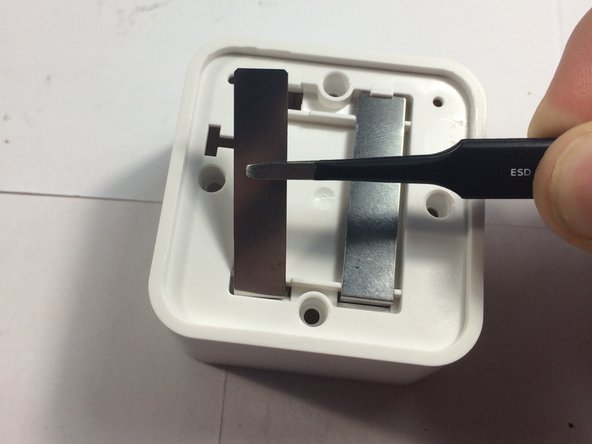
    • Remove both metal sheets. when its at an angle, push it in a little and then pull it up so that it is pointing straight up. then, you can push it through.

終わりに

To reassemble your device, follow these instructions in reverse order.

ある他の人がこのガイドを完成しました。

作成者

2人の作成者と共同で作成されました。

Aiden

メンバー登録日: 09/19/15

18,228 ポイント

21のガイドは作成済み

0件のガイドコメント

コメントを追加

統計データ:

過去 24時間: 0

過去 7 日: 2

過去 30 日: 10

今までの合計 362