メインコンテンツにスキップ
リペアコミュニティに参加 - アカウントの作成

Nikon Coolpix P4 Lens Replacement

必要な工具と部品

  1. Nikon Coolpix P4 Lens Replacement, Battery: 手順 1、 1の画像 1
    • Flip the camera upside down (have the side with the buttons facing away from you)

    • Look for the side with the triangle icon with three lines in it, this is the battery door. Add pressure and slide this door slightly until it clicks and pops open.

    FixBotに聞いてみる

    コメントを追加

  2. Nikon Coolpix P4 Lens Replacement: 手順 2、 1の画像 1
    • Once the door clicks, you can open it to reveal the slots holding the memory card and the battery.

    • Focusing on the larger slot, this holds the battery. Push the orange tab away from the slot, this will eject the old battery if one was previously inside.

    • Once this slot is open, you can place the new battery inside.

    • Make sure to close the orange tab to secure it in place!

    FixBotに聞いてみる

    コメントを追加

  3. Nikon Coolpix P4 Lens Replacement, LCD Screen: 手順 3、 1の画像 1
    • Remove the four 2.2 mm screws located on the bottom of the camera.

    FixBotに聞いてみる

    コメントを追加

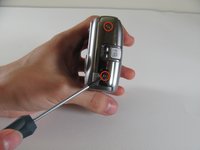
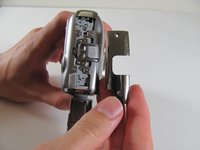
  4. Nikon Coolpix P4 Lens Replacement: 手順 4、 2の画像 1 Nikon Coolpix P4 Lens Replacement: 手順 4、 2の画像 2
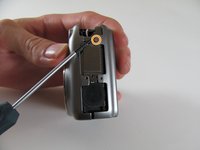
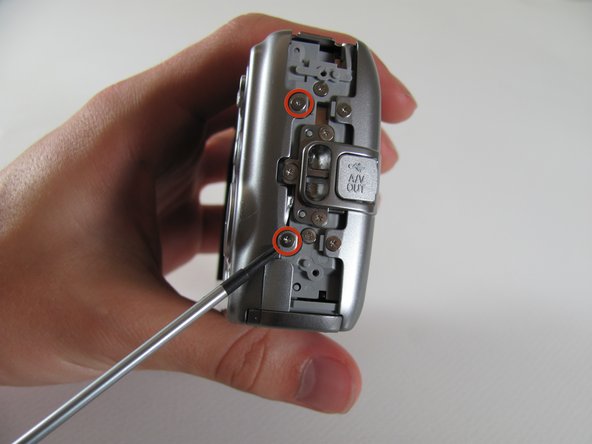
    • Remove the two 2.9 mm screws from the side panel.

    • Remove the side panel.

    FixBotに聞いてみる

    コメントを追加

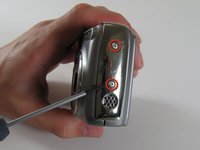
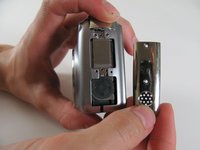
  5. Nikon Coolpix P4 Lens Replacement: 手順 5、 3の画像 1 Nikon Coolpix P4 Lens Replacement: 手順 5、 3の画像 2 Nikon Coolpix P4 Lens Replacement: 手順 5、 3の画像 3
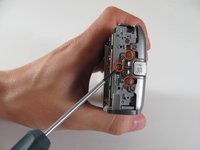
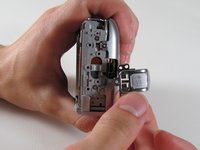
    • Remove the two 5 mm screws from the right side panel.

    • Remove the panel from the right side.

    • Remove the single 2.1 mm screw set underneath the panel.

    FixBotに聞いてみる

    コメントを追加

  6. Nikon Coolpix P4 Lens Replacement: 手順 6、 1の画像 1
    • Remove the two 4.8 mm screws attaching the back panel to the body on the left side.

    FixBotに聞いてみる

    コメントを追加

  7. Nikon Coolpix P4 Lens Replacement: 手順 7、 1の画像 1
    • Gently pull off the back cover.

    FixBotに聞いてみる

    コメントを追加

  8. Nikon Coolpix P4 Lens Replacement: 手順 8、 2の画像 1 Nikon Coolpix P4 Lens Replacement: 手順 8、 2の画像 2
    • Remove the three 4.8 mm screws from the A/V out tab on the left side.

    • Remove the tab.

    FixBotに聞いてみる

    コメントを追加

  9. Nikon Coolpix P4 Lens Replacement: 手順 9、 1の画像 1
    • Remove the two 4.6 mm screws attaching the front panel to the body on the left side.

    FixBotに聞いてみる

    コメントを追加

  10. Nikon Coolpix P4 Lens Replacement: 手順 10、 1の画像 1
    • Flip up the front panel.

    • Potential for device damage. There should be wires still attaching the panel to the body. DO NOT TRY TO PULL OFF COMPLETELY.

    FixBotに聞いてみる

    コメントを追加

  11. Nikon Coolpix P4 Lens Replacement: 手順 11、 1の画像 1
    • Remove the 2.2 mm screw.

    • Remove the 2.9 mm screw.

    • Remove the 2.1 mm screw.

    FixBotに聞いてみる

    コメントを追加

  12. Nikon Coolpix P4 Lens Replacement: 手順 12、 1の画像 1
    • Carefully pull the orange LCD connector up and out of the port.

    • Be careful to pull vertically while pushing the black tab upwards

    FixBotに聞いてみる

    コメントを追加

  13. Nikon Coolpix P4 Lens Replacement: 手順 13、 1の画像 1
    • Remove the 3.1 mm screw below the LCD.

    FixBotに聞いてみる

    コメントを追加

  14. Nikon Coolpix P4 Lens Replacement: 手順 14、 1の画像 1
    • Carefully pull out the plug connecting the LCD to the motherboard.

    FixBotに聞いてみる

    コメントを追加

  15. Nikon Coolpix P4 Lens Replacement: 手順 15、 1の画像 1
    • Remove the LCD from the camera body.

    FixBotに聞いてみる

    コメントを追加

  16. Nikon Coolpix P4 Lens Replacement, Motherboard: 手順 16、 1の画像 1
    • Remove the two screws on the opposite sides of the flash.

    FixBotに聞いてみる

    コメントを追加

  17. Nikon Coolpix P4 Lens Replacement: 手順 17、 1の画像 1
    • Remove the two 2.9 mm screws on the right side of the camera.

    FixBotに聞いてみる

    コメントを追加

  18. Nikon Coolpix P4 Lens Replacement: 手順 18、 1の画像 1
    • Remove the four screws on the bottom of the camera.

    FixBotに聞いてみる

    コメントを追加

  19. Nikon Coolpix P4 Lens Replacement: 手順 19、 1の画像 1
    • Remove the seven 2.8 mm screws from the back of the camera.

    FixBotに聞いてみる

    コメントを追加

  20. Nikon Coolpix P4 Lens Replacement: 手順 20、 1の画像 1
    • Detach the cable that connects the lens to the left side of the motherboard.

    • Firmly grasp the base of the cable and gently pull it from the socket.

    FixBotに聞いてみる

    コメントを追加

  21. Nikon Coolpix P4 Lens Replacement: 手順 21、 1の画像 1
    • Remove the right panel.

    FixBotに聞いてみる

    コメントを追加

  22. Nikon Coolpix P4 Lens Replacement: 手順 22、 1の画像 1
    • Remove the 2.8 mm screw from the top of the camera.

    FixBotに聞いてみる

    コメントを追加

  23. Nikon Coolpix P4 Lens Replacement: 手順 23、 1の画像 1
    • Remove the three 2.8 mm screws from the motherboard.

    • Detach the orange tab with the foam on top.

    • It should click out of place.

    FixBotに聞いてみる

    コメントを追加

  24. Nikon Coolpix P4 Lens Replacement: 手順 24、 1の画像 1
    • Remove the motherboard by pulling it up and out of the port.

    FixBotに聞いてみる

    コメントを追加

  25. Nikon Coolpix P4 Lens Replacement: 手順 25、 1の画像 1
    • Carefully remove the tab that connects the flash to the motherboard from the port by gently pulling the connector to the right and out of its port.

    FixBotに聞いてみる

    コメントを追加

  26. Nikon Coolpix P4 Lens Replacement: 手順 26、 1の画像 1
    • Fully remove the motherboard from the camera body.

    FixBotに聞いてみる

    コメントを追加

  27. Nikon Coolpix P4 Lens Replacement, Lens: 手順 27、 1の画像 1
    • Locate the orange plug on the right side of the lens.

    • Carefully snap the plug out of place.

    • This piece is meant to snap in and out of place easily!

    FixBotに聞いてみる

    コメントを追加

  28. Nikon Coolpix P4 Lens Replacement: 手順 28、 1の画像 1
    • Once the orange piece detaches, gently pull up the flash unit from its place in the camera.

    • The flash unit will still be attached to the camera by a separate cord.

    FixBotに聞いてみる

    コメントを追加

  29. Nikon Coolpix P4 Lens Replacement: 手順 29、 1の画像 1
    • Remove the lens from the rest of the camera.

    FixBotに聞いてみる

    コメントを追加

終わりに

To reassemble your device, follow these instructions in reverse order.

キャンセル: このガイドを終了できませんでした。

ある他の人がこのガイドを完成しました。

作成者

8人の作成者と共同で作成されました。

Luke Baumann

メンバー登録日: 04/13/11

128 ポイント

5のガイドは作成済み

チーム

Cal Poly, Team 8-5, Regan Spring 2011 Cal Poly, Team 8-5, Regan Spring 2011人のメンバー

CPSU-REGAN-S11S8G5

4 メンバー

10のガイドは作成済み

0件のガイドコメント

コメントを追加

統計データ:

過去 24時間: 1

過去 7 日: 5

過去 30 日: 44

今までの合計 3,829