はじめに
Follow this guide to replace a broken or damaged kickstand on your Surface Pro 7+ tablet.
必要な工具と部品
-
-
Before starting your repair, unplug all cables and fully shut down your Surface Pro.
 FixBotに聞いてみる
-
-
-
While holding the kickstand behind the hinge with your finger, use a Torx Plus 3IP screwdriver to remove the two 2.7 mm‑long screws from each hinge (four total).
-
-
-
-
Lay the kickstand down towards the top of the device so it's lying flat.
-
-
-
Wrap your finger in a clean cloth and push both hinges down to about 30 degrees.
-
-
-
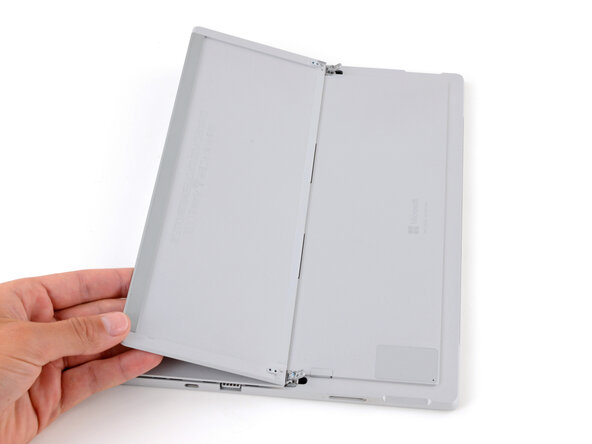
Flip the kickstand towards the bottom of the device so it's resting on the hinges.
-
-
-
Firmly secure the device to your work surface with one hand, and use your free hand to pull the kickstand out until both foam tabs slide out.
-




To reassemble your device, follow these instructions in reverse order.
Repair didn’t go as planned? Try some basic troubleshooting, or ask our Answers community for help.

