メインコンテンツにスキップ

Memorex CD Alarm Clock Radio PCB Board Replacement

必要な工具と部品

  1. Memorex CD Alarm Clock Radio PCB Board Replacement, Memorex CD Alarm Clock Radio: 手順 1、 3の画像 1 Memorex CD Alarm Clock Radio PCB Board Replacement, Memorex CD Alarm Clock Radio: 手順 1、 3の画像 2 Memorex CD Alarm Clock Radio PCB Board Replacement, Memorex CD Alarm Clock Radio: 手順 1、 3の画像 3
    • Turn the clock radio over so the bottom is facing up.

    • Pull the tab upward and remove the cover from the battery compartment.

    • Remove the batteries.

  2. Memorex CD Alarm Clock Radio PCB Board Replacement: 手順 2、 3の画像 1 Memorex CD Alarm Clock Radio PCB Board Replacement: 手順 2、 3の画像 2 Memorex CD Alarm Clock Radio PCB Board Replacement: 手順 2、 3の画像 3
    • Remove the five screws on the bottom of the device with a screwdriver.

    • Grasp the top and bottom and gently pull apart.

  3. Memorex CD Alarm Clock Radio PCB Board Replacement, PCB Board: 手順 3、 1の画像 1
    この手順で使用する道具:
    Tweezers
    $4.99
    • Remove the (5) 7mm screws with a Phillips #1 screwdriver and a pair of tweezers.

    • Using a magnetic tip screwdriver will prevent screw loss.

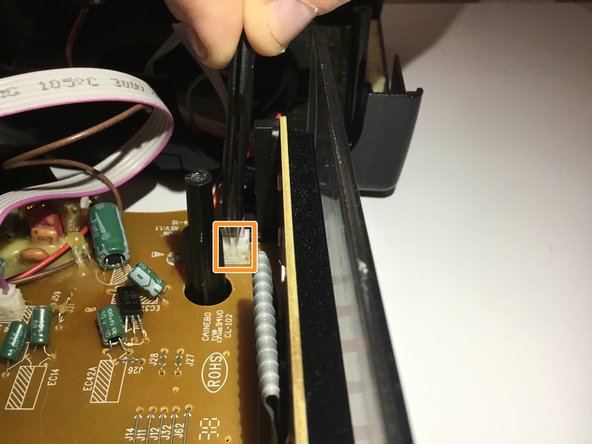
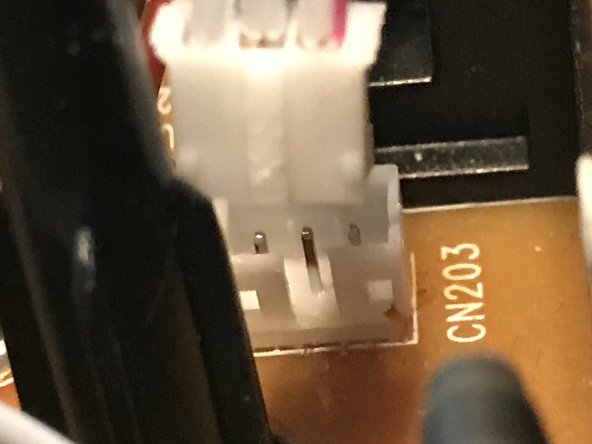
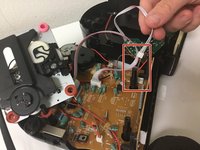
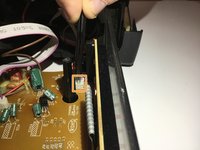
  4. Memorex CD Alarm Clock Radio PCB Board Replacement: 手順 4、 3の画像 1 Memorex CD Alarm Clock Radio PCB Board Replacement: 手順 4、 3の画像 2 Memorex CD Alarm Clock Radio PCB Board Replacement: 手順 4、 3の画像 3
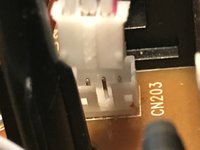
    • Locate the wiring harness.

    • Disconnect the wiring harness using the tweezers.

  5. Memorex CD Alarm Clock Radio PCB Board Replacement: 手順 5、 1の画像 1
    • Remove the PCB board from the device.

    • Replace the broken motherboard with a new PCB board.

終わりに

To reassemble your device, follow these instructions in reverse order.

作成者

3人の作成者と共同で作成されました。

Aubrey Frank

メンバー登録日: 02/15/18

399 ポイント

4のガイドは作成済み

チーム

University of North Texas, Team S6-G6, Thomas Spring 2018 University of North Texas, Team S6-G6, Thomas Spring 2018人のメンバー

UNT-THOMAS-S18S6G6

4 メンバー

6のガイドは作成済み

0件のガイドコメント

コメントを追加

統計データ:

過去 24時間: 0

過去 7 日: 5

過去 30 日: 16

今までの合計 484