はじめに
Mac mini (2024) の底面カバーを交換します。
必要な工具と部品


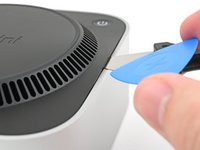
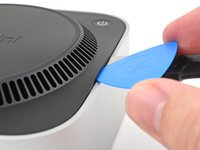
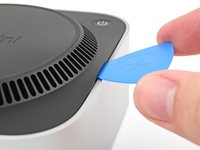


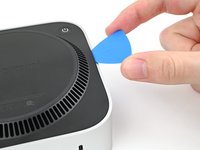
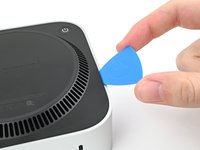
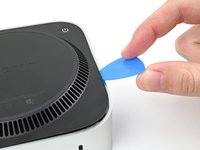


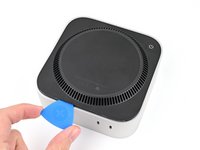
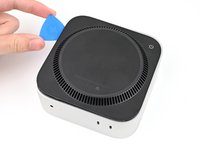
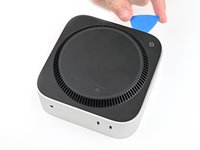


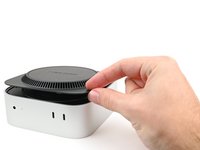
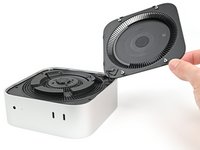


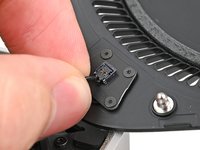
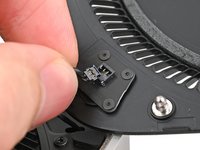

デバイスを再組み立てするには、以下の順序を逆にたどってください。
修理が計画通りに進まなかった場合、基本的なトラブルシューティングを試すか、Mac mini (2024)のアンサーコミュニティに助けを求めてください。
3 の人々がこのガイドを完成させました。
以下の翻訳者の皆さんにお礼を申し上げます:
100%


これらの翻訳者の方々は世界を修理する私たちのサポートをしてくれています。 あなたも貢献してみませんか?
翻訳を始める ›



3件のガイドコメント
I ripped the crimps off of my power cable because I was pulling out instead of up. Is a new power button cable available for sale somewhere?
@alexdk I created a draft update to the guide with some text with an easier way to open this without potentially marring the aluminum with the Jimmy.
Can you take a look and maybe reword it and give it a test yourself using just a pair of normal spudgers, one in a vent slot to gently lift the edge and one to pry close to the "pins" next to the edge alignment plastic clips (which is a misnomer because they are only for alignment and don't clip anything, only the pins hold things together)?
You can always determine the correct orientation to pry near the pins because they are on the "ends" of the mac mini text, aka left and right as you are reading the words.
Hello!
Thank you for the suggestions! I tried out the double spudger technique, and it worked somewhat well. I had to really dig the tip of a spudger into the vent, which will have varying mileage for people with dull tips. It was also difficult to get a good enough angle so I could pry up on the edge of the Mac Mini without holding it down with another hand. With that said, I'll incorporate it as alternative procedure for people who want to avoid marring the aluminum (because you're 100% right it will probably happen). I'll make that clear.
