メインコンテンツにスキップ

Logitech G29 Driving Force Buttons Replacement

必要な工具と部品

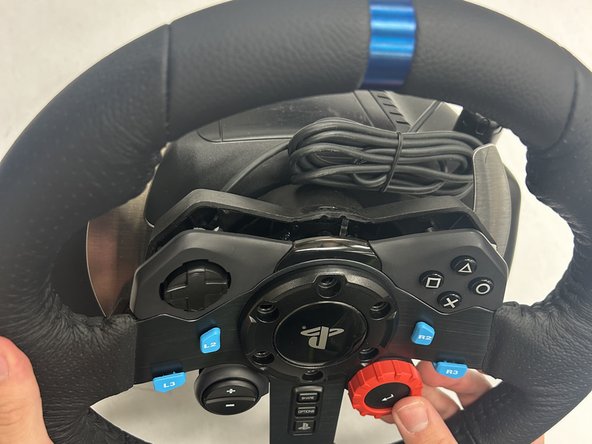
  1. Logitech G29 Driving Force Buttons Replacement, Buttons: 手順 1、 3の画像 1 Logitech G29 Driving Force Buttons Replacement, Buttons: 手順 1、 3の画像 2 Logitech G29 Driving Force Buttons Replacement, Buttons: 手順 1、 3の画像 3
    • Remove the six black screws holding the Playstation center cap using the Hex 4.0 bit.

    • The outer diameter of these screws are 8.40mm with a length of 26mm.

    • The wheel is still attached the base via a bundled cable-connector.

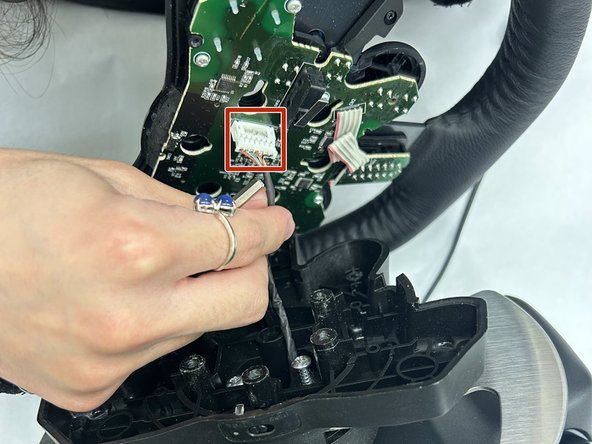
  2. Logitech G29 Driving Force Buttons Replacement: 手順 2、 3の画像 1 Logitech G29 Driving Force Buttons Replacement: 手順 2、 3の画像 2 Logitech G29 Driving Force Buttons Replacement: 手順 2、 3の画像 3
    • Gently lift the faceplate and wheel off the stand.

    • Pull the white 7-pin cable connector from the wheel PCB.

    • Use a spudger or plastic opening tool to help free the connector at its base. Do not pull on the wires.

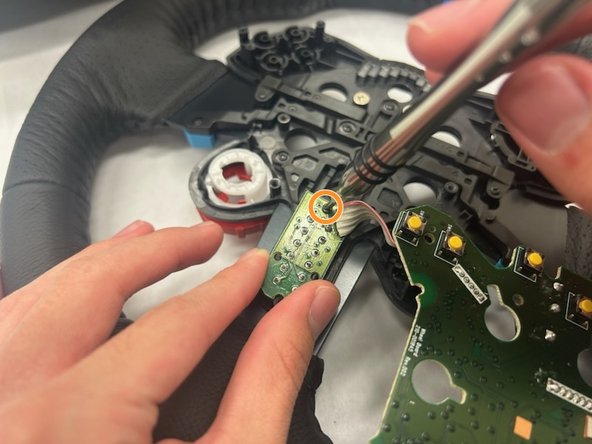
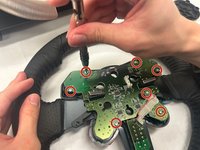
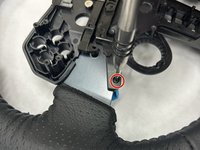
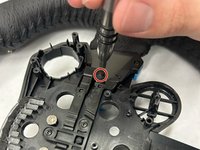
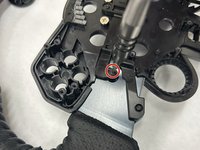
  3. Logitech G29 Driving Force Buttons Replacement: 手順 3、 2の画像 1 Logitech G29 Driving Force Buttons Replacement: 手順 3、 2の画像 2
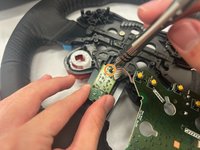
    • Use a Phillips #1 screwdriver to remove the seven 8 mm silver screws that secure the main wheel PCB.

    • Use a Phillips #00 screwdriver to remove the single 5 mm screw from the Share/Options/PlayStation button PCB.

  4. Logitech G29 Driving Force Buttons Replacement: 手順 4、 3の画像 1 Logitech G29 Driving Force Buttons Replacement: 手順 4、 3の画像 2 Logitech G29 Driving Force Buttons Replacement: 手順 4、 3の画像 3
    この手順で使用する道具:
    Tweezers
    $3.99
    • Once the PCB is out, the triangle, square, circle, x button will be exposed. Use the angled tweezers to remove all four buttons.

    • These buttons are keyed to where only a certain key will fit in a certain spot.

  5. Logitech G29 Driving Force Buttons Replacement: 手順 5、 1の画像 1
    • Once the PCB is out, the D-PAD will fall out as well. Use the angled tweezers to remove the D-PAD.

    • This is also keyed to where it can only fit in a certain direction.

  6. Logitech G29 Driving Force Buttons Replacement: 手順 6、 3の画像 1 Logitech G29 Driving Force Buttons Replacement: 手順 6、 3の画像 2 Logitech G29 Driving Force Buttons Replacement: 手順 6、 3の画像 3
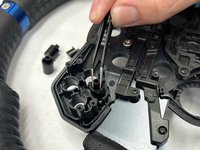
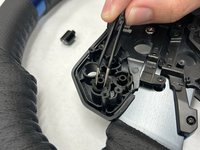
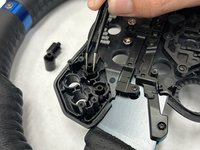
    • Remove the four black 5 mm screws holding the four buttons in place using a Phillips #00 screwdriver. These are located directly under the buttons.

    • The whole housing is not required to come out since only the blue buttons need to come out. Once the screws are removed the buttons will fall out.

  7. Logitech G29 Driving Force Buttons Replacement: 手順 7、 1の画像 1
    • Remove the four black screws holding the four buttons in place using a Phillips #00 screwdriver. These are located directly under the buttons. The whole housing is not required to come out since only the blue buttons need to come out. Once the screws are removed the buttons will fall out.

終わりに

To reassemble your device, follow these instructions in reverse order.

作成者

6人の作成者と共同で作成されました。

Ben varner

メンバー登録日: 11/08/23

400 ポイント

3のガイドは作成済み

チーム

IUPUI, Team 1-3, Harley Fall 2023 IUPUI, Team 1-3, Harley Fall 2023人のメンバー

IUPUI-HARLEY-F23S1G3

4 メンバー

3のガイドは作成済み

0件のガイドコメント

コメントを追加

統計データ:

過去 24時間: 7

過去 7 日: 47

過去 30 日: 203

今までの合計 3,515