Use this guide to replace the scroll wheel in a Logitech G1 optical mouse.
Sometimes the scroll wheel does not work when using the mouse. This guide not only shows you how to replace the mouse scroll wheel but also how to clean it.
Remove one screw at the bottom of the mouse.
Pull the top of the mouse lid gently to separate it from the rest of the mouse.
Potential for device damage: The lid and the body are connected with a wire, so separate them gently.
Pull the white connector from the circuit board.
Be sure the two small holes in the connector are positioned at the top when reassembling.
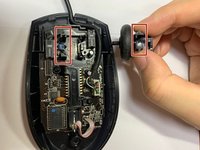
Carefully pull the scroll wheel up.
The long parts of the spring should be in the southeast and southwest directions when reassembling.
Carefully remove the two Phillips #0 screws.
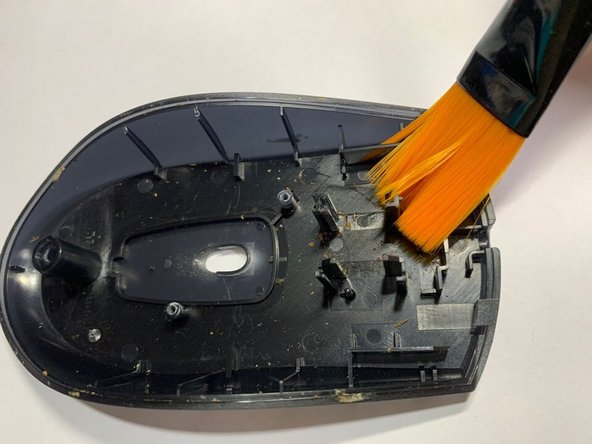
Clean the mouse case, lid, and module with a dry cotton swab or soft brush.
Potential for device damage: Do not use water or an iron brush to clean it.
Place the new scroll wheel into the mouse.
The spring should be inserted into a small groove.
The spring can be inserted after combining the mouse body.
キャンセル: このガイドを終了できませんでした。
4 の人々がこのガイドを完成させました。
2人の作成者と共同で作成されました。
メンバー登録日: 01/19/21
358 ポイント
1ガイドが承認済み
バッジ: 8
+5 個以上のバッジ
YORK-WOODHOUSE-W21S1G33
1 メンバー
2のガイドは作成済み
サイズを選択し、以下のコードをコピーして、このガイドを小さなウィジェットとしてサイト/フォーラムに埋め込みます。
過去 24時間: 3
過去 7 日: 12
過去 30 日: 36
今までの合計 2,030