メインコンテンツにスキップ

Logitech G Cloud Case Replacement

必要な工具と部品

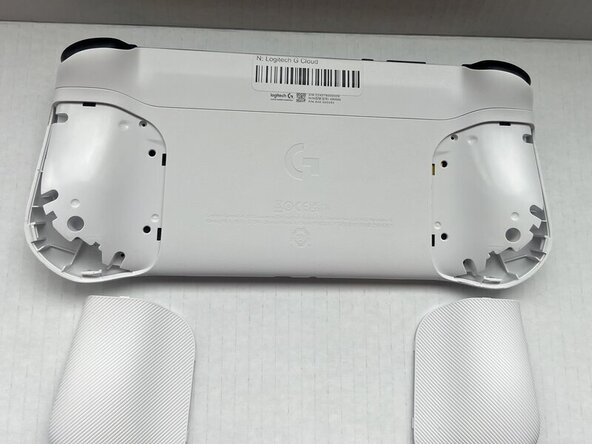
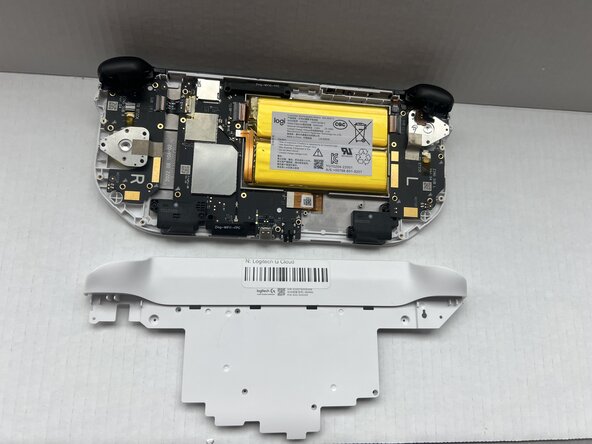
  1. Logitech G Cloud Case Replacement, Case: 手順 1、 2の画像 1 Logitech G Cloud Case Replacement, Case: 手順 1、 2の画像 2
    • Power the device off and turn it over so the screen is face down.

    • Insert an opening pick into the seam between the back plate and left handguard.

    • Pry around the entire perimeter until the handguard fully releases.

    • Remove the handguard.

    • Repeat the previous three bullets on the right handguard.

  2. Logitech G Cloud Case Replacement: 手順 2、 1の画像 1
    • Use a Phillips #00 screwdriver to remove all eight 10 mm screws from the rear case located under where the handguards were.

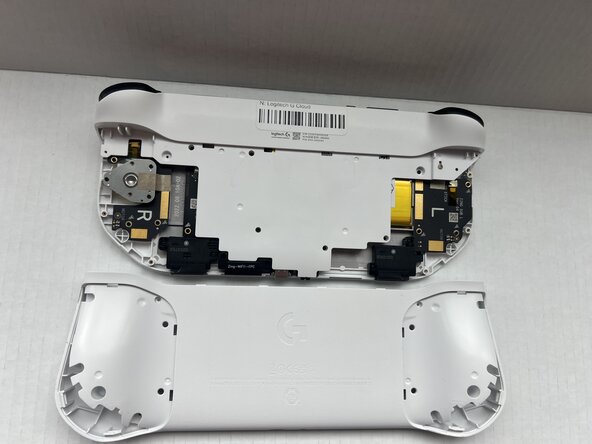
  3. Logitech G Cloud Case Replacement: 手順 3、 2の画像 1 Logitech G Cloud Case Replacement: 手順 3、 2の画像 2
    • Insert an opening pick into the seam between the midframe and rear case.

    • Gently pry the rear case upwards to separate it from the midframe.

  4. Logitech G Cloud Case Replacement: 手順 4、 1の画像 1
    • Use a Phillips #00 screwdriver to remove all seven 10 mm screws that secure the midframe.

  5. Logitech G Cloud Case Replacement: 手順 5、 2の画像 1 Logitech G Cloud Case Replacement: 手順 5、 2の画像 2
    • Insert an opening pick into the seam between the midframe and front case at the top of the device to separate the interior plating.

    • Gently pry out the midframe by lifting an opening pick.

    • You may hear loud popping noises when you remove the interior plating. That's the sound of the retaining clips disengaging.

終わりに

To reassemble your device, follow these instructions in reverse order.

作成者

2人の作成者と共同で作成されました。

Spencer Davis

メンバー登録日: 01/23/25

517 ポイント

6のガイドは作成済み

チーム

Western Carolina University, Team 1-1, Virtue Spring 2025 Western Carolina University, Team 1-1, Virtue Spring 2025人のメンバー

WCU-VIRTUE-S25S1G1

4 メンバー

6のガイドは作成済み

0件のガイドコメント

コメントを追加

統計データ:

過去 24時間: 0

過去 7 日: 2

過去 30 日: 10

今までの合計 146