メインコンテンツにスキップ

Lenovo ThinkPad T500 Keyboard Replacement

必要な工具と部品

  1. Lenovo ThinkPad T500 Keyboard Replacement, Keyboard: 手順 1、 1の画像 1
    • Remove the eight 14mm screws using the Phillips #0 Screwdriver.

  2. Lenovo ThinkPad T500 Keyboard Replacement: 手順 2、 2の画像 1 Lenovo ThinkPad T500 Keyboard Replacement: 手順 2、 2の画像 2
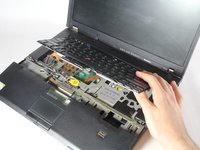
    • Lift the palm rest panel.

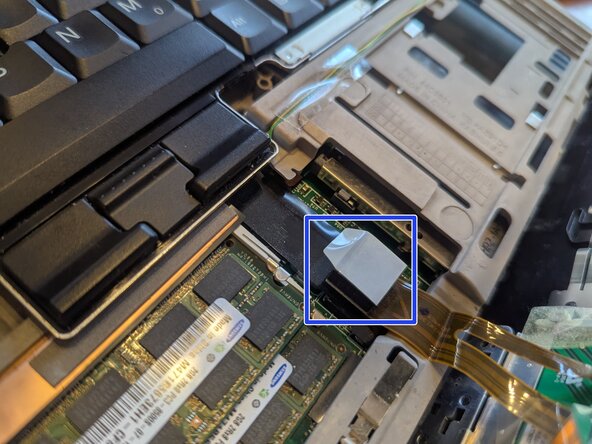
    • Lift the palm rest panel slowly; there is a ribbon cable connected under it.

    • The ribbon cable connecter is shown in the second image, circled in blue.

  3. Lenovo ThinkPad T500 Keyboard Replacement: 手順 3、 2の画像 1 Lenovo ThinkPad T500 Keyboard Replacement: 手順 3、 2の画像 2
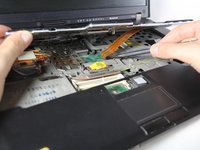
    • While lifting the panel, lift the keyboard up.

    • Be sure to lift the keyboard slowly; there is a ribbon cable attached under it.

  4. Lenovo ThinkPad T500 Keyboard Replacement: 手順 4、 1の画像 1
    • Use the spudger to disconnect the ribbon cable.

  5. Lenovo ThinkPad T500 Keyboard Replacement: 手順 5、 1の画像 1
    • Remove the keyboard.

終わりに

To reassemble your device, follow these instructions in reverse order.

6 の人々がこのガイドを完成させました。

作成者

8人の作成者と共同で作成されました。

nicO

メンバー登録日: 04/14/15

15,945 ポイント

89のガイドは作成済み

0件のガイドコメント

コメントを追加

統計データ:

過去 24時間: 0

過去 7 日: 2

過去 30 日: 24

今までの合計 3,798