この翻訳は機械によって生成されたものであり、まだ人間による校正は行われていません。 日本語を話せますか? レビューはこちらから。

LG Aristo MS210 スクリーンの交換

Michael WIlliams とその他
最終更新日: 2026年7月31日
閲覧: 1.8万
統計データ:
- 過去24時間:
- 3
- 過去7日:
- 28
- 過去30日:
- 109
- 今までの合計
- 18,055
コメント: 13
手順に関する3件のコメント, 10件のガイドコメント
修理ガイドのコメントへ完了済み: 18 19
18人のユーザーがこのガイドを「完了」させました。あなたも加わりませんか?
あなたを含む、19人のユーザーがこのガイドを使って修理を「完了」させました。素晴らしいです!
お気に入り: 9 10
9人のユーザーがこのガイドをお気に入りに登録しています。あなたもリストに入れませんか?
あなたを含む、10人のユーザーがこのガイドをお気に入りに登録しています。
はじめに
手順 1 に進む ↓この修理ガイドは、LG Aristo MS210のスクリーンとデジタイザーを適切に交換する方法を解説するために作成されました。
必要な工具と部品
ツール
-
Spudger4.9


-
-
-
-
バックプレートを取り付け直す。
-
精密ドライバーを使用して、バックプレートのネジ10本をしっかりと締める。
-
SDカード、SIMカード、バッテリーを取り付け直す。
-
リアカバーを取り付け直す。
-

 FixBotに聞いてみる


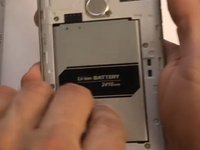
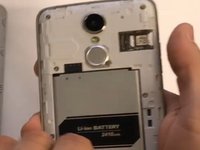


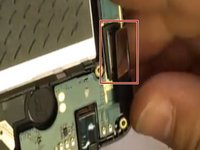
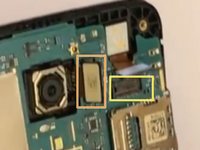


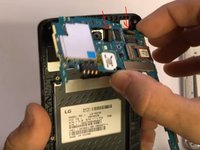
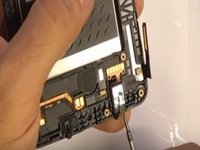
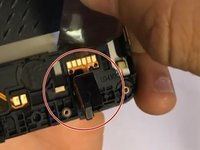


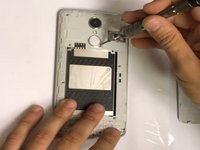
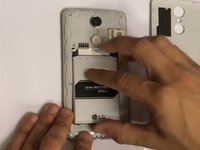
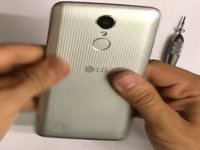

デバイスを再組み立てするには、これらのインストラクションを逆の順番に従って作業を進めてください。
18 の人々がこのガイドを完成させました。

チーム

Pasco Hernando, Team S4-G33, Prince Winter 2017 Pasco Hernando, Team S4-G33, Prince Winter 2017人のメンバー
PHSC-PRINCE-W17S4G33
1 メンバー
12のガイドは作成済み
10件のガイドコメント
What if my touch screen doesn't work after replacement? I can see start up screen. It just doesn't respond to my touch. Please help!! Thanks
4 Possible answers to this:
1. The digitizer is bad - this is uncommon but not unheard of. Roughly %5 of the screens my shop gets in are bad. Most distributors accept returns on defective parts.
2. The digitizer isn’t plugged in to the board
3. The digitizer port on the motherboard is damaged - this can be tested by trying a known good screen.
4. Software issues. This is most common in iPhones, in my experience. So far as I understand, parts can have hardware identifiers similar to a MAC address. Suddenly changing the hardware can “confuse” the software. You can try a force reset or resetting the phone.
reconnect the motherboard and make sure its properly replaced
Travis Lasta - 返信 共有
I guess this is different than older phones where the digitizer and lcd were separate and when you cracked it you could just buy a new digitizer and replace it without having to buy the lcd with the digitizer.? am I correct in this fact because I see that you can buy the black or white Screen replacement with the lg logo without having to buy the lcd is the screen replacement just like a glass protector for the digitizer and lcd? Like a built in glass screen protector that you would normally add on to stop scratches and a cracked screen or is the screen replacement the digitizer like say the lg optimus f60 and the lg motion where the outer screen with the lg logo and the black part of the screen were part of the digitizer?
Steve Hill - 返信 共有
