メインコンテンツにスキップ

How to remove malware from an infected windows PC

必要な工具と部品

  1. How to remove malware from an infected windows PC, Install Anti-Malware software: 手順 1、 2の画像 1 How to remove malware from an infected windows PC, Install Anti-Malware software: 手順 1、 2の画像 2
    • On the PC you will be doing antivirus on, install the appropriate software. If the PC with malware does not turn on, install on a different one to do anti-virus.

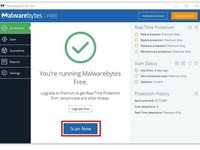
    • Malwarebytes is great anti-virus software. Go to the website and install it for free.

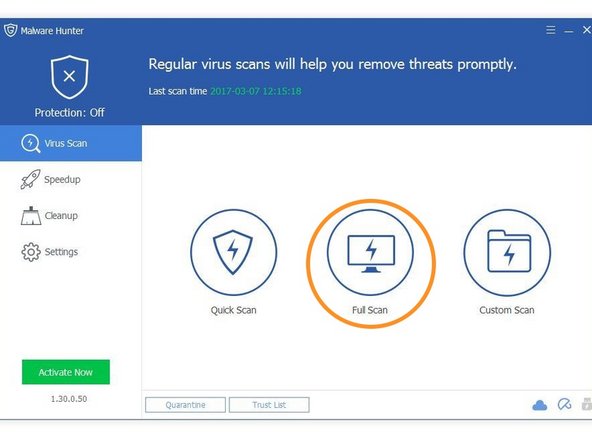
    • Glarysoft Malware hunter is also good. Their website is here.

    • Other free anti-malware works too, but these are my favorites.

  2. How to remove malware from an infected windows PC, Remove your SATA HDD/SDD from the PC: 手順 2、 1の画像 1
    • This step only applies to PCs that do not boot. If the PC with malware runs, then install the software directly onto it.

    • Because assembly of different laptops and PCs vary so much, you will have to figure out or find a guide to remove your drive.

  3. How to remove malware from an infected windows PC, Connect the drive: 手順 3、 1の画像 1
    • This step also only applies to PCs that don't boot.

    • If your non-infected PC is a desktop, you may unplug the optical drive and plug the connections into the HDD or SSD. If it is a laptop, you will need a SATA to USB adapter.

    • Shut down your desktop before unplugging the DVD drive and attaching the HDD.

  4. How to remove malware from an infected windows PC, Disinfect your PC: 手順 4、 3の画像 1 How to remove malware from an infected windows PC, Disinfect your PC: 手順 4、 3の画像 2 How to remove malware from an infected windows PC, Disinfect your PC: 手順 4、 3の画像 3
    • Once you've installed the necessary programs and (if applicable) connected you're infected drive to you PC, you are ready to be the doctor.

    • Run Malwarebytes.

    • Run Glarysoft Malware Hunter.

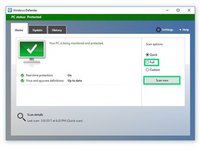
    • Windows defender comes preinstalled with Windows. Use that also.

  5. How to remove malware from an infected windows PC, Double checking another PCs drive.: 手順 5、 1の画像 1
    • This is the last step for checking another PCs drive

    • Go into file explorer, right click on the drive from the infected PC, and select each of the highlighted options.

  6. How to remove malware from an infected windows PC, Finito!: 手順 6、 1の画像 1
    • All done! follow these instructions in reverse to put everything back.

ゴール

38 の人々がこのガイドを完成させました。

作成者

4人の作成者と共同で作成されました。

George A.

メンバー登録日: 12/07/16

22,407 ポイント

4のガイドは作成済み

チーム

Community Protectors Community Protectors人のメンバー

Community

19 メンバー

26のガイドは作成済み

1件のガイドコメント

changed “boot” to “turn on” because it would make more sense to the people who read this article, as they could be the much less computer-savvy people

aaaaaaaaaaaaaaaaa - 返信

コメントを追加

統計データ:

過去 24時間: 3

過去 7 日: 33

過去 30 日: 170

今までの合計 10,589