
How to Create a USB boot drive for Windows 10

Conor Bailey とその他
最終更新日: 2026年2月28日
閲覧: 41万
統計データ:
- 過去24時間:
- 26
- 過去7日:
- 224
- 過去30日:
- 763
- 今までの合計
- 405,275
コメント: 31
手順に関する9件のコメント, 22件のガイドコメント
修理ガイドのコメントへ完了済み: 107 108
107人のユーザーがこのガイドを「完了」させました。あなたも加わりませんか?
あなたを含む、108人のユーザーがこのガイドを使って修理を「完了」させました。素晴らしいです!
お気に入り: 24 25
24人のユーザーがこのガイドをお気に入りに登録しています。あなたもリストに入れませんか?
あなたを含む、25人のユーザーがこのガイドをお気に入りに登録しています。
コミュニティメンバーによる寄稿ガイド
iFixitコミュニティーの素晴らしいメンバーがこのガイドを作成しました。iFixitスタッフによって作成されたものではありません。
はじめに
手順 1 に進む ↓This guide will walk you through the steps required to make a USB repair disk for Windows 10, which ideally should be done before a problem presents itself. A best practice is to make one of these with an old USB stick and leave it in a drawer for a "rainy day".
However if you are having difficulty booting into your OS this can be done using another Windows PC.
必要な工具と部品
-
-
-
And click "Download tool now"
 FixBotに聞いてみる
-
-
Select "Create installation media (USB flash drive, DVD or ISO file) for another PC"
-
Click "Next"
-
-
-
-
If you are creating a USB for another computer take care to get these settings correct for the computer it will be used on. Language is not so important as it can be changed later.
-
If you are creating a back up for the computer you are running the tool on, selecting the check box "Use the recommended options for this PC" will select the settings automatically.
-
-
-
Select "USB flash drive"
-
Click "Next"
-
By selecting "ISO file" you can create a disk image that can be burned to a CD or USB at a later date.
-
-
-
Now select the USB drive you wish to put the tool on.
-
If your drive does not appear here, make sure it is correctly inserted and detected by Windows.
-
-
-
Now windows will download and verify the installation files.
-
-
-
Once it's finished writing to the disk click "Next"
-
And after a short wait you're done!
-
-


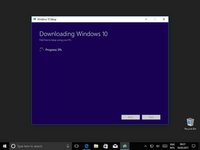
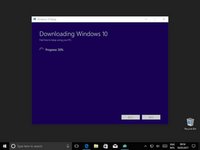
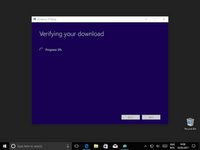


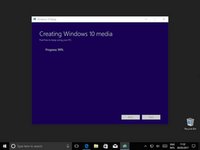
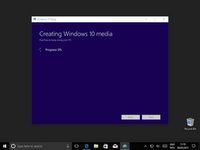


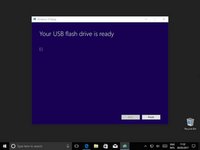
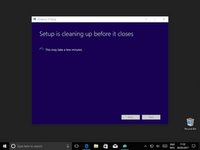
Congratulations on your Windows 10 drive! The flash drive has Windows 10 installed, and you are good to go.
107 の人々がこのガイドを完成させました。


22件のガイドコメント
Mr. Bailey. How is this Boot drive different from the Recovery drive that I create directly from my PC? Thanks.
John Norton - 返信 共有
They do the same thing essentially, they allow you to boot and recover your windows installation. However there is a one difference and that's that, I believe, the recovery drive tool only gives you the option to create a disk for the computer you are using. It's exactly like the recovery partition that some computers and laptops have.
My guide is quite generic in that you could create the disk for any Windows 10 installation.
Thanks for the question.
Conor Bailey - 返信 共有
From my practice, UUByte ISO Editor can also create disks for any Windows 10 installation (including Windows 7, Windows 8 and Mac).
And compared with the method shared by Mr. Bailey above, UUByte ISO Editor saves time for users because it only takes 3 steps to create a Windows 10 bootable USB on my PC. It has no difficulty for those new users.
I recommend you add something about how to boot from the USB drive, especially on a machine that has UEFI SecureBoot enabled.
Bill Meacham - 返信 共有
I agree that that part of the process is important, however there are so many variables to uefi that writing a coherent guide for that would be difficult. Not to mention that screen shotting those steps a more difficult (although obviously not impossible).
But thank you for the feed back, I'll consider it in the future.
Conor Bailey - 返信 共有
