メインコンテンツにスキップ
リペアコミュニティに参加 - アカウントの作成

HP w2216h Video Port Board Replacement

必要な工具と部品

    1. HP w2216h Video Port Board Replacement, Screen: 手順 1、 1の画像 1
      • 'Make sure you are grounded, the power supply is not connected and you are wearing safety goggles.

      • Use the Philips #000 screwdriver to remove the 4 round12mm screws on the back panel.

      FixBotに聞いてみる

      コメントを追加

    2. HP w2216h Video Port Board Replacement: 手順 2、 2の画像 1 HP w2216h Video Port Board Replacement: 手順 2、 2の画像 2
      • Using a Philips #000 head remove 2 flat 12 mm screws above stand mounting bracket.

      • Using a PH1 Philips head with the 150 mm flexible extension remove 1 Philips head screw under the stand mounting bracket.

      • Stand will easily pull off.

      FixBotに聞いてみる

      コメントを追加

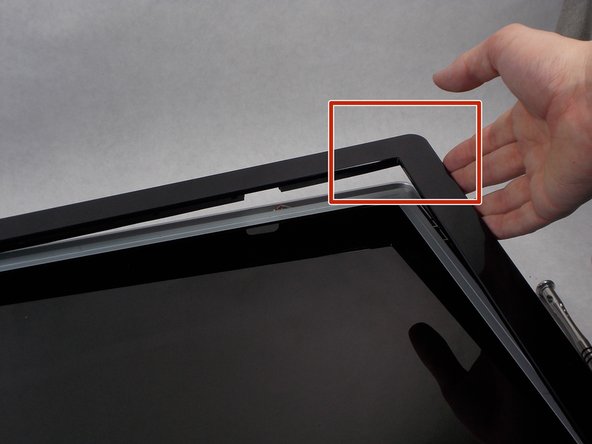
    3. HP w2216h Video Port Board Replacement: 手順 3、 3の画像 1 HP w2216h Video Port Board Replacement: 手順 3、 3の画像 2 HP w2216h Video Port Board Replacement: 手順 3、 3の画像 3
      • Do not put the metal spudger between the metal and the glass. It needs to go under the bezel and above the metal.

      • Turn monitor so that the screen is facing you.

      • Pry the black bezel from above the metal by placing your metal spudger between the bezel and the metal and twisting the tool slightly.

      • The best places to pry are in the lower left and lower right corners of the black bezel.

      FixBotに聞いてみる

      コメントを追加

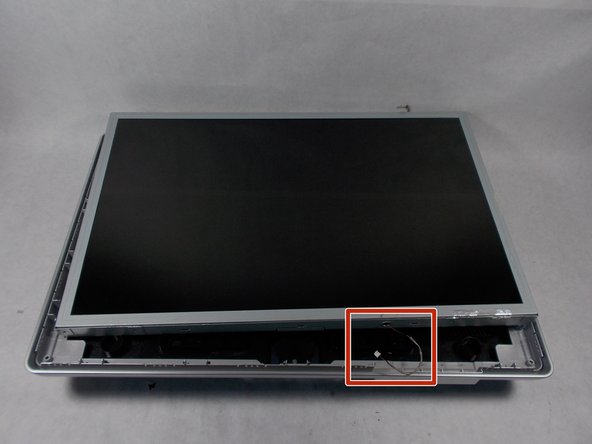
    4. HP w2216h Video Port Board Replacement: 手順 4、 3の画像 1 HP w2216h Video Port Board Replacement: 手順 4、 3の画像 2 HP w2216h Video Port Board Replacement: 手順 4、 3の画像 3
      • Be careful of the wires attaching the power button and the control buttons. Show extreme caution to ensure the button is not damaged.

      • Lift the screen assembly from the plastic housing from the corners.

      FixBotに聞いてみる

      コメントを追加

    5. HP w2216h Video Port Board Replacement: 手順 5、 2の画像 1 HP w2216h Video Port Board Replacement: 手順 5、 2の画像 2
      • Remove the 4 connectors from the left side of the monitor on the back.

      FixBotに聞いてみる

      コメントを追加

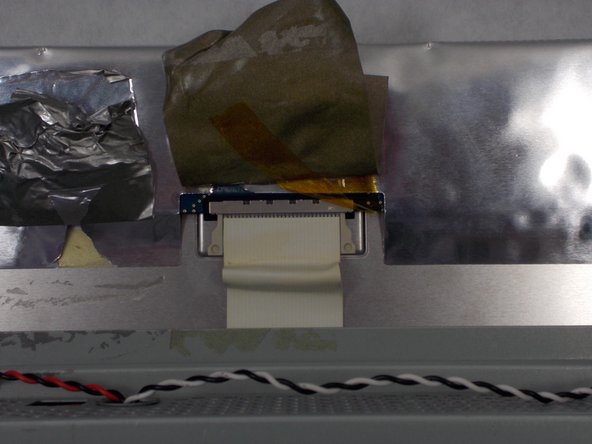
    6. HP w2216h Video Port Board Replacement: 手順 6、 3の画像 1 HP w2216h Video Port Board Replacement: 手順 6、 3の画像 2 HP w2216h Video Port Board Replacement: 手順 6、 3の画像 3
      • Lift the gray tape of the top of the monitor to expose the ribbon cable.

      • Remove the ribbon cable by sliding the connector towards the center of the screen assembly.

      • Lift the reflective tape next to the gray tape.

      FixBotに聞いてみる

      コメントを追加

    7. HP w2216h Video Port Board Replacement: 手順 7、 3の画像 1 HP w2216h Video Port Board Replacement: 手順 7、 3の画像 2 HP w2216h Video Port Board Replacement: 手順 7、 3の画像 3
      • Remove the 4 PH1 8mm Philips round screws on the outer edge of the screen's assembly.

      • Lift the screen from the screen assembly.

      FixBotに聞いてみる

      コメントを追加

    1. HP w2216h Video Port Board Replacement, Speakers: 手順 8、 1の画像 1
      • Remove the tape holding each speakers wire to the screen assembly.

      FixBotに聞いてみる

      コメントを追加

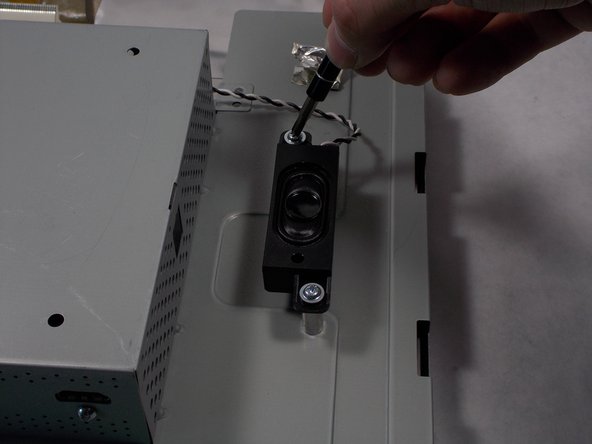
    2. HP w2216h Video Port Board Replacement: 手順 9、 2の画像 1 HP w2216h Video Port Board Replacement: 手順 9、 2の画像 2
      • Remove the two 8mm Philips #000 head screws on each speaker.

      FixBotに聞いてみる

      コメントを追加

    3. HP w2216h Video Port Board Replacement: 手順 10、 2の画像 1 HP w2216h Video Port Board Replacement: 手順 10、 2の画像 2
      • Remove the speakers by lifting them vertically from the screen assembly.

      FixBotに聞いてみる

      コメントを追加

    4. HP w2216h Video Port Board Replacement: 手順 11、 1の画像 1
      • Remove the cables that connects the speakers to the signal output board.

      FixBotに聞いてみる

      コメントを追加

    1. HP w2216h Video Port Board Replacement, Video Port Board: 手順 12、 1の画像 1
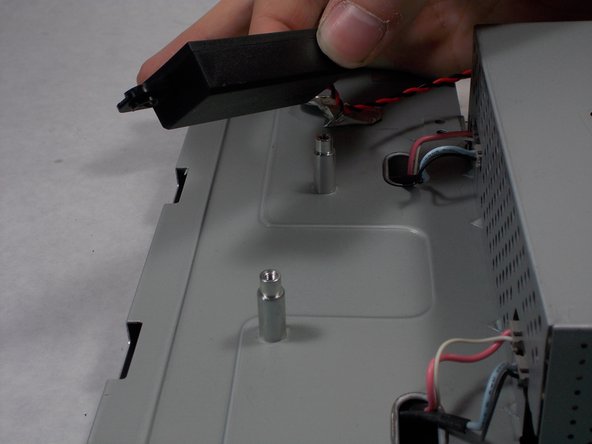
      • Remove the single Phillips #000 head screw above the HDMI port .

      FixBotに聞いてみる

      コメントを追加

    2. HP w2216h Video Port Board Replacement: 手順 13、 1の画像 1
      • Remove the two 2.5mm hex screws on either side of the VGA port

      FixBotに聞いてみる

      コメントを追加

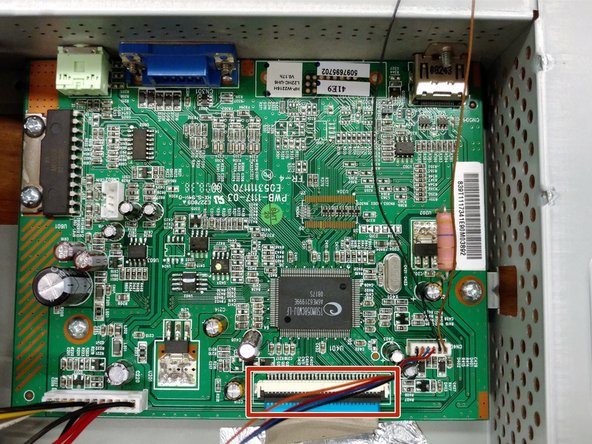
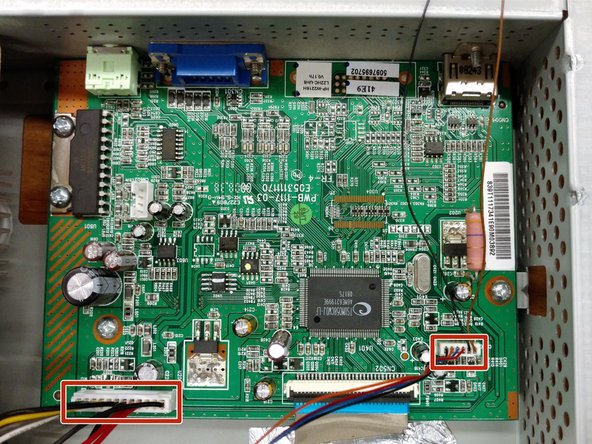
    3. HP w2216h Video Port Board Replacement: 手順 14、 3の画像 1 HP w2216h Video Port Board Replacement: 手順 14、 3の画像 2 HP w2216h Video Port Board Replacement: 手順 14、 3の画像 3
      • Remove all 8mm Phillips #000 screws holding the board in place.

      • Remove the ribbon cable towards the bottom of the board by sliding the cable away from the board.

      • Remove both wire busses still on the board.

      FixBotに聞いてみる

      コメントを追加

    4. HP w2216h Video Port Board Replacement: 手順 15、 1の画像 1
      • Lift the board out of the screen assembly by first pulling the board away from the wall where the ports mount, then upward.

      FixBotに聞いてみる

      コメントを追加

終わりに

To reassemble your device, follow these instructions in reverse order.

キャンセル: このガイドを終了できませんでした。

作成者

3人の作成者と共同で作成されました。

Branflakes222

メンバー登録日: 03/25/16

399 ポイント

2のガイドは作成済み

チーム

UMass Dartmouth, Team 1-1, Miles Spring 2016 UMass Dartmouth, Team 1-1, Miles Spring 2016人のメンバー

UMASSD-MILES-S16S1G1

4 メンバー

12のガイドは作成済み

0件のガイドコメント

コメントを追加

統計データ:

過去 24時間: 3

過去 7 日: 7

過去 30 日: 33

今までの合計 927