はじめに
Use this guide to replace a faulty solid state drive (SSD) in your HP Envy TouchSmart 4-1215dx.
The SSD is a storage device similar to a hard disk drive (HDD) that supports the reading and writing of data and maintains stored data. A failing SSD can cause your computer to run excessively slow or can cause apps to freeze or crash. Sometimes, the drive becomes read only, or in some cases your computer won’t boot at all.
Before using this guide, make sure to review the troubleshooting page—oftentimes, speed and booting can be fixed without replacing the SSD.
You can upgrade your SSD if you want your computer to run faster, increase energy efficiency, have better system cooling, and seamless multitasking. This device supports SSDs with the following specs: mSATA 1.5-6Gb/s 8-512GB SSD, 50.8 mm x 29.85 mm x 4.85 mm.
Make sure to power off your laptop completely and disconnect from any external power source prior to beginning the process.
必要な工具と部品


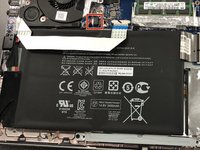
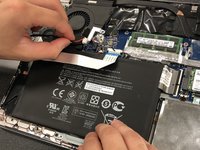


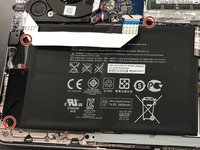
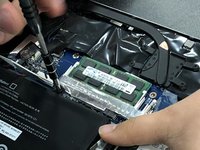


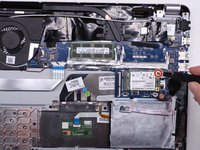
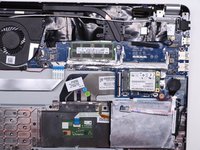


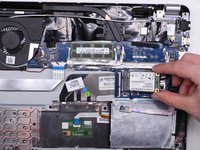
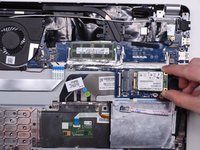
To reassemble your device, follow these instructions in reverse order.


チーム

University of Kentucky, Team 1-2, Kaufmann Spring 2022 University of Kentucky, Team 1-2, Kaufmann Spring 2022人のメンバー
UKY-KAUFMANN-S22S1G2
4 メンバー
4のガイドは作成済み
