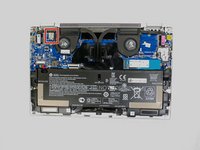
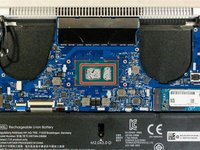
Use this guide if you are experiencing issues with your laptop’s fan. These include your device overheating, fans making noise and throttling, or your laptop’s performance dropping. This guide includes instructions to remove and replace your laptop’s fan. Note that removing the fan requires the application of new thermal paste.
この手順で使用する道具:
Tweezers
$4.99
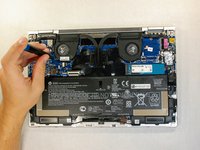
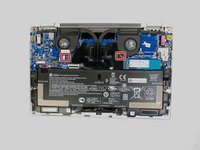
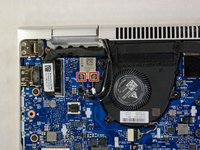
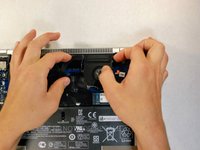
Carefully remove the two wires connecting the fan to the mother board by pulling on both sides of the head.
If the wires are difficult to remove, you may need a pair of tweezers to help unplug the wire.
If you use tweezers be very gentle, because the wires are fragile.
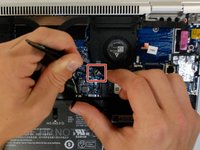
Remove the two pins, on the left of the fan by gently pulling on the connector.
Push them to the side, as they can get caught on the fan.
The white tagged wire goes on the right and the black tagged wire goes on the left.
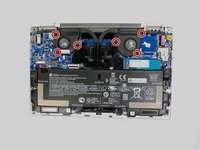
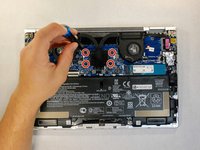
Use the Phillips 00 screwdriver to remove the five 3mm Phillips screws from the heat sink assembly.
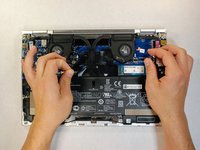
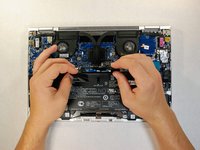
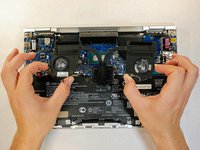
Take hold of the fan assembly. Push down and toward yourself until the clips are released, then pull the fans from the device.
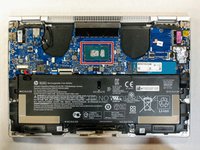
Remove the thermal paste heatsink using a lint-free cloth. Then with few drops of Isopropyl alcohol remove the any residue.
99% Isopropyl alcohol is preferred, but 70% is acceptable.
New thermal paste needs to be applied before reassembling the fan.
終わりに
To reassemble your device, follow these instructions in reverse order.
このガイドを埋め込む
サイズを選択し、以下のコードをコピーして、このガイドを小さなウィジェットとしてサイト/フォーラムに埋め込みます。
1つの手順
全ガイド
小サイズ - 600px
中サイズ - 800px
大サイズ - 1200px
プレビュー