メインコンテンツにスキップ
リペアコミュニティに参加 - アカウントの作成

GoPro Hero3+ Silver Edition Image Sensor Replacement

必要な工具と部品

  1. GoPro Hero3+ Silver Edition Image Sensor Replacement, Battery: 手順 1、 2の画像 1 GoPro Hero3+ Silver Edition Image Sensor Replacement, Battery: 手順 1、 2の画像 2
    • Push the tab on the back of the device left to remove the plate covering the battery.

    FixBotに聞いてみる

    コメントを追加

  2. GoPro Hero3+ Silver Edition Image Sensor Replacement: 手順 2、 1の画像 1
    • Use the strip of tape on the battery to remove the battery from the housing.

    FixBotに聞いてみる

    コメントを追加

  3. GoPro Hero3+ Silver Edition Image Sensor Replacement, Front Panel: 手順 3、 1の画像 1
    • Insert a plastic opening tool in between the front face plate and the black housing.

    • Make sure you insert the plastic opening tool next to the microSD card slot. There is a small gap that will help separate the face plate.

    FixBotに聞いてみる

    コメントを追加

  4. GoPro Hero3+ Silver Edition Image Sensor Replacement: 手順 4、 1の画像 1
    • Continue to use the plastic opening tool and separate the front face plate from the rest of the device.

    • There is adhesive that helps attach the front face plate. Some extra prying may be required to separate the face plate, but do not use excessive force.

    FixBotに聞いてみる

    コメントを追加

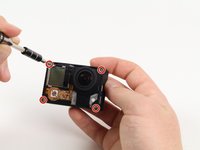
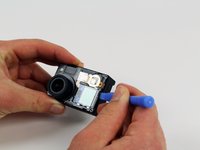
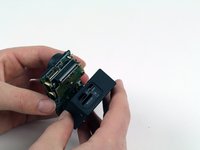
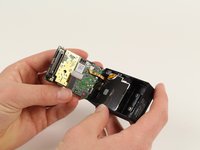
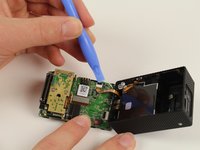
  5. GoPro Hero3+ Silver Edition Image Sensor Replacement, Image Sensor: 手順 5、 3の画像 1 GoPro Hero3+ Silver Edition Image Sensor Replacement, Image Sensor: 手順 5、 3の画像 2 GoPro Hero3+ Silver Edition Image Sensor Replacement, Image Sensor: 手順 5、 3の画像 3
    • Locate the four 8.1mm PH00 screws on the corners of the GoPro and unscrew them using the phillips screwdriver.

    • Gently remove the motherboard by using a plastic opening tool to pry it out of the housing.

    • Be careful not to damage the ribbon cable connected to the GoPro housing and motherboard.

    FixBotに聞いてみる

    コメントを追加

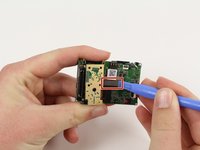
  6. GoPro Hero3+ Silver Edition Image Sensor Replacement: 手順 6、 2の画像 1 GoPro Hero3+ Silver Edition Image Sensor Replacement: 手順 6、 2の画像 2
    • Remove the ribbon cable by carefully flipping the black clip up with the plastic opening tool and pulling the cable out.

    FixBotに聞いてみる

    コメントを追加

  7. GoPro Hero3+ Silver Edition Image Sensor Replacement: 手順 7、 1の画像 1
    • Remove the four 4mm PH00 screws attaching the image sensor to the motherboard with your screwdriver.

    FixBotに聞いてみる

    コメントを追加

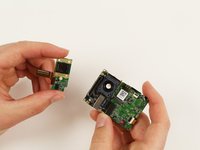
  8. GoPro Hero3+ Silver Edition Image Sensor Replacement: 手順 8、 2の画像 1 GoPro Hero3+ Silver Edition Image Sensor Replacement: 手順 8、 2の画像 2
    • Pry off the last ribbon cable with a plastic opening tool.

    • Remove the image sensor from the motherboard.

    FixBotに聞いてみる

    コメントを追加

終わりに

To reassemble your device, follow these instructions in reverse order.

キャンセル: このガイドを終了できませんでした。

4 の人々がこのガイドを完成させました。

作成者

7人の作成者と共同で作成されました。

Patrick Cook

メンバー登録日: 10/01/15

699 ポイント

3のガイドは作成済み

チーム

Cal Poly, Team 5-8, Maness Fall 2015 Cal Poly, Team 5-8, Maness Fall 2015人のメンバー

CPSU-MANESS-F15S5G8

4 メンバー

12のガイドは作成済み

0件のガイドコメント

コメントを追加

統計データ:

過去 24時間: 0

過去 7 日: 6

過去 30 日: 38

今までの合計 1,131