メインコンテンツにスキップ

Game Boy Advance Screen Lens Replacement

必要な工具と部品

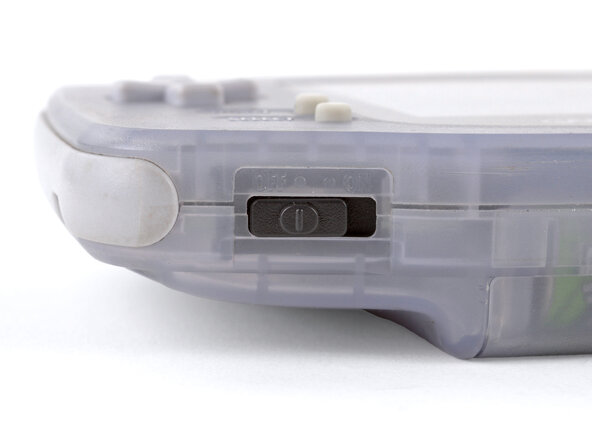
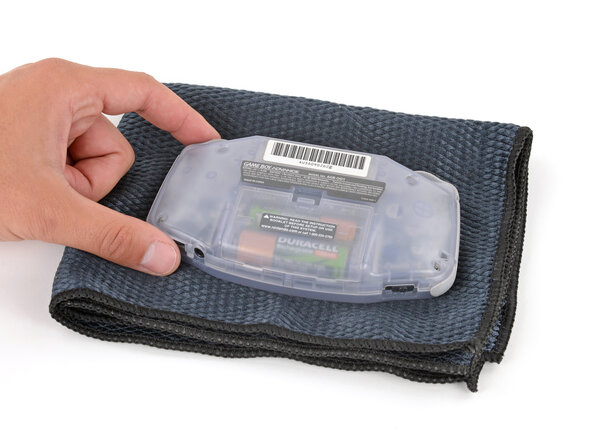
  1. Game Boy Advance Screen Lens Replacement, Prepare your Game Boy for disassembly: 手順 1、 2の画像 1 Game Boy Advance Screen Lens Replacement, Prepare your Game Boy for disassembly: 手順 1、 2の画像 2
    • Before working on your Game Boy, turn the power switch to the OFF position and unplug any cables.

    • If you have a game cartridge installed, remove it.

    • Since your Game Boy will be laying screen‑side down for most of your repair, consider placing it on a clean cloth for protection.

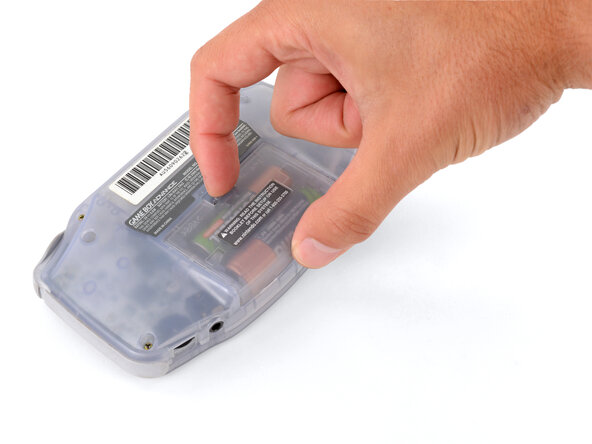
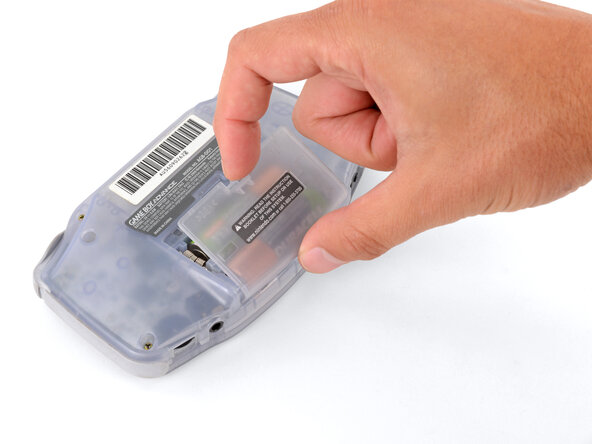
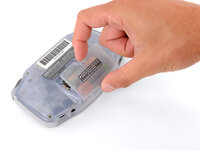
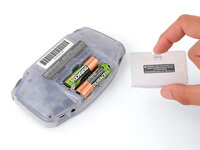
  2. Game Boy Advance Screen Lens Replacement, Remove the battery cover: 手順 2、 3の画像 1 Game Boy Advance Screen Lens Replacement, Remove the battery cover: 手順 2、 3の画像 2 Game Boy Advance Screen Lens Replacement, Remove the battery cover: 手順 2、 3の画像 3
    • Release the battery cover tab with your finger and swing the cover away from your Game Boy to remove it.

    • During reassembly, insert the tabs on the bottom edge of the cover into their cutouts and press the cover into place.

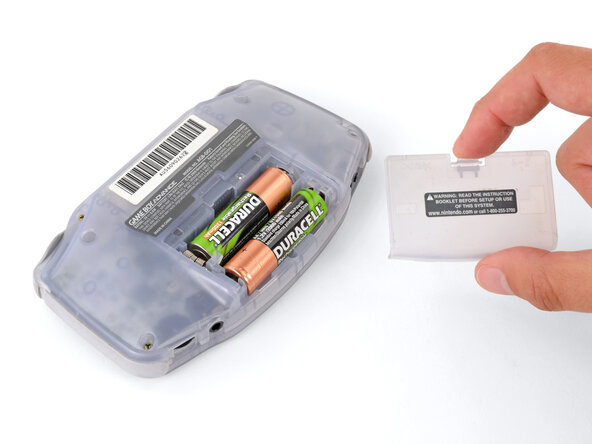
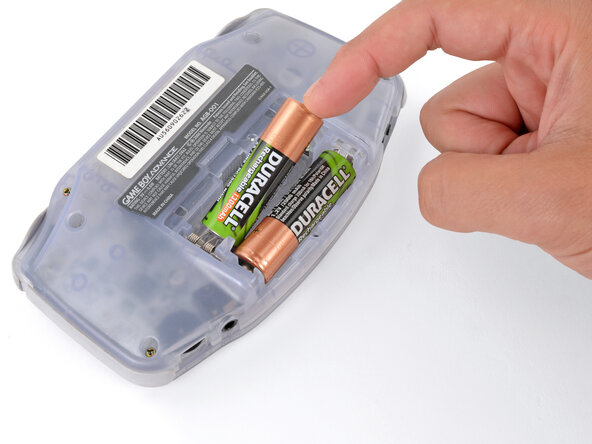
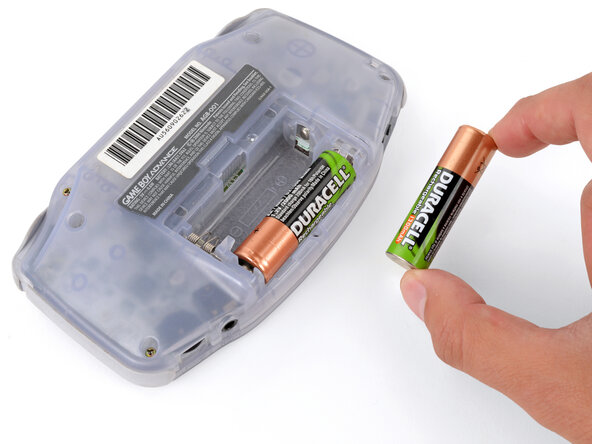
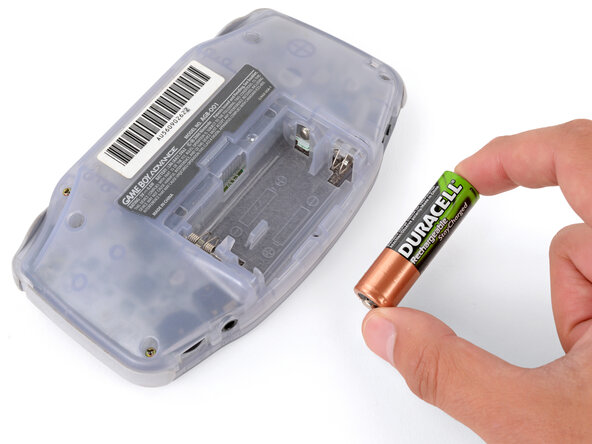
  3. Game Boy Advance Screen Lens Replacement, Remove the batteries: 手順 3、 3の画像 1 Game Boy Advance Screen Lens Replacement, Remove the batteries: 手順 3、 3の画像 2 Game Boy Advance Screen Lens Replacement, Remove the batteries: 手順 3、 3の画像 3
    • Remove the two AA batteries.

    • If the metal terminals are corroded, follow this guide to clean them.

    • When installing batteries, use the diagram in the battery well to properly orient them.

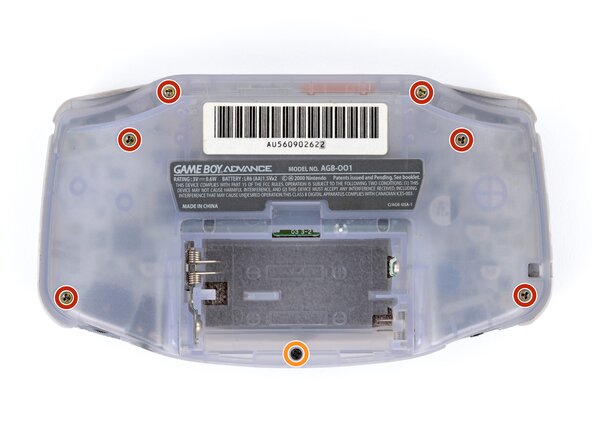
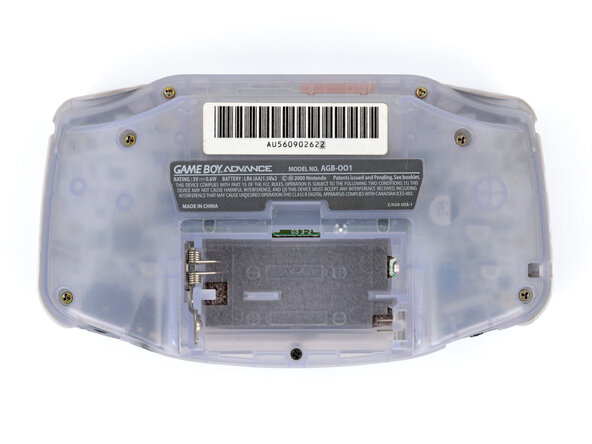
  4. Game Boy Advance Screen Lens Replacement, Remove the back shell screws: 手順 4、 2の画像 1 Game Boy Advance Screen Lens Replacement, Remove the back shell screws: 手順 4、 2の画像 2
    • Remove the seven screws securing the back shell:

    • Six 9.4 mm‑long tri‑point Y0 screws

    • One 8.5 mm‑long JIS 1 screw

    • You can try to use a non-iFixit Phillips driver in a pinch, but you risk damaging or stripping screws. Push down firmly on the driver and twist slowly.

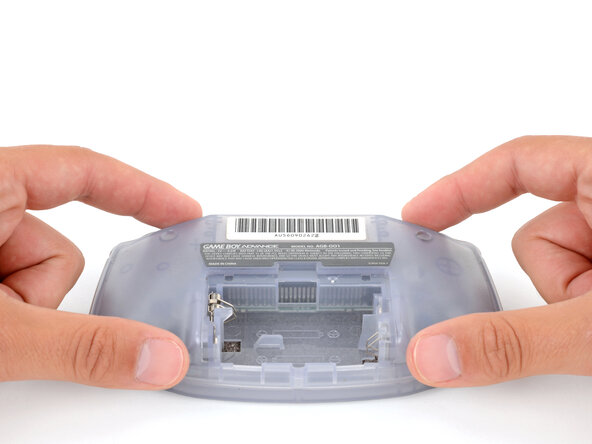
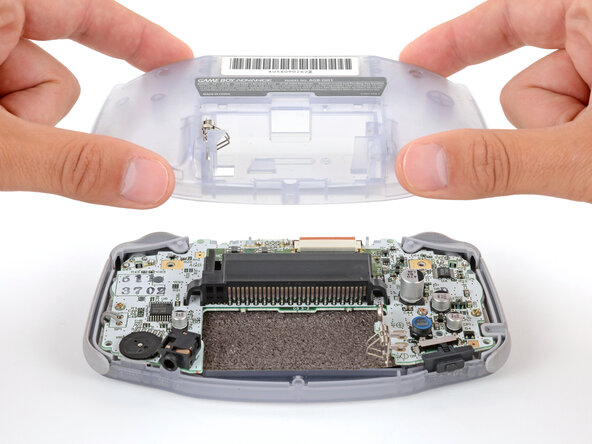
  5. Game Boy Advance Screen Lens Replacement, Remove the back shell: 手順 5、 2の画像 1 Game Boy Advance Screen Lens Replacement, Remove the back shell: 手順 5、 2の画像 2
    • Lift the back shell straight up and remove it.

    • During reassembly, squeeze the shell firmly around the edges and ensure the shoulder buttons and bumpers are properly seated with no large gaps. Gently test the buttons to make sure everything feels correct.

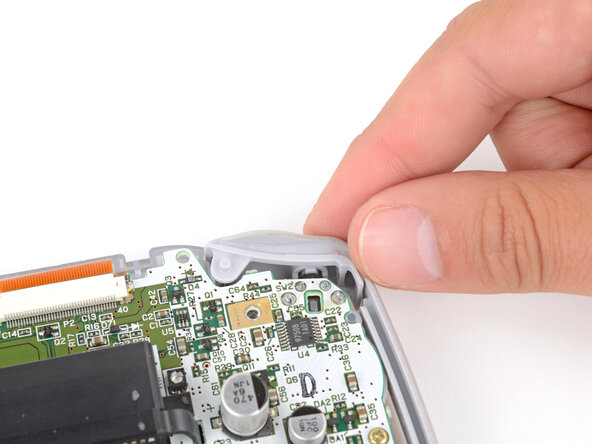
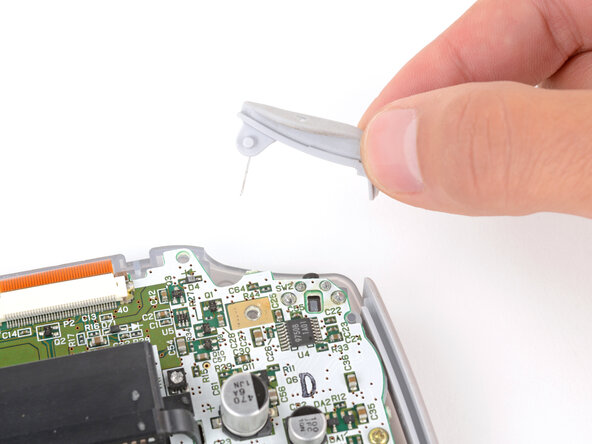
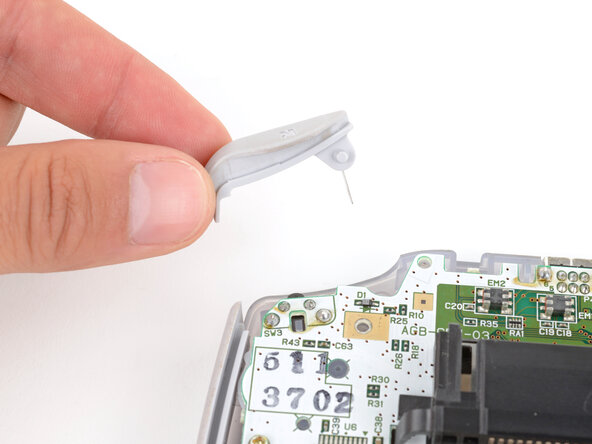
  6. Game Boy Advance Screen Lens Replacement, Remove the shoulder buttons: 手順 6、 3の画像 1 Game Boy Advance Screen Lens Replacement, Remove the shoulder buttons: 手順 6、 3の画像 2 Game Boy Advance Screen Lens Replacement, Remove the shoulder buttons: 手順 6、 3の画像 3
    • Lift the shoulder buttons (aka L and R buttons) straight up to remove them.

    • During reassembly:

    • Since your Game Boy is laying upside down, the L button will go on your right‑hand side, and the R button will go on your left‑hand side.

    • Slide the buttons into place, making sure the peg on the button goes into its circular cutout and the button itself is over the actual button mechanism.

    • The shoulder buttons will sit on the inside edge of the side bumpers.

    • Gently test the buttons to make sure they feel correct. If they don't, reposition them and make sure the metal arms aren't stuck in a weird position under the board.

  7. Game Boy Advance Screen Lens Replacement, Remove the side bumpers: 手順 7、 3の画像 1 Game Boy Advance Screen Lens Replacement, Remove the side bumpers: 手順 7、 3の画像 2 Game Boy Advance Screen Lens Replacement, Remove the side bumpers: 手順 7、 3の画像 3
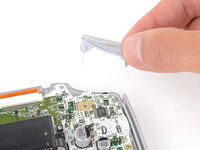
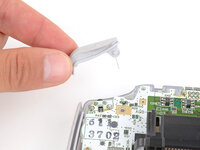
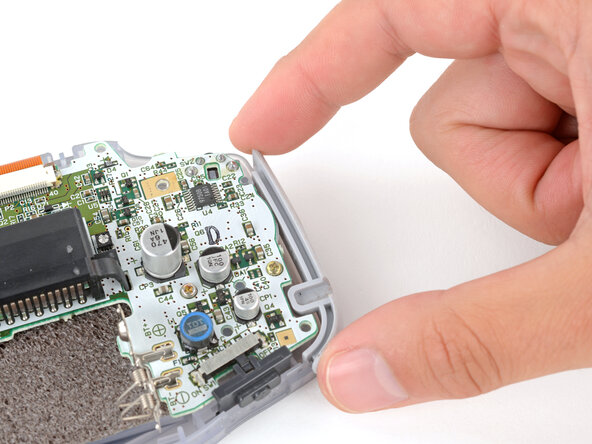
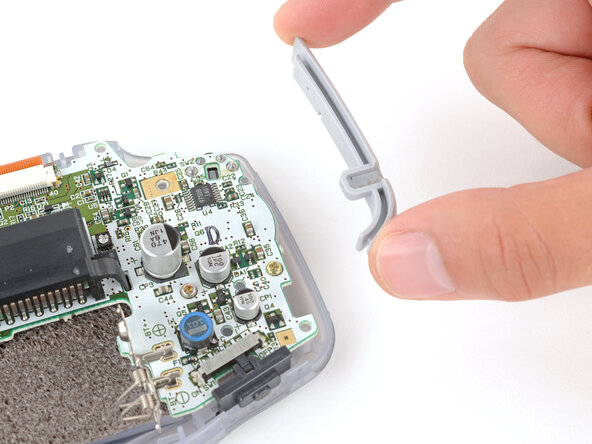
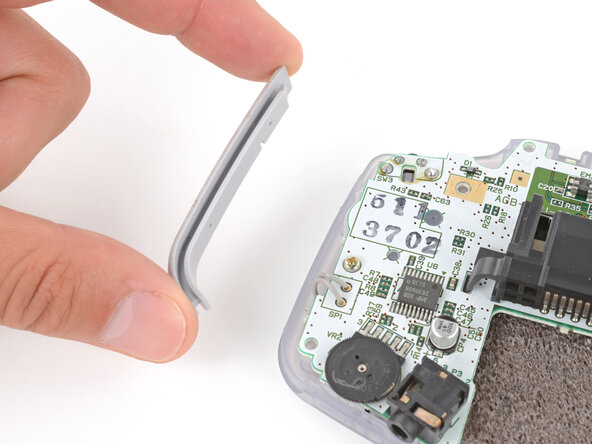
    • Remove the side bumpers.

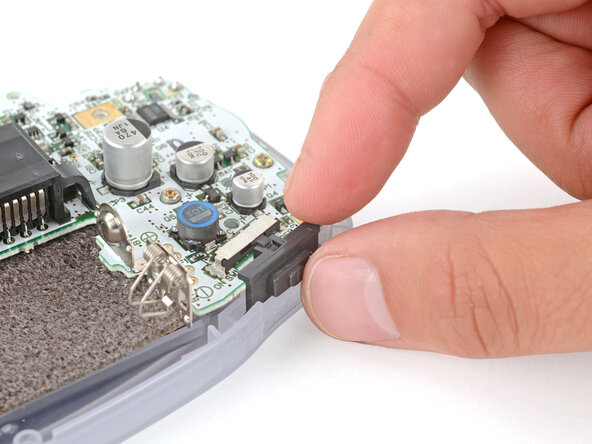
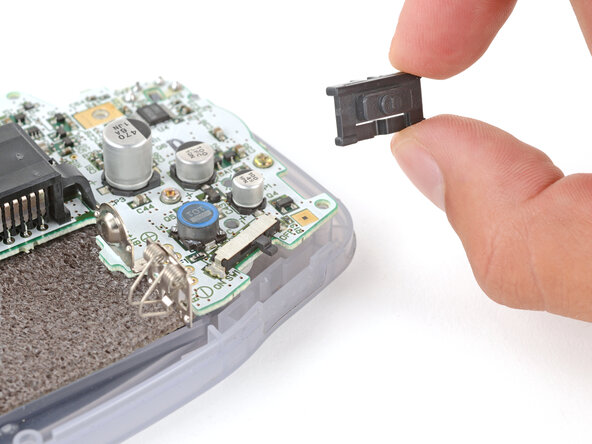
  8. Game Boy Advance Screen Lens Replacement, Remove the power switch cover: 手順 8、 2の画像 1 Game Boy Advance Screen Lens Replacement, Remove the power switch cover: 手順 8、 2の画像 2
    • Remove the power switch cover.

    • During reassembly, make sure the switch cover is properly slotted around the arm on the switch mechanism.

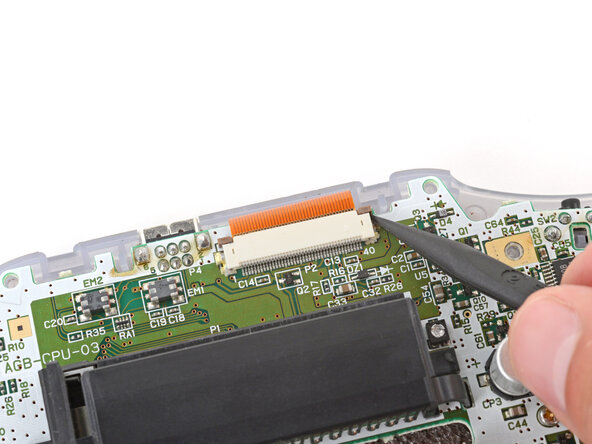
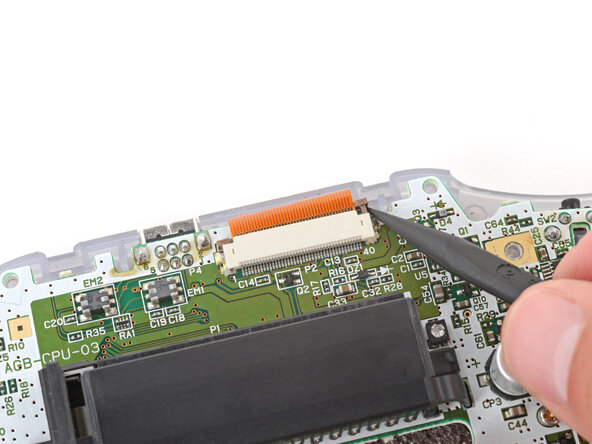
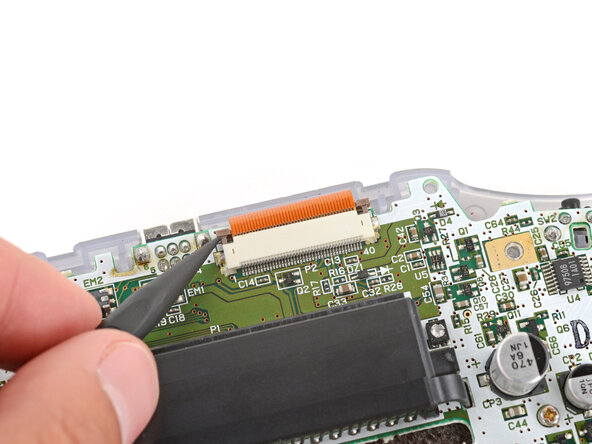
  9. Game Boy Advance Screen Lens Replacement, Disconnect the screen cable: 手順 9、 3の画像 1 Game Boy Advance Screen Lens Replacement, Disconnect the screen cable: 手順 9、 3の画像 2 Game Boy Advance Screen Lens Replacement, Disconnect the screen cable: 手順 9、 3の画像 3
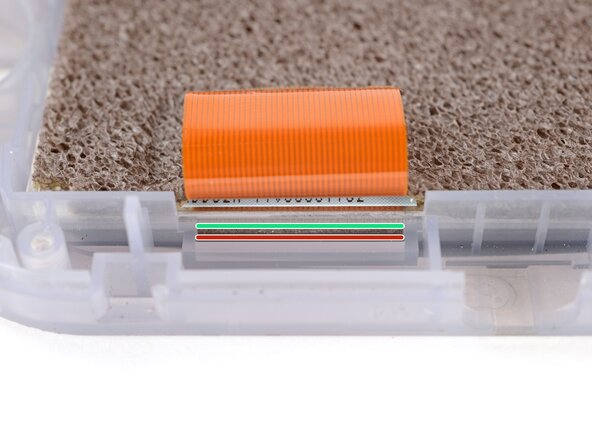
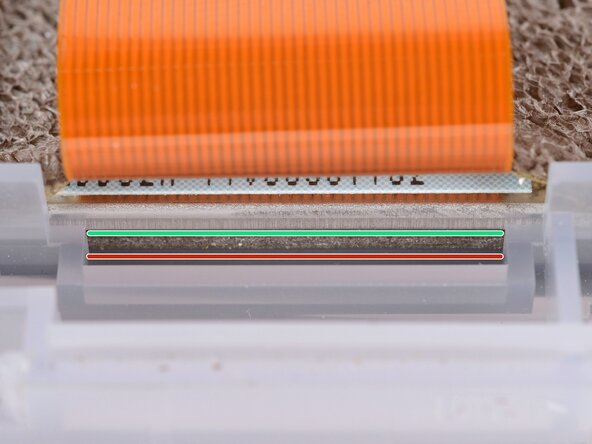
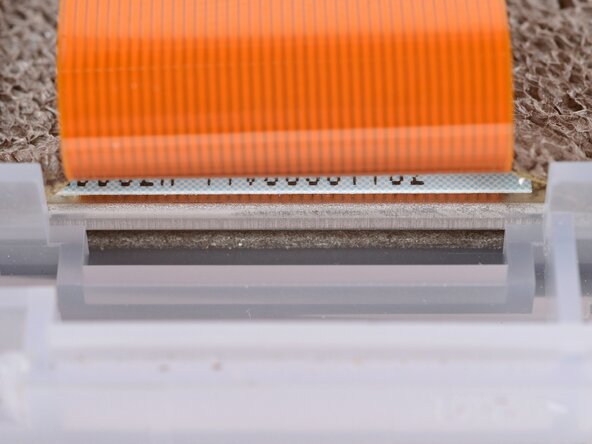
    • Use the point of a spudger to fully push up both locking tabs on either side of the screen cable connector.

    • You should feel the tab click into its unlocked position. Don't push too far, or the tab may slide completely out of the connector.

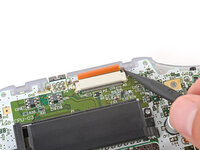
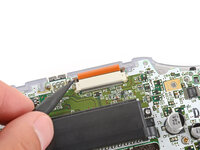
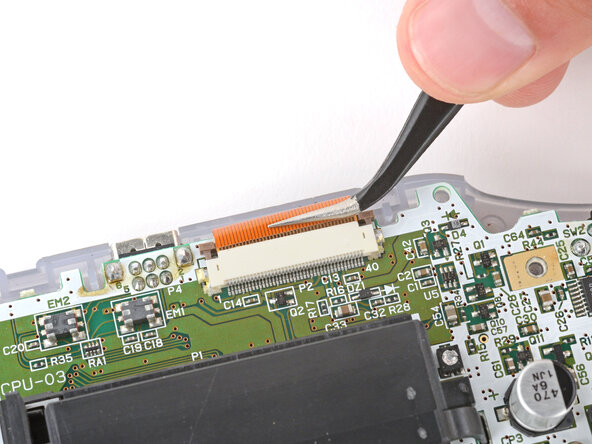
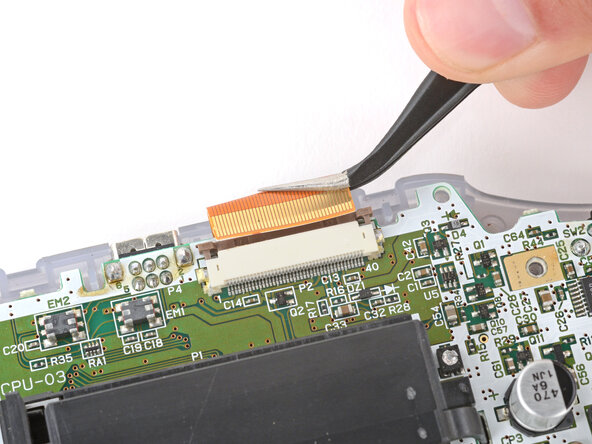
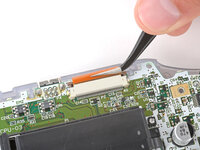
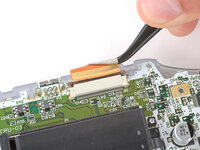
  10. Game Boy Advance Screen Lens Replacement: 手順 10、 2の画像 1 Game Boy Advance Screen Lens Replacement: 手順 10、 2の画像 2
    • Use tweezers to slide the cable straight out of its socket.

    • The cable should come out with little to no force. If you feel resistance, the tab may not be fully unlocked.

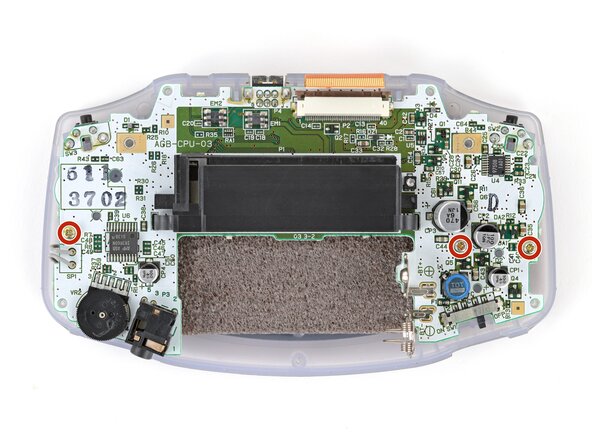
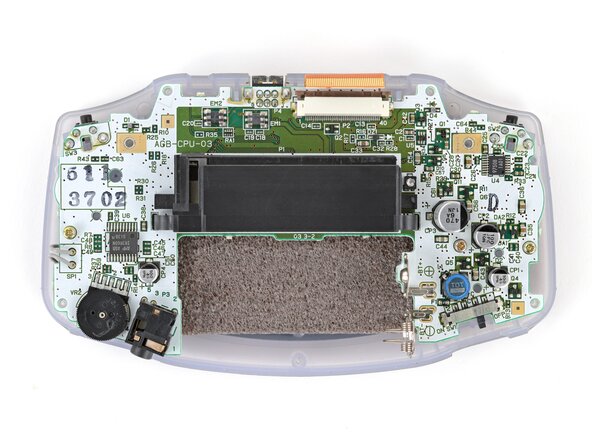
  11. Game Boy Advance Screen Lens Replacement, Remove the motherboard screws: 手順 11、 2の画像 1 Game Boy Advance Screen Lens Replacement, Remove the motherboard screws: 手順 11、 2の画像 2
    • Use a JIS 1 screwdriver to remove the three 7 mm‑long screws securing the motherboard.

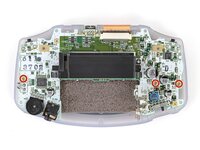
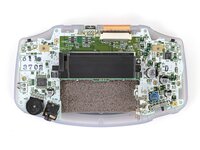
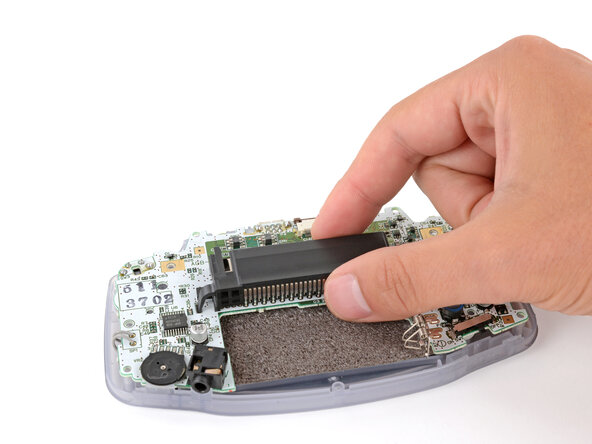
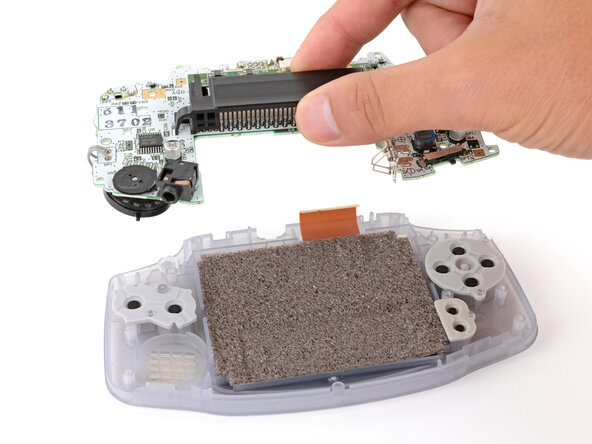
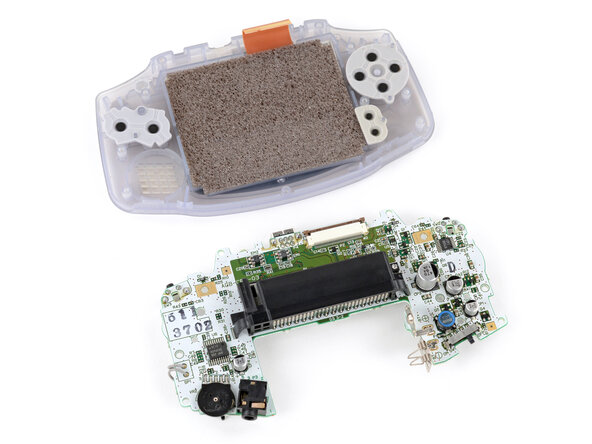
  12. Game Boy Advance Screen Lens Replacement, Remove the motherboard: 手順 12、 3の画像 1 Game Boy Advance Screen Lens Replacement, Remove the motherboard: 手順 12、 3の画像 2 Game Boy Advance Screen Lens Replacement, Remove the motherboard: 手順 12、 3の画像 3
    • Use your fingers to grip the cartridge reader and lift the motherboard straight up to remove it.

    • During reassembly, make sure the speaker gets correctly slotted into its circular cutout (including a small tab on the bottom) when lowering the motherboard into place.

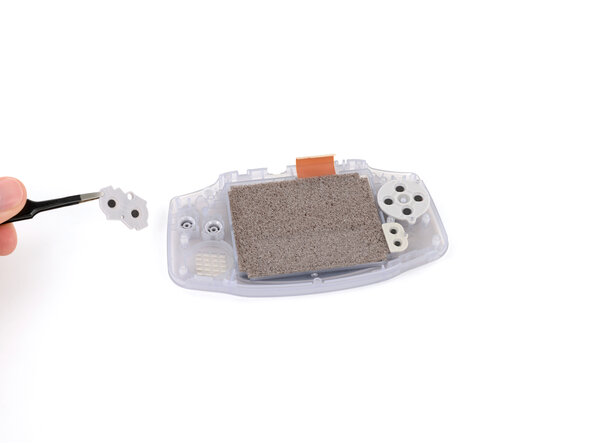
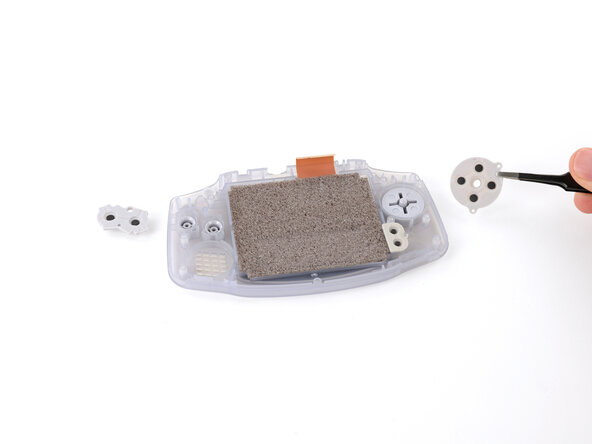
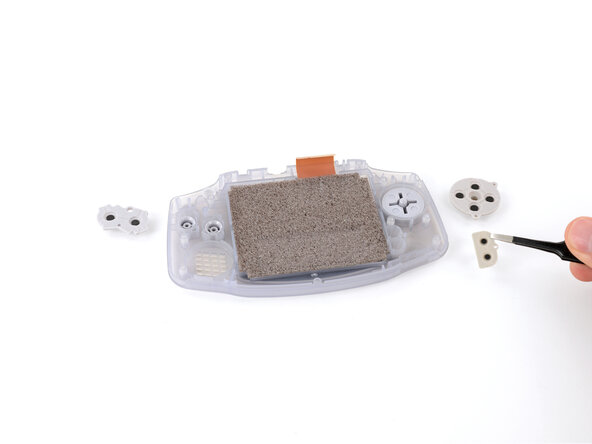
  13. Game Boy Advance Screen Lens Replacement, Remove the silicone pads: 手順 13、 3の画像 1 Game Boy Advance Screen Lens Replacement, Remove the silicone pads: 手順 13、 3の画像 2 Game Boy Advance Screen Lens Replacement, Remove the silicone pads: 手順 13、 3の画像 3
    • While removing the silicone pads and buttons isn't strictly necessary, it helps prevent the possibility of losing them when removing the screen. If you don't want to remove the buttons, skip ahead two steps.

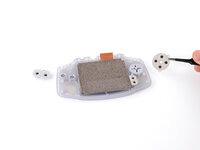
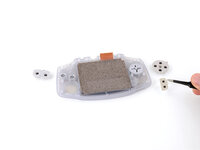
    • Use tweezers or your fingers to remove the three silicone pads covering the buttons (A and B, the D‑pad, and Start/Select ).

    • If any of the pads are missing, they may be stuck to their corresponding spot on the motherboard.

    • During reassembly, use your fingers to firmly press each pad into place, using the alignment pegs to properly orient them.

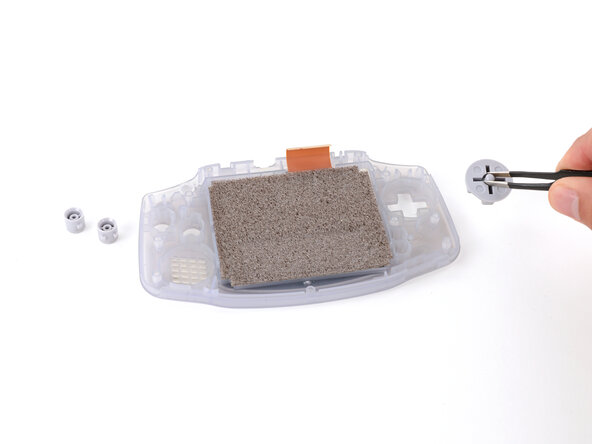
  14. Game Boy Advance Screen Lens Replacement, Remove the buttons: 手順 14、 3の画像 1 Game Boy Advance Screen Lens Replacement, Remove the buttons: 手順 14、 3の画像 2 Game Boy Advance Screen Lens Replacement, Remove the buttons: 手順 14、 3の画像 3
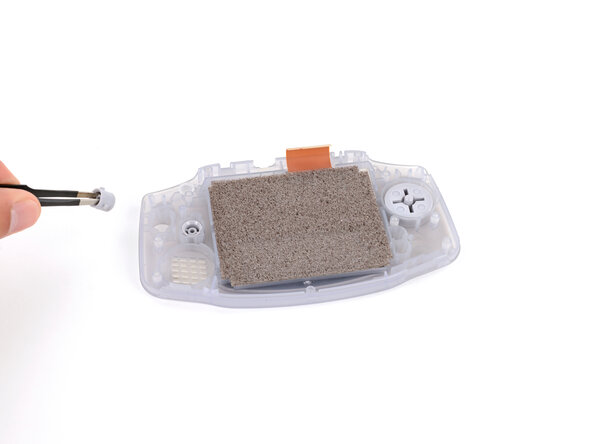
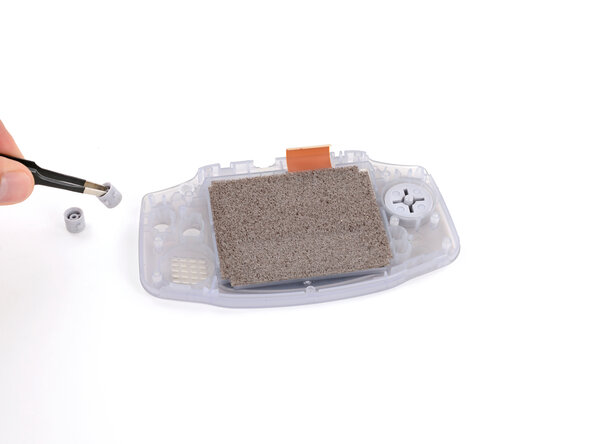
    • Use tweezers or your fingers to remove the buttons (A and B as well as the D‑pad).

    • The Start/Select buttons are part of the silicone pad—there are no other buttons to remove.

    • When re‑inserting the action buttons, note that each one is keyed specifically for its recess and proper orientation.

  15. Game Boy Advance Screen Lens Replacement, Where to insert your tool: 手順 15、 3の画像 1 Game Boy Advance Screen Lens Replacement, Where to insert your tool: 手順 15、 3の画像 2 Game Boy Advance Screen Lens Replacement, Where to insert your tool: 手順 15、 3の画像 3
    • Before prying up the screen, note where you need to pry:

    • There's a seam between the screen and its gasket. Insert your tool here (under the screen) to give yourself the best chance of preserving the gasket.

    • There's a seam between the gasket and the shell. Don't insert your tool here, or you may damage the gasket.

  16. Game Boy Advance Screen Lens Replacement, Pry up the screen: 手順 16、 3の画像 1 Game Boy Advance Screen Lens Replacement, Pry up the screen: 手順 16、 3の画像 2 Game Boy Advance Screen Lens Replacement, Pry up the screen: 手順 16、 3の画像 3
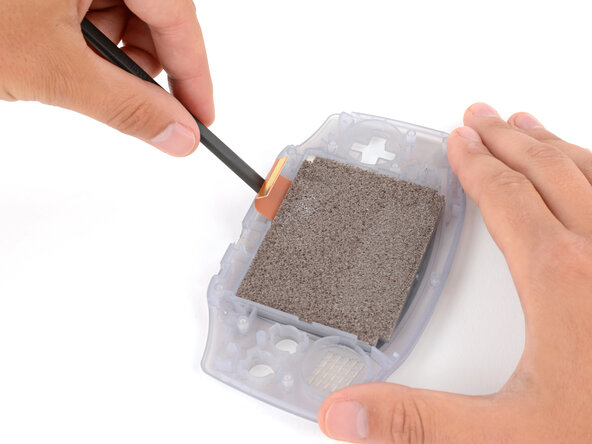
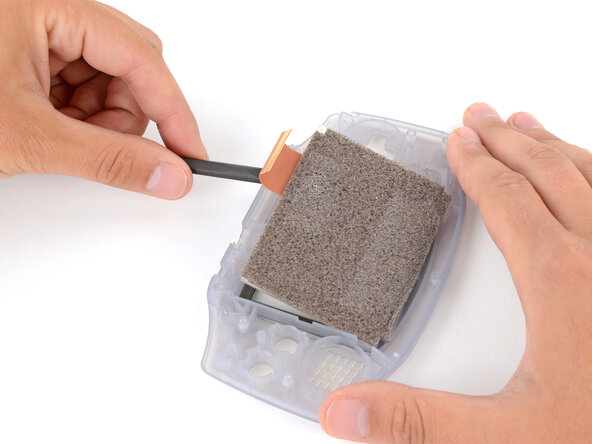
    • When removing the screen, be careful not to damage or stretch the adhesive gasket that secures it to the shell.

    • Insert the flat end of a spudger under the screen and pry the screen up. Apply constant, steady pressure to allow the adhesive to separate.

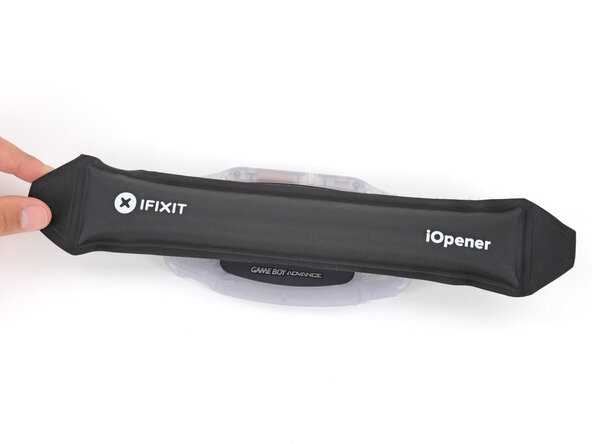
    • If the screen isn't budging, flip your Game Boy over and lay a heated iOpener on the screen for two minutes to soften the adhesive. Alternatively, you can use a hair dryer on the Low heat setting—be careful not to overheat your device, or you may warp the plastic.

  17. Game Boy Advance Screen Lens Replacement, Remove the screen: 手順 17、 2の画像 1 Game Boy Advance Screen Lens Replacement, Remove the screen: 手順 17、 2の画像 2
    この手順で使用する道具:
    Tesa 61395 Tape
    $2.99
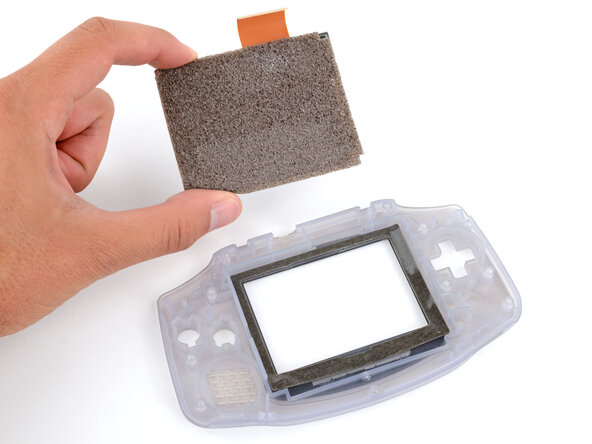
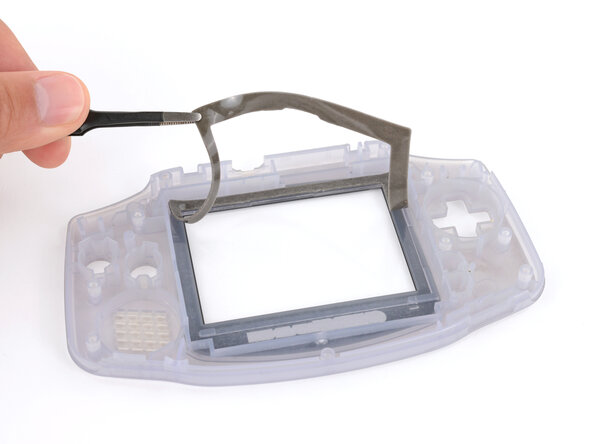
    • Remove the screen.

    • If the gasket stuck to the screen, carefully remove it and put it back on the shell.

    • During reassembly:

    • If you're upgrading the screen to an IPS one, you'll likely need to solder or modify the motherboard. Read any instructions included with your replacement part, and check the website you bought the part from for more information. If it's your first time soldering, check out our helpful soldering guide!

    • Compare your replacement screen to the original part—you may need to remove adhesive backings or protective liners from the new part before you install it.

    • If you damaged the gasket, remove all of it from the shell and use high‑concentration (>90%) isopropyl alcohol and coffee filters or a lint‑free cloth to remove any remaining residue. Then, replace the gasket with a new one, or apply strips of double‑sided tape where the old one was.

  18. Game Boy Advance Screen Lens Replacement, Heat the screen lens adhesive: 手順 18、 1の画像 1
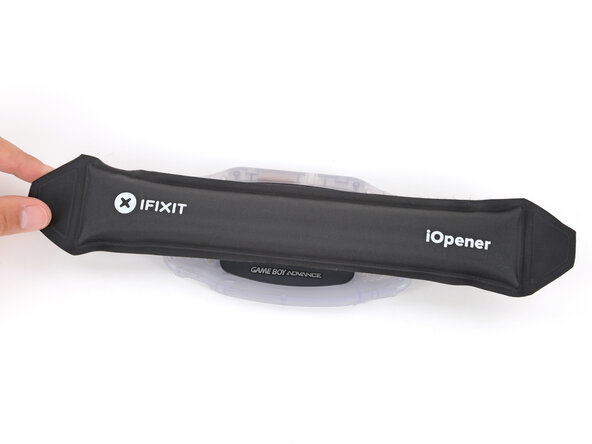
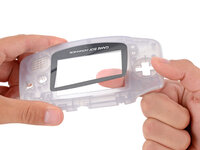
    • Lay a heated iOpener on the screen lens for two minutes to soften its adhesive.

    • Alternatively, you can use a hair dryer on the Low heat setting—be careful not to overheat your device, or you may warp the plastic.

  19. Game Boy Advance Screen Lens Replacement, Remove the screen lens: 手順 19、 3の画像 1 Game Boy Advance Screen Lens Replacement, Remove the screen lens: 手順 19、 3の画像 2 Game Boy Advance Screen Lens Replacement, Remove the screen lens: 手順 19、 3の画像 3
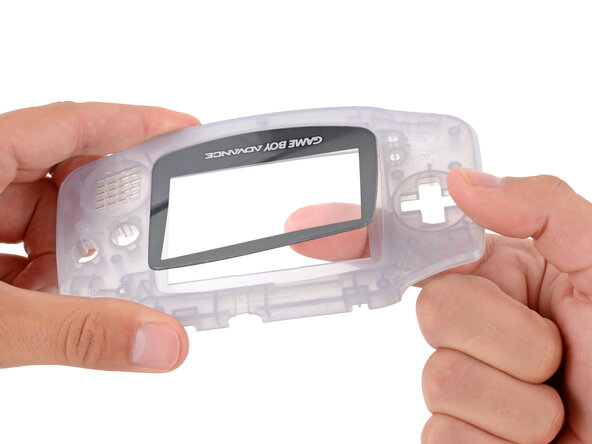
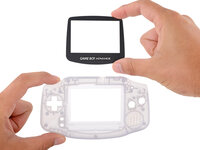
    • Use your finger to push the screen lens up from the bottom. Apply steady, constant pressure to allow the adhesive to separate.

    • If you're having trouble, apply more heat and try again.

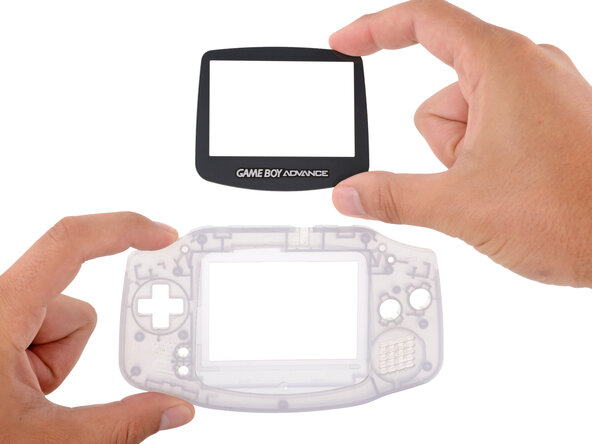
    • Remove the screen lens.

    • During reassembly:

    • If any adhesive stayed on the shell, remove it with tweezers and a spudger and clean the residue with a high‑concentration (>90%) isopropyl alcohol and a coffee filter or lint‑free cloth.

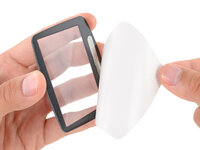
    • Remove the adhesive backing from your replacement lens and firmly press it into place on the shell.

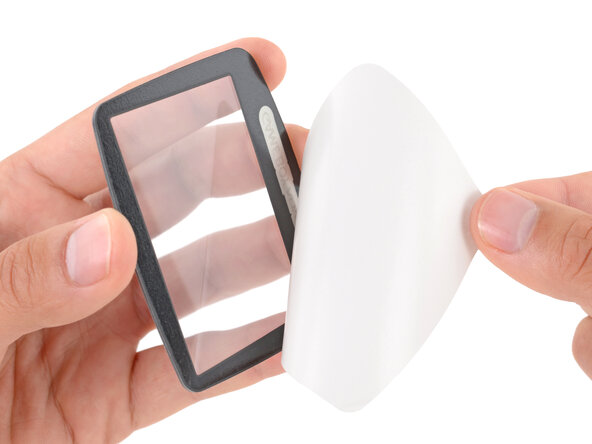
    • Your replacement lens will likely have a protective liner on it. To prevent scratches, leave it on until you've fully reassembled your Game Boy.

終わりに

To reassemble your device, follow these instructions in reverse order.

Take your e-waste to an R2 or e-Stewards certified recycler.

Repair didn’t go as planned? Try some basic troubleshooting, or ask our Answers Community for troubleshooting help.

Spencer Day

メンバー登録日: 09/14/22

149,272 ポイント

995のガイドは作成済み

0件のガイドコメント

コメントを追加

統計データ:

過去 24時間: 0

過去 7 日: 16

過去 30 日: 65

今までの合計 315