メインコンテンツにスキップ

Epomaker Shadow-X Switch Plate Re-alignment

必要な工具と部品

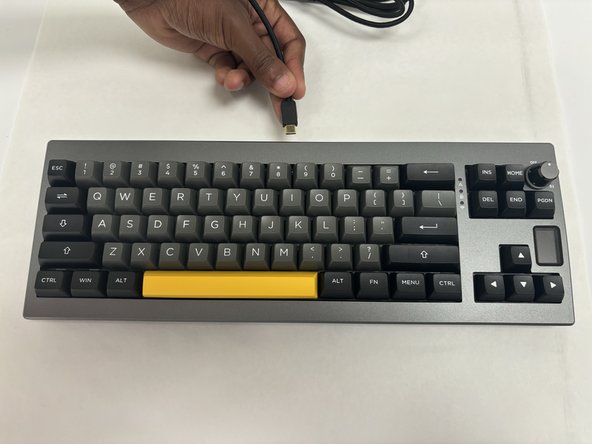
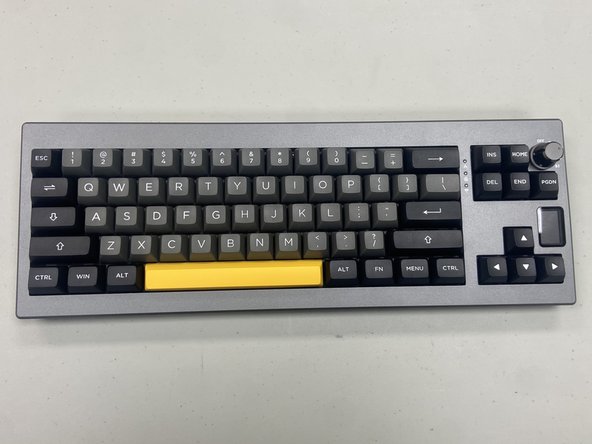
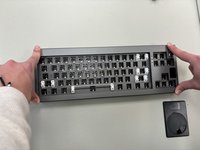
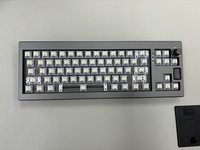
  1. Epomaker Shadow-X Switch Plate Re-alignment, Switch Plate Replacement: 手順 1、 3の画像 1 Epomaker Shadow-X Switch Plate Re-alignment, Switch Plate Replacement: 手順 1、 3の画像 2 Epomaker Shadow-X Switch Plate Re-alignment, Switch Plate Replacement: 手順 1、 3の画像 3
    • Power off the keyboard and disconnect any USB cable.

    • Place the keyboard on a clean, static-free workspace.

  2. Epomaker Shadow-X Switch Plate Re-alignment: 手順 2、 1の画像 1
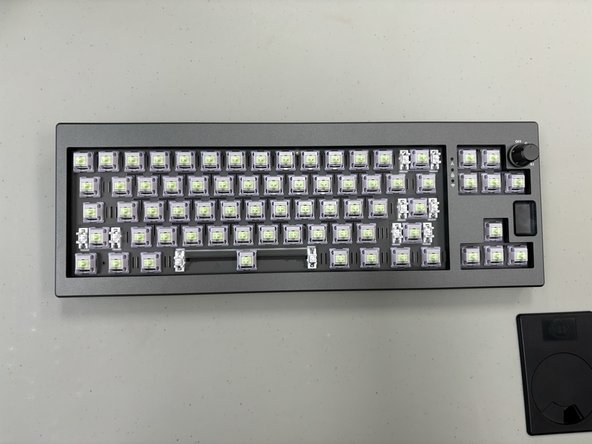
    • Use a keycap puller/spudger to remove all keycaps on the keyboard.

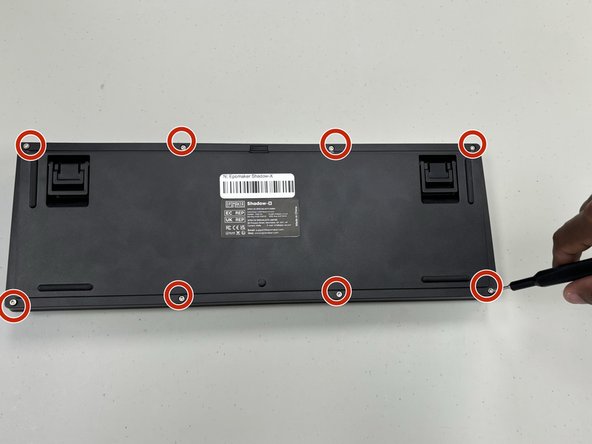
  3. Epomaker Shadow-X Switch Plate Re-alignment: 手順 3、 1の画像 1
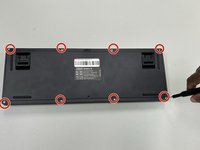
    • Remove the screws on the back of the keyboard with a hex screwdriver.

    • Carefully pry open the case using a plastic opening tool or spudger, and separate the top and bottom halves.

  4. Epomaker Shadow-X Switch Plate Re-alignment: 手順 4、 1の画像 1
    • Locate the switch plate, which sits between the key switches and the PCB.

    • If the switch plate is misaligned, carefully adjust it so that it sits flush and aligns with all switch positions.

    • Ensure that each switch slot in the plate lines up with the PCB holes below it.

  5. Epomaker Shadow-X Switch Plate Re-alignment: 手順 5、 1の画像 1
    • If the plate has screws or clips, check that each one is correctly fastened to prevent future misalignment.

    • Gently press on different sections of the plate to verify that it’s stable and correctly positioned over the PCB.

  6. Epomaker Shadow-X Switch Plate Re-alignment: 手順 6、 3の画像 1 Epomaker Shadow-X Switch Plate Re-alignment: 手順 6、 3の画像 2 Epomaker Shadow-X Switch Plate Re-alignment: 手順 6、 3の画像 3
    • Reinsert each switch, ensuring that they align with both the switch plate and the PCB.

    • Snap the top and bottom halves of the case back together. Replace and tighten all screws.

    • Reinstall all keycaps and check that they are aligned and consistent in height.

終わりに

You have successfully realigned the switch plate on your Epomaker Shadow-X keyboard! This adjustment improves switch stability and typing consistency. Check each key to confirm the alignment, and enjoy smoother, more consistent typing.

作成者

2人の作成者と共同で作成されました。

Beck Spitler

メンバー登録日: 08/28/24

611 ポイント

4のガイドは作成済み

チーム

University of North Texas, Team 6-1, Kilpatrick Fall 2024 University of North Texas, Team 6-1, Kilpatrick Fall 2024人のメンバー

UNT-KILPATRICK-F24S6G1

4 メンバー

5のガイドは作成済み

0件のガイドコメント

コメントを追加

統計データ:

過去 24時間: 2

過去 7 日: 6

過去 30 日: 19

今までの合計 177