メインコンテンツにスキップ

Eluktronics N850HK SSD Replacement

必要な工具と部品

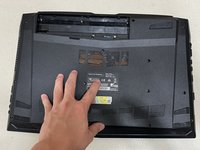
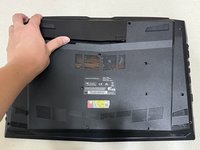
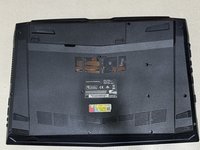
  1. Eluktronics N850HK SSD Replacement, SSD: 手順 1、 3の画像 1 Eluktronics N850HK SSD Replacement, SSD: 手順 1、 3の画像 2 Eluktronics N850HK SSD Replacement, SSD: 手順 1、 3の画像 3
    • Push both switch locks inward to unlock the battery from the bottom panel.

    • The switch on the left must be held in place.

    • Remove the battery from the back of the laptop.

  2. Eluktronics N850HK SSD Replacement: 手順 2、 2の画像 1 Eluktronics N850HK SSD Replacement: 手順 2、 2の画像 2
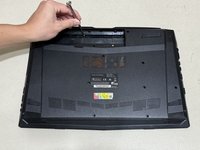
    • Use a Phillips #00 screwdriver to remove the twelve 4 mm screws from the bottom panel of the laptop.

  3. Eluktronics N850HK SSD Replacement: 手順 3、 2の画像 1 Eluktronics N850HK SSD Replacement: 手順 3、 2の画像 2
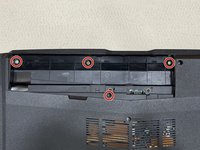
    • Use a Phillips #00 screwdriver to remove the four 3 mm screws located under where the battery usually rests.

    • Do not remove the two additional screws near the bottom screw. These are connected to the motherboard and do not need to be removed.

  4. Eluktronics N850HK SSD Replacement: 手順 4、 2の画像 1 Eluktronics N850HK SSD Replacement: 手順 4、 2の画像 2
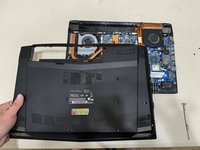
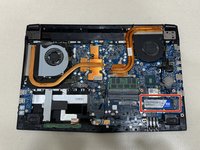
    • Lift the back case off and identify the SSD in the lower right corner.

    • Although the chances of damage are low, it is important to be aware of static electricity in your surroundings when working a computer motherboard. Ground yourself or use an anti-static wrist strap.

  5. Eluktronics N850HK SSD Replacement: 手順 5、 3の画像 1 Eluktronics N850HK SSD Replacement: 手順 5、 3の画像 2 Eluktronics N850HK SSD Replacement: 手順 5、 3の画像 3
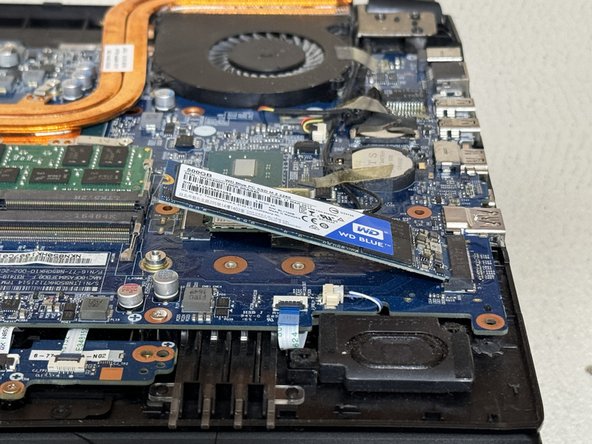
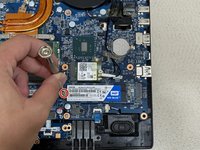
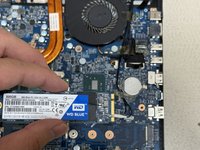
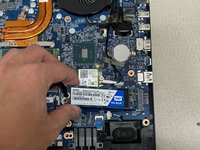
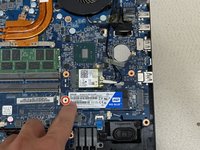
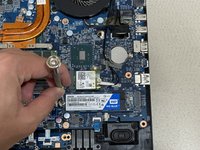
    • Use a Phillips #00 screwdriver to remove 3 mm screw securing the SSD.

    • The SSD will naturally lift by a few millimeters.

    • Carefully slide the SSD from the M.2 slot.

  6. Eluktronics N850HK SSD Replacement: 手順 6、 3の画像 1 Eluktronics N850HK SSD Replacement: 手順 6、 3の画像 2 Eluktronics N850HK SSD Replacement: 手順 6、 3の画像 3
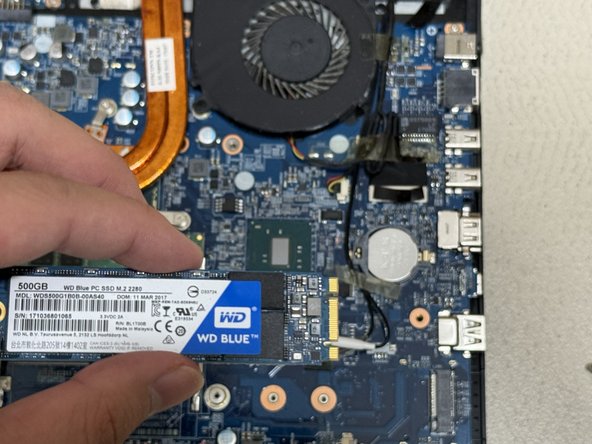
    • Use the ridges on the right side to align the SSD properly.

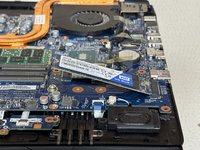
    • Slide the new SSD into the M.2 mounting slot.

    • Use the Phillips #00 screwdriver to replace the 3 mm screw that secures the SSD.

  7. Eluktronics N850HK SSD Replacement: 手順 7、 3の画像 1 Eluktronics N850HK SSD Replacement: 手順 7、 3の画像 2 Eluktronics N850HK SSD Replacement: 手順 7、 3の画像 3
    • Reassemble by following the directions in reverse order.

終わりに

Alternative models where this guide may still apply:

  • Eluktronics N857HK1
  • Eluktronics N850HP6

4 の人々がこのガイドを完成させました。

作成者

1人の作成者と共同作成されました。

Brandon Yuan

メンバー登録日: 06/22/24

226 ポイント

1ガイドが承認済み

チーム

Austin Community College, Team 6-12, Watkins Summer 2024 Austin Community College, Team 6-12, Watkins Summer 2024人のメンバー

AUSTINCC-WATKINS-SU24S6G12

1 メンバー

4のガイドは作成済み

0件のガイドコメント

コメントを追加

統計データ:

過去 24時間: 9

過去 7 日: 83

過去 30 日: 349

今までの合計 4,218