メインコンテンツにスキップ

Dell Vostro 5510 SSD Card Replacement

必要な工具と部品

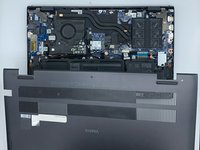
  1. Dell Vostro 5510 SSD Card Replacement, Back Cover: 手順 1、 1の画像 1
    • Power off your laptop before beginning disassembly.

    • Place the laptop so the bottom cover is facing upwards.

  2. Dell Vostro 5510 SSD Card Replacement: 手順 2、 1の画像 1
    • Remove the remaining (M2x4mm) screws with the screwdriver.

    • Loosen the two captive (M2x7.5mm) corner screws with the screwdriver.

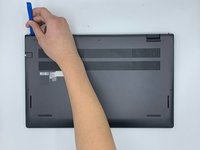
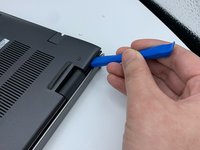
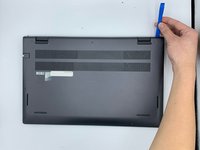
  3. Dell Vostro 5510 SSD Card Replacement: 手順 3、 3の画像 1 Dell Vostro 5510 SSD Card Replacement: 手順 3、 3の画像 2 Dell Vostro 5510 SSD Card Replacement: 手順 3、 3の画像 3
    • Pry open the top left corner of the cover with the opening tool.

    • Pry open the top right corner of the cover with the opening tool.

    • Pry the rest of the cover with the opening tool, working in a clockwise motion until it is completely loosened.

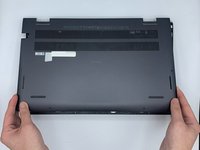
  4. Dell Vostro 5510 SSD Card Replacement: 手順 4、 3の画像 1 Dell Vostro 5510 SSD Card Replacement: 手順 4、 3の画像 2 Dell Vostro 5510 SSD Card Replacement: 手順 4、 3の画像 3
    • Lift the cover to remove it from the rest of the laptop.

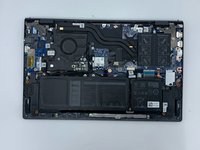
  5. Dell Vostro 5510 SSD Card Replacement, SSD Card: 手順 5、 1の画像 1
    • Locate the SSD card.

  6. Dell Vostro 5510 SSD Card Replacement: 手順 6、 1の画像 1
    • Remove the screw (M2x3mm) with the screwdriver.

  7. Dell Vostro 5510 SSD Card Replacement: 手順 7、 1の画像 1
    • Grab the elevated side of the card.

    • Remove the card from the card slot.

終わりに

To reassemble your device, follow these instructions in reverse order.

作成者

2人の作成者と共同で作成されました。

Alexandra Moon

メンバー登録日: 02/09/23

97 ポイント

1ガイドが承認済み

チーム

University of North Texas, Team 3-5, Saru Jimmy Spring 2023 University of North Texas, Team 3-5, Saru Jimmy Spring 2023人のメンバー

UNT-SARU JIMMY-S23S3G5

4 メンバー

8のガイドは作成済み

0件のガイドコメント

コメントを追加

統計データ:

過去 24時間: 1

過去 7 日: 9

過去 30 日: 15

今までの合計 356