この翻訳は機械によって生成されたものであり、まだ人間による校正は行われていません。 日本語を話せますか? レビューはこちらから。

Dell Latitude D620 RAMの交換

Miguel Wong とその他
最終更新日: 2026年8月3日
閲覧: 3.6万
統計データ:
- 過去24時間:
- 3
- 過去7日:
- 20
- 過去30日:
- 94
- 今までの合計
- 35,669
コメント: 4
手順に関する2件のコメント, 2件のガイドコメント
修理ガイドのコメントへ完了済み: 26 27
26人のユーザーがこのガイドを「完了」させました。あなたも加わりませんか?
あなたを含む、27人のユーザーがこのガイドを使って修理を「完了」させました。素晴らしいです!
お気に入り: 16 17
16人のユーザーがこのガイドをお気に入りに登録しています。あなたもリストに入れませんか?
あなたを含む、17人のユーザーがこのガイドをお気に入りに登録しています。
作成途中
このガイドはどのようにしてプロセスを始めるかの情報が抜けています。必要条件ガイドを作成しましょう!
はじめに
手順 1 に進む ↓Dell Latitude D620に新しいRAMモジュールを取り付けるための修理ガイドです。
必要な工具と部品
ツール
-
Spudger4.9


 FixBotに聞いてみる


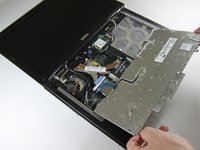
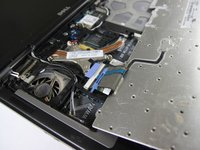


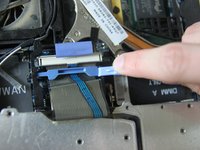
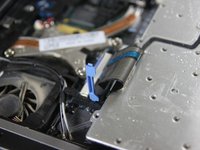


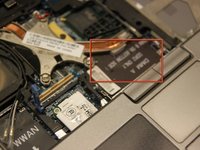
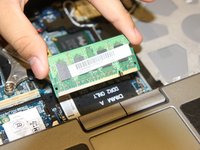


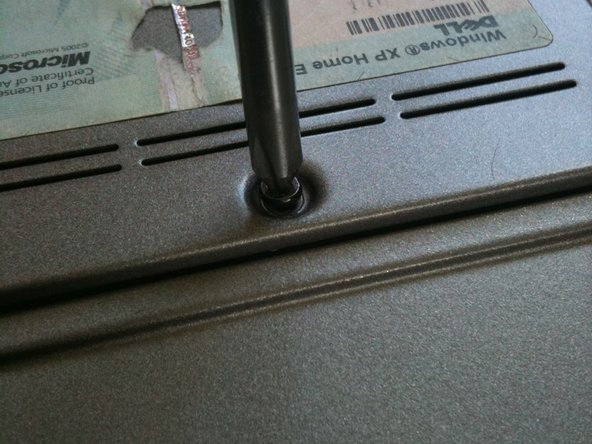
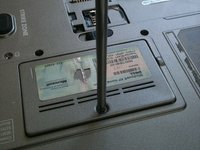
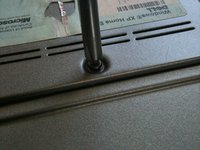


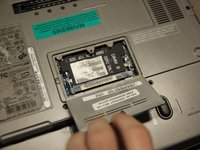
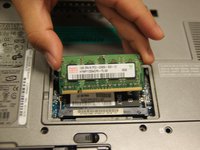
デバイスを再組み立てするには、これらのインストラクションを逆の順番に従って作業を進めてください。
26 の人々がこのガイドを完成させました。

チーム

Cal Poly, Team 24-35, Regan Spring 2010 Cal Poly, Team 24-35, Regan Spring 2010人のメンバー
CPSU-REGAN-S10S24G35
4 メンバー
48のガイドは作成済み
2件のガイドコメント
If you are increasing the amount of RAM installed -> On first power on after installing the RAM, system on boot up will complain about memory size changed, and to reseat the memory. Wait for about 60 - 90 seconds, and you will receive a few additional messages about F1 to continue or F2 for Setup. Go into Setup and verify that the system sees all memory installed. If installing 2 x 2GB DDR2, max possible, 4GB. BIOS setup should report 4GB installed, of which 3.37GB usable.
J’étais inquiet, mais en lisant votre commentaire, me voilà rassuré et j’ai donc suivi vos instructions. Ca fonctionne 2X2 GO …Merci
ppgauchard - 返信 共有
