はじめに
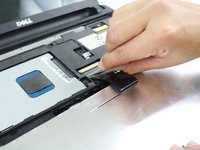
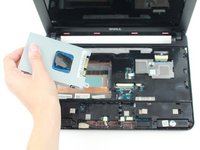
This guide will take you through accessing and removing the hard drive. The hard drive is an important component because it stores operating system software and your files. Keep it away from magnets as they may demagnetize the part, causing loss of information.
必要な工具と部品
-
-
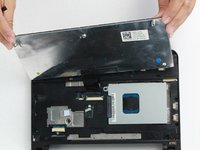
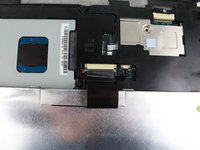
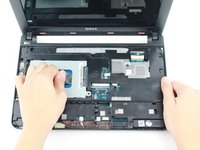
Using a prying tool, gently pry the palm rest off of the palm rest bracket. Start prying from one side and slowly work your way around.
-
-
-
-
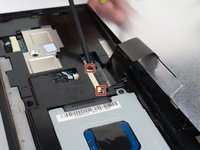
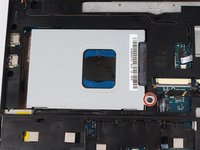
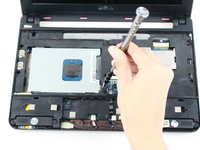
Remove the single 8mm screw attaching the hard-drive cage to the body of the device.
-









To reassemble your device, follow these instructions in reverse order.
3 の人々がこのガイドを完成させました。


チーム

UW Tacoma, Team 1-4, Rose Fall 2016 UW Tacoma, Team 1-4, Rose Fall 2016人のメンバー
UWT-ROSE-F16S1G4
4 メンバー
10のガイドは作成済み
1件のガイドコメント
On at least one Dell Inspiron 10 (mine), the hard drive is also secured by adhesive foam backing to the back cover of the laptop. This makes it impossible to remove by the method in this guide (and the service manual) without first either A) heating the back cover with a heat pad, or B) removing the palm rest bracket covering the mainboard, disengaging the clips that prevent the hard drive from being pulled upward, then prising the drive gently away from the backing. This also requires you to bend the hard drive screw bracket, but being aluminum, it can be bent back at least once. I used method B.
