メインコンテンツにスキップ

Corsair Scimitar Mouse Wheel Replacement

必要な工具と部品

  1. Corsair Scimitar Mouse Wheel Replacement, Corsair Scimitar Mouse Wheel: 手順 1、 2の画像 1 Corsair Scimitar Mouse Wheel Replacement, Corsair Scimitar Mouse Wheel: 手順 1、 2の画像 2
    • Heat the mouse feet with a heat gun to loosen the adhesive.

    • Pry the mouse feet off of the mouse with the metal spudger.

  2. Corsair Scimitar Mouse Wheel Replacement: 手順 2、 2の画像 1 Corsair Scimitar Mouse Wheel Replacement: 手順 2、 2の画像 2
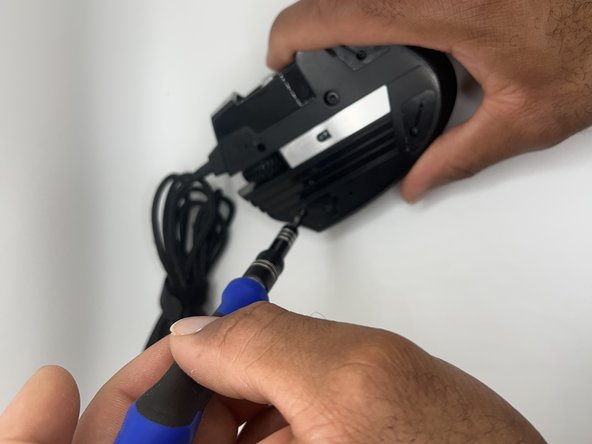
    • Unscrew the four 8.9 mm bottom screws with a JIS #00 screwdriver.

    • Loosen the keyslider lock with a 2.5 mm hex screw driver.

  3. Corsair Scimitar Mouse Wheel Replacement: 手順 3、 3の画像 1 Corsair Scimitar Mouse Wheel Replacement: 手順 3、 3の画像 2 Corsair Scimitar Mouse Wheel Replacement: 手順 3、 3の画像 3
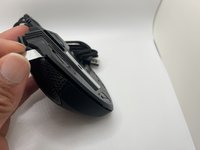
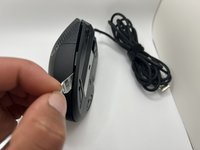
    • Pry along the seam of the mouse body to separate the top and bottom halves.

  4. Corsair Scimitar Mouse Wheel Replacement: 手順 4、 3の画像 1 Corsair Scimitar Mouse Wheel Replacement: 手順 4、 3の画像 2 Corsair Scimitar Mouse Wheel Replacement: 手順 4、 3の画像 3
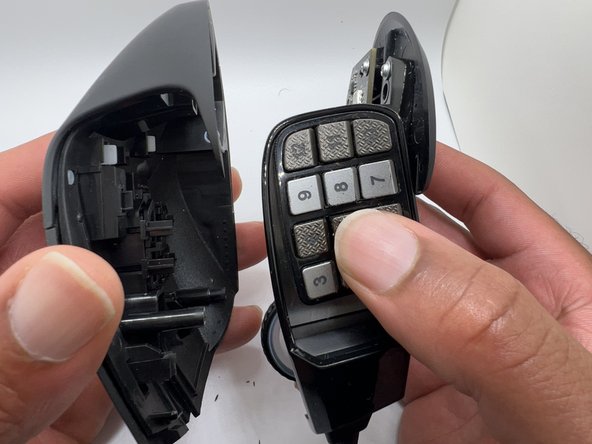
    • Remove the top cover from the mouse.

  5. Corsair Scimitar Mouse Wheel Replacement: 手順 5、 3の画像 1 Corsair Scimitar Mouse Wheel Replacement: 手順 5、 3の画像 2 Corsair Scimitar Mouse Wheel Replacement: 手順 5、 3の画像 3
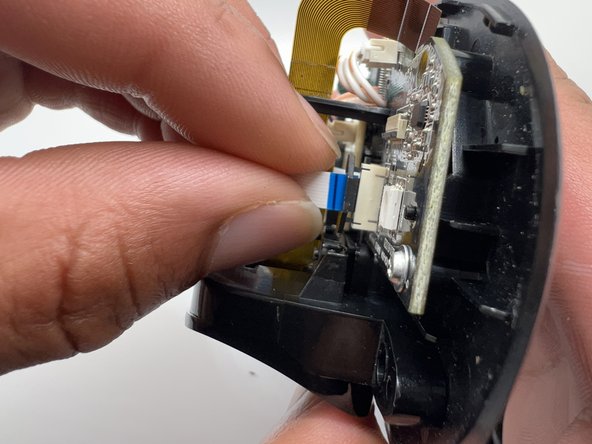
    • Lift the locking mechanism on the auxiliary switch board ribbon cable connector with a plastic spudger.

    • Pull the ribbon cable gently to disconnect from the main board.

  6. Corsair Scimitar Mouse Wheel Replacement: 手順 6、 3の画像 1 Corsair Scimitar Mouse Wheel Replacement: 手順 6、 3の画像 2 Corsair Scimitar Mouse Wheel Replacement: 手順 6、 3の画像 3
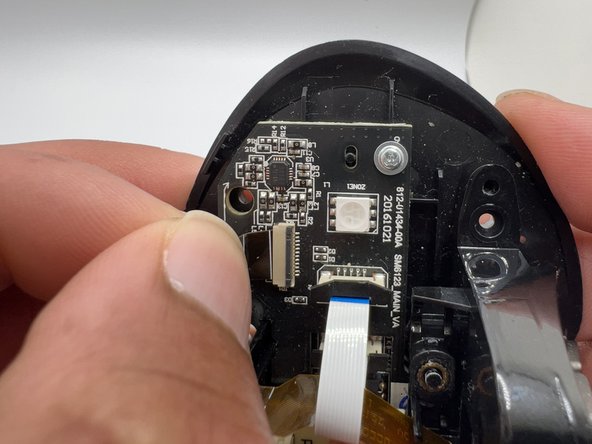
    • Lift the locking mechanism on the Key Slider assembly ribbon cable connector with a plastic spudger.

    • Pull the Key Slider assembly ribbon cable gently to disconnect it from the main board.

  7. Corsair Scimitar Mouse Wheel Replacement: 手順 7、 2の画像 1 Corsair Scimitar Mouse Wheel Replacement: 手順 7、 2の画像 2
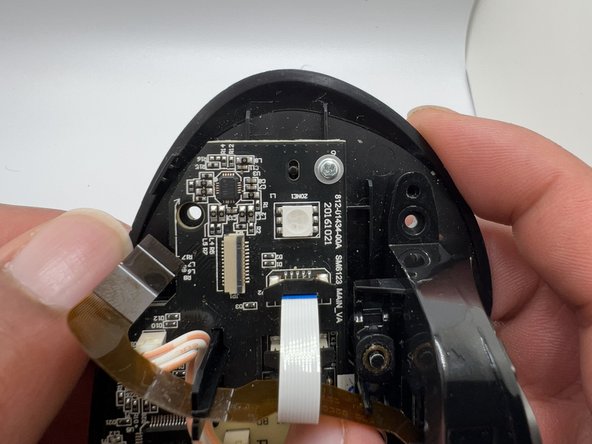
    • Pull the Keyslider ribbon cable up and out of the plastic post.

  8. Corsair Scimitar Mouse Wheel Replacement: 手順 8、 3の画像 1 Corsair Scimitar Mouse Wheel Replacement: 手順 8、 3の画像 2 Corsair Scimitar Mouse Wheel Replacement: 手順 8、 3の画像 3
    • Use a JIS #0 screwdriver to remove the 6 mm screw from the key slider assembly.

    • Remove the key slider assembly from the body of the mouse.

  9. Corsair Scimitar Mouse Wheel Replacement: 手順 9、 3の画像 1 Corsair Scimitar Mouse Wheel Replacement: 手順 9、 3の画像 2 Corsair Scimitar Mouse Wheel Replacement: 手順 9、 3の画像 3
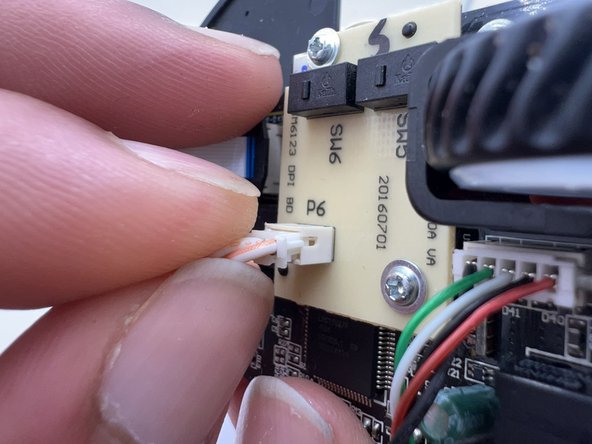
    • Disconnect the data cable from the auxiliary switch board.

  10. Corsair Scimitar Mouse Wheel Replacement: 手順 10、 3の画像 1 Corsair Scimitar Mouse Wheel Replacement: 手順 10、 3の画像 2 Corsair Scimitar Mouse Wheel Replacement: 手順 10、 3の画像 3
    • Use a JIS #0 screwdriver to remove the two 6 mm screws from the auxiliary switch board.

    • Remove the auxiliary switch board.

  11. Corsair Scimitar Mouse Wheel Replacement: 手順 11、 3の画像 1 Corsair Scimitar Mouse Wheel Replacement: 手順 11、 3の画像 2 Corsair Scimitar Mouse Wheel Replacement: 手順 11、 3の画像 3
    • Use a JIS #0 screwdriver to remove the three 6 mm screws from the main board to separate it from the mouse body.

  12. Corsair Scimitar Mouse Wheel Replacement: 手順 12、 2の画像 1 Corsair Scimitar Mouse Wheel Replacement: 手順 12、 2の画像 2
    • Disconnect the data cable from the main board.

  13. Corsair Scimitar Mouse Wheel Replacement: 手順 13、 2の画像 1 Corsair Scimitar Mouse Wheel Replacement: 手順 13、 2の画像 2
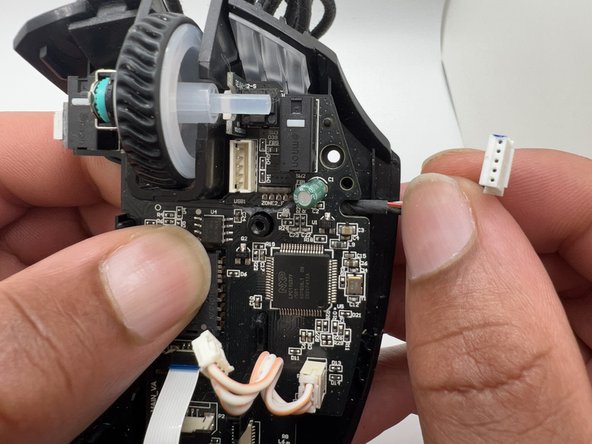
    • Lift the main board off of the body of the mouse.

  14. Corsair Scimitar Mouse Wheel Replacement: 手順 14、 3の画像 1 Corsair Scimitar Mouse Wheel Replacement: 手順 14、 3の画像 2 Corsair Scimitar Mouse Wheel Replacement: 手順 14、 3の画像 3
    • Push the scroll wheel gently away from the rotary encoder switch to remove it.

    • Check the rotary encoder hex hole to make sure it is clear of debris.

  15. Corsair Scimitar Mouse Wheel Replacement: 手順 15、 3の画像 1 Corsair Scimitar Mouse Wheel Replacement: 手順 15、 3の画像 2 Corsair Scimitar Mouse Wheel Replacement: 手順 15、 3の画像 3
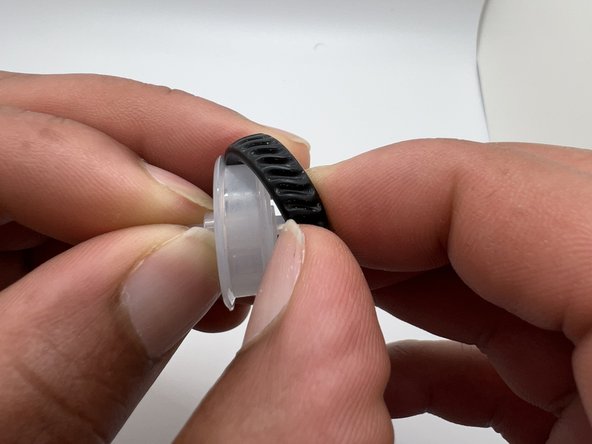
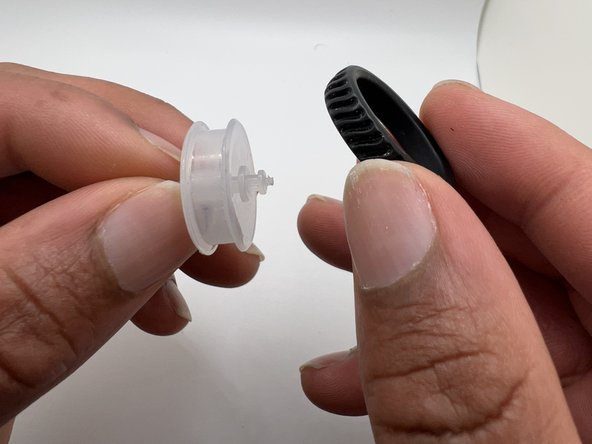
    • Remove the rubber ring from the scroll wheel.

終わりに

To reassemble your device, follow these instructions in reverse order.

6 の人々がこのガイドを完成させました。

作成者

3人の作成者と共同で作成されました。

Amelia Camp

メンバー登録日: 10/06/22

303 ポイント

1ガイドが承認済み

チーム

University of North Texas, Team 2-7, Raign Fall 2022 University of North Texas, Team 2-7, Raign Fall 2022人のメンバー

UNT-RAIGN-F22S2G7

2 メンバー

2のガイドは作成済み

0件のガイドコメント

コメントを追加

統計データ:

過去 24時間: 8

過去 7 日: 93

過去 30 日: 355

今までの合計 9,980