メインコンテンツにスキップ

Corsair HS80 Earpad Replacement

必要な工具と部品

  1. Corsair HS80 Earpad Replacement, Earpad: 手順 1、 3の画像 1 Corsair HS80 Earpad Replacement, Earpad: 手順 1、 3の画像 2 Corsair HS80 Earpad Replacement, Earpad: 手順 1、 3の画像 3
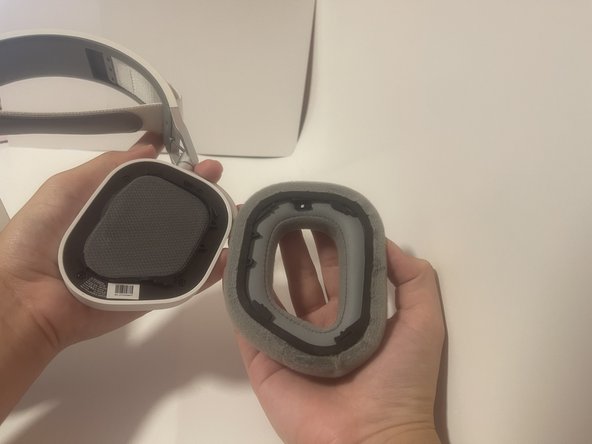
    • Remove the earpad from the headset by holding the earpad and twisting clockwise.

    • The earpad may be difficult to remove if doing so for the first time.

  2. Corsair HS80 Earpad Replacement: 手順 2、 3の画像 1 Corsair HS80 Earpad Replacement: 手順 2、 3の画像 2 Corsair HS80 Earpad Replacement: 手順 2、 3の画像 3
    • Clean the area around the earpad speakers and cushion. A paper towel will suffice if only dust is being cleaned off.

  3. Corsair HS80 Earpad Replacement: 手順 3、 3の画像 1 Corsair HS80 Earpad Replacement: 手順 3、 3の画像 2 Corsair HS80 Earpad Replacement: 手順 3、 3の画像 3
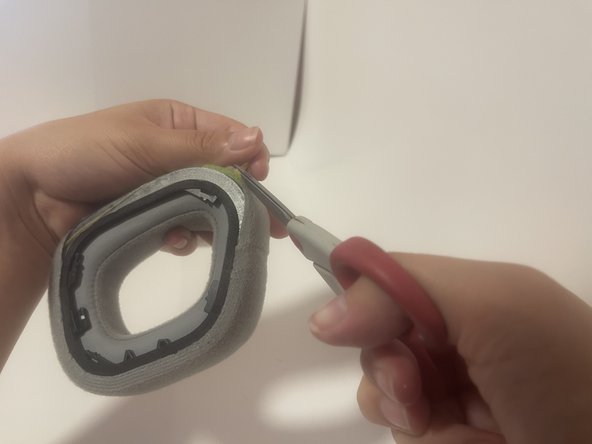
    • Take a pair of scissors and cut the old adhesive as close as possible to the fabric still adhered.

    • This will leave space on the cushion for new adhesive.

  4. Corsair HS80 Earpad Replacement: 手順 4、 3の画像 1 Corsair HS80 Earpad Replacement: 手順 4、 3の画像 2 Corsair HS80 Earpad Replacement: 手順 4、 3の画像 3
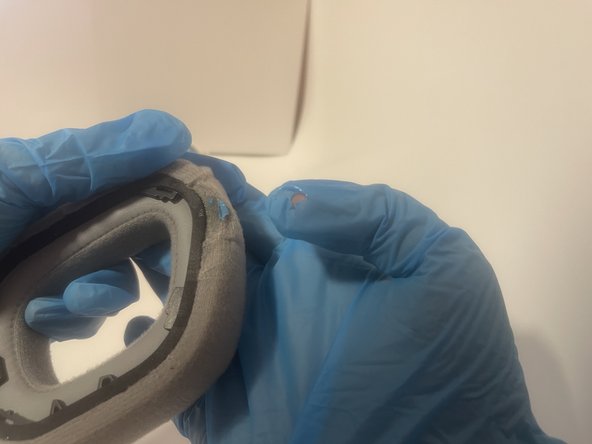
    • Apply adhesive to the free edge of the earpad where the cushion had detached.

    • Wear gloves while working with adhesive. You may super glue your fingers together or your skin to the project. Have a glue debonder on hand if gloves are not available.

  5. Corsair HS80 Earpad Replacement: 手順 5、 3の画像 1 Corsair HS80 Earpad Replacement: 手順 5、 3の画像 2 Corsair HS80 Earpad Replacement: 手順 5、 3の画像 3
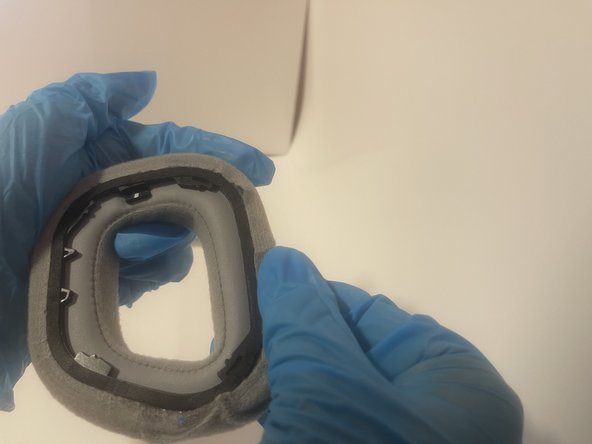
    • Pull the fabric to the newly prepared earpad and hold it flush to the black lining of the earpad.

  6. Corsair HS80 Earpad Replacement: 手順 6、 2の画像 1 Corsair HS80 Earpad Replacement: 手順 6、 2の画像 2
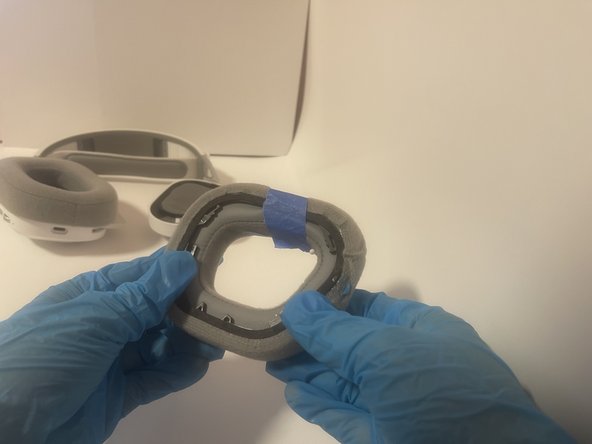
    • Wrap masking or painter's tape to hold the fabric and earpad together.

  7. Corsair HS80 Earpad Replacement: 手順 7、 3の画像 1 Corsair HS80 Earpad Replacement: 手順 7、 3の画像 2 Corsair HS80 Earpad Replacement: 手順 7、 3の画像 3
    • Insert a needle or sewing pin to hold the tape in place while the adhesive dries.

  8. Corsair HS80 Earpad Replacement: 手順 8、 3の画像 1 Corsair HS80 Earpad Replacement: 手順 8、 3の画像 2 Corsair HS80 Earpad Replacement: 手順 8、 3の画像 3
    • Once dry, remove the pin and tape from the earpad.

  9. Corsair HS80 Earpad Replacement: 手順 9、 3の画像 1 Corsair HS80 Earpad Replacement: 手順 9、 3の画像 2 Corsair HS80 Earpad Replacement: 手順 9、 3の画像 3
    • Reattach the earpad by lining the earpad in a clockwise direction and twist counter-clockwise to secure the earpad back into place.

ゴール

作成者

1人の作成者と共同作成されました。

miaLau

メンバー登録日: 10/23/24

169 ポイント

1ガイドが承認済み

チーム

CSU Los Angeles, Team 4-84, Harris Fall 2024 CSU Los Angeles, Team 4-84, Harris Fall 2024人のメンバー

CSULA-HARRIS-F24S4G84

1 メンバー

1のガイドは作成済み

0件のガイドコメント

コメントを追加

統計データ:

過去 24時間: 0

過去 7 日: 8

過去 30 日: 44

今までの合計 515