はじめに
My brother HL3140CW was jamming with every page it printed. The paper jam error stopped the paper halfway along the belt at every print run and at exactly the same spot.
I took it apart and reassembled it several times before I found the very simple fix - which takes less than a minute!
必要な工具と部品
-
-
Stick your printer on a table and get to the back of it. Then remove the white flap from its hinges. you may need to bend the plastic a little for the plastic studs to pop out.
-
-
-
-
With the white flap off, unscrew the single screw and pry out this black cover.
-
Once out this will allow you to un-clip and remove the paper guide from the printer.( pinch the two green levers)
-
-
-
You now have access to the black shroud that covers the photocell emitter & receiver. Pry it upwards and off with a small opening tool.
-
Inspect the paperguide: a small black spring loaded lever in the middle should move the "blocking piece" freely up and down.
-
Reassemble in reverse order, ensuring the blocking piece moves freely between the photocell emitter & receiver.
-


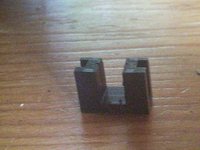
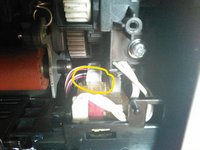
To reassemble your device, follow these instructions in reverse order. This may be the fix you are looking for or perhaps your printer has a different issue. Clearly a slight knock to this plastic shroud meant the photocells were no longer aligned and this printer was unusable...until now.
5 の人々がこのガイドを完成させました。


15件のガイドコメント
OMG THANK YOU SO MUCH! I have spent untold hours on the phone with Brother — and finally ran across your post. Worked in 2 minutes. THANKS!
It’s not explicitly clear here - but what you are doing is removing and LEAVING OUT the black U shaped shroud from the device.
brantwalsh - 返信
OMG thank you... I took it apart and didn't see whatever spring thing he was talking about was, and read your comment and my printer is working again.
Wow, you nailed it! As soon as I read your observation that the machine always stopped at exactly the same spot - despite there being no paper jam - my mood changed. It worked like a charm. Thanks for sharing the experience with others.
