メインコンテンツにスキップ

Brother DCP-L2550DW Toner Cartridge Replacement

必要な工具と部品

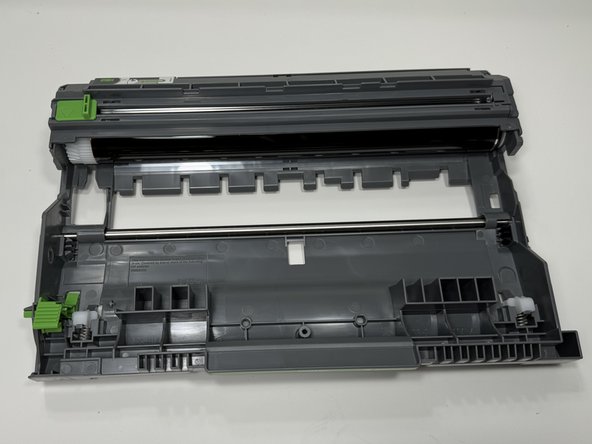
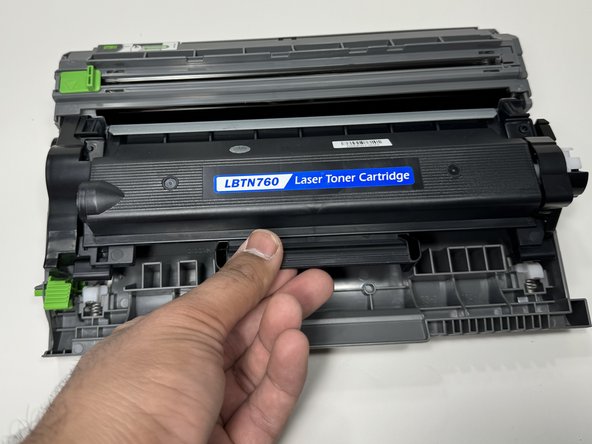
  1. Brother DCP-L2550DW Toner Cartridge Replacement, Toner Cartridge: 手順 1、 2の画像 1 Brother DCP-L2550DW Toner Cartridge Replacement, Toner Cartridge: 手順 1、 2の画像 2
    • Unplug your printer from the outlet. Identify your printer and the toner cartridge required.

    • The printer recommends only two cartridges, TN-730 and TN-760.

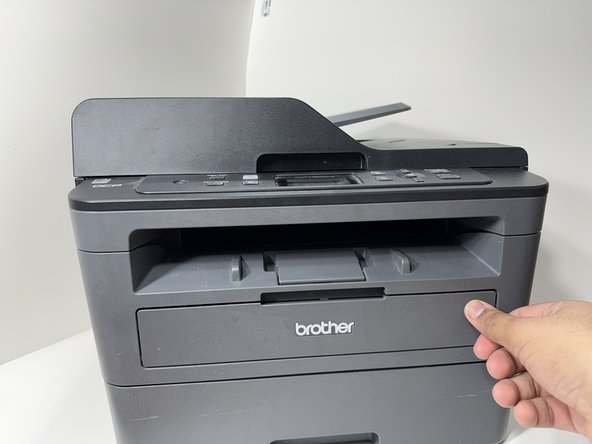
  2. Brother DCP-L2550DW Toner Cartridge Replacement: 手順 2、 3の画像 1 Brother DCP-L2550DW Toner Cartridge Replacement: 手順 2、 3の画像 2 Brother DCP-L2550DW Toner Cartridge Replacement: 手順 2、 3の画像 3
    • Pull on the tab to open the front plate of your printer.

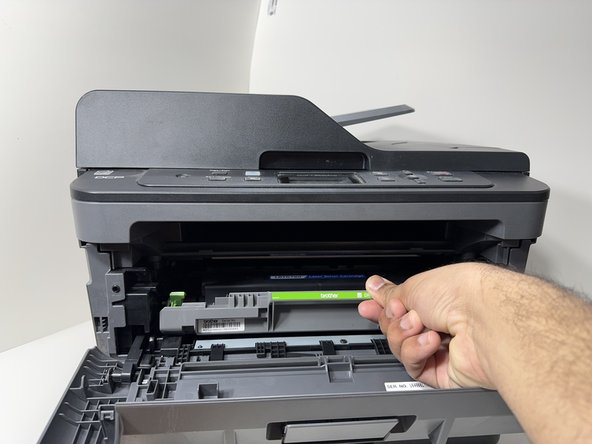
  3. Brother DCP-L2550DW Toner Cartridge Replacement: 手順 3、 3の画像 1 Brother DCP-L2550DW Toner Cartridge Replacement: 手順 3、 3の画像 2 Brother DCP-L2550DW Toner Cartridge Replacement: 手順 3、 3の画像 3
    • Pull on the green handle to remove the drum unit of your printer.

  4. Brother DCP-L2550DW Toner Cartridge Replacement: 手順 4、 3の画像 1 Brother DCP-L2550DW Toner Cartridge Replacement: 手順 4、 3の画像 2 Brother DCP-L2550DW Toner Cartridge Replacement: 手順 4、 3の画像 3
    • Place the drum unit on a clean flat surface.

    • Press down on the green button at the bottom left corner of the drum unit to unlock the toner cartridge.

    • Remove the toner cartridge from the drum unit.

  5. Brother DCP-L2550DW Toner Cartridge Replacement: 手順 5、 3の画像 1 Brother DCP-L2550DW Toner Cartridge Replacement: 手順 5、 3の画像 2 Brother DCP-L2550DW Toner Cartridge Replacement: 手順 5、 3の画像 3
    • Insert the new toner cartridge into the drum unit by placing it on top of the drum unit and pressing it down, ensuring it is in the locked position.

    • Do not touch the ink roll of the cartridge. It can compromise the quality of the ink.

  6. Brother DCP-L2550DW Toner Cartridge Replacement: 手順 6、 3の画像 1 Brother DCP-L2550DW Toner Cartridge Replacement: 手順 6、 3の画像 2 Brother DCP-L2550DW Toner Cartridge Replacement: 手順 6、 3の画像 3
    • Insert the drum unit back into the printer by placing it at the edge of the opening and sliding it inside until it locks in place.

  7. Brother DCP-L2550DW Toner Cartridge Replacement: 手順 7、 3の画像 1 Brother DCP-L2550DW Toner Cartridge Replacement: 手順 7、 3の画像 2 Brother DCP-L2550DW Toner Cartridge Replacement: 手順 7、 3の画像 3
    • Close the front plate and ensure it is in the locked position.

  8. Brother DCP-L2550DW Toner Cartridge Replacement: 手順 8、 1の画像 1
    • Replacement completed. Plug the printer back in the outlet and test it out. You can now use your printer.

終わりに

To reassemble your device, follow these instructions in reverse order.

ある他の人がこのガイドを完成しました。

作成者

1人の作成者と共同作成されました。

Syed Momin Raza

メンバー登録日: 01/09/24

157 ポイント

1ガイドが承認済み

チーム

York University, Team 2-24, O'Regan Winter 2024 York University, Team 2-24, O'Regan Winter 2024人のメンバー

YORK-O'REGAN-W24S2G24

1 メンバー

1のガイドは作成済み

1件のガイドコメント

Hi , I’m facing unable to print double sided issue. It able to print on 1 page, but when the paper roll back and ready to print on the other page, it stuck. Could you help me on this?

Shininimi Here - 返信

コメントを追加

統計データ:

過去 24時間: 6

過去 7 日: 19

過去 30 日: 74

今までの合計 857