はじめに
This guide will show you how to remove the cover and the motherboard for the Bose SoundTouch 20.
必要な工具と部品
-
-
-
Remove the (6) six 1.5mm Phillips screws holding on the bottom cover of the speaker using a Phillips #0 screwdriver.
-
Lift the cover straight up and set the cover aside.
 FixBotに聞いてみる
-
-
-
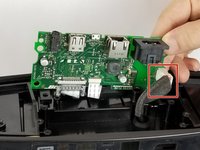
Gently pull the white ribbon from the connector on the top side of the power board.
-
-
-
-
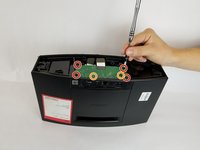
Remove the (4) four 1.5 cm screws connecting the power board to the speaker.
-
Remove the (2) two 1 cm screws connecting the power board to the speaker.
-
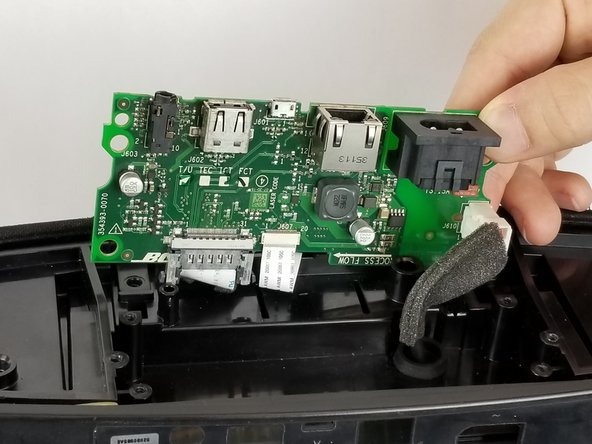
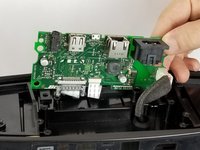
Gently lift the board up.
-
-
-
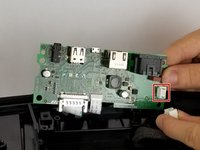
Remove the white cable by pressing on the side of the connector with a tab and pulling backwards.
-
-
-
Gently pull the thinner white ribbon towards the center of the board.
-
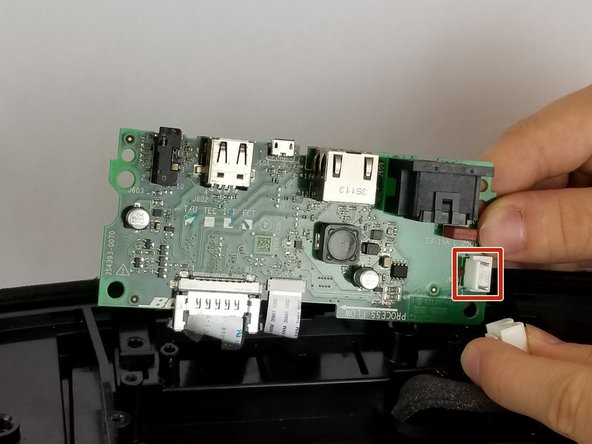
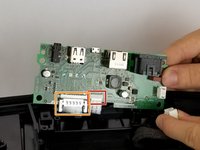
Squeeze the plastic sides of the plug and pull straight down to remove this ribbon.
-
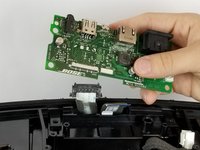
Remove the motherboard.
-
-





To reassemble your device, follow these instructions in reverse order.
5 の人々がこのガイドを完成させました。

チーム

USF Tampa, Team S11-G3, Passmore Fall 2017 USF Tampa, Team S11-G3, Passmore Fall 2017人のメンバー
USFT-PASSMORE-F17S11G3
4 メンバー
21のガイドは作成済み
8件のガイドコメント
But how do I purchase a new motherboard?
Donald Weber - 返信 共有
Thank you for excellent information and instruction. Can you please send some link to order a new motherboard?
leo.benjamin - 返信 共有
Thank you for the tutorial. How do I purchase a new motherboard ?
Any known place to purchase a replacement board?
