メインコンテンツにスキップ
リペアコミュニティに参加 - アカウントの作成

BlackBerry 7280 Microphone Replacement

必要な工具と部品

  1. BlackBerry 7280 Microphone Replacement, Battery: 手順 1、 3の画像 1 BlackBerry 7280 Microphone Replacement, Battery: 手順 1、 3の画像 2 BlackBerry 7280 Microphone Replacement, Battery: 手順 1、 3の画像 3
    • With your thumb press down on the locking- button on the back of the BlackBerry 7280.

    • Slide the battery cover off the device.

    FixBotに聞いてみる
  2. BlackBerry 7280 Microphone Replacement: 手順 2、 2の画像 1 BlackBerry 7280 Microphone Replacement: 手順 2、 2の画像 2
    • Remove the lithium-ion battery from the back of the device using your index finger.

    FixBotに聞いてみる
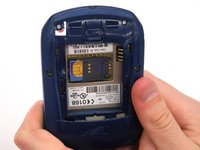
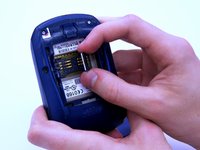
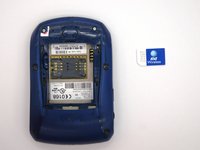
  3. BlackBerry 7280 Microphone Replacement, SIM Card: 手順 3、 3の画像 1 BlackBerry 7280 Microphone Replacement, SIM Card: 手順 3、 3の画像 2 BlackBerry 7280 Microphone Replacement, SIM Card: 手順 3、 3の画像 3
    • Hold the device with both hands.

    • Lift the SIM card holder using your thumb and index finger.

    • Remove the SIM card from the device.

    FixBotに聞いてみる
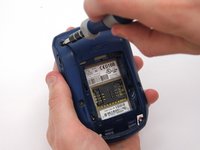
  4. BlackBerry 7280 Microphone Replacement, Back Case: 手順 4、 2の画像 1 BlackBerry 7280 Microphone Replacement, Back Case: 手順 4、 2の画像 2
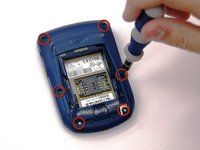
    • Using a Torx T6 screwdriver, remove all six 1/8 inch screws (marked in red) from the back case. Set screws aside.

    • The SIM card has been removed here to prevent damage to the card. This is recommended, but not not required.

    FixBotに聞いてみる
  5. BlackBerry 7280 Microphone Replacement: 手順 5、 2の画像 1 BlackBerry 7280 Microphone Replacement: 手順 5、 2の画像 2
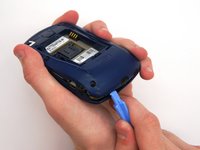
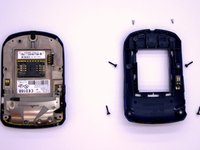
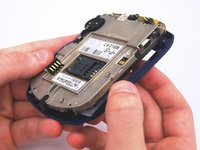
    • Use the plastic opening tool to pry the back case away from the front case.

    FixBotに聞いてみる
  6. BlackBerry 7280 Microphone Replacement, Front Case: 手順 6、 2の画像 1 BlackBerry 7280 Microphone Replacement, Front Case: 手順 6、 2の画像 2
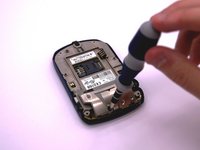
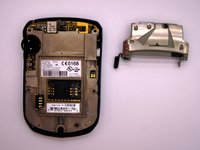
    • Using a Torx T6 screwdriver, remove the lone 1/8 inch screw that holds the upper metal bracket onto the larger metal bracket. Set aside the screw and the bracket.

    FixBotに聞いてみる
  7. BlackBerry 7280 Microphone Replacement: 手順 7、 2の画像 1 BlackBerry 7280 Microphone Replacement: 手順 7、 2の画像 2
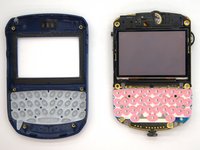
    • Remove the front plastic case from the metal bracket.

    FixBotに聞いてみる
  8. BlackBerry 7280 Microphone Replacement, LCD Screen and Speaker: 手順 8、 2の画像 1 BlackBerry 7280 Microphone Replacement, LCD Screen and Speaker: 手順 8、 2の画像 2
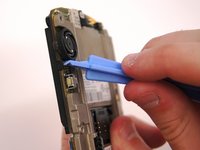
    • Use the plastic opening tool to pry at the edge of the screen near the track-wheel.

    FixBotに聞いてみる
  9. BlackBerry 7280 Microphone Replacement, Logic Board: 手順 9、 1の画像 1
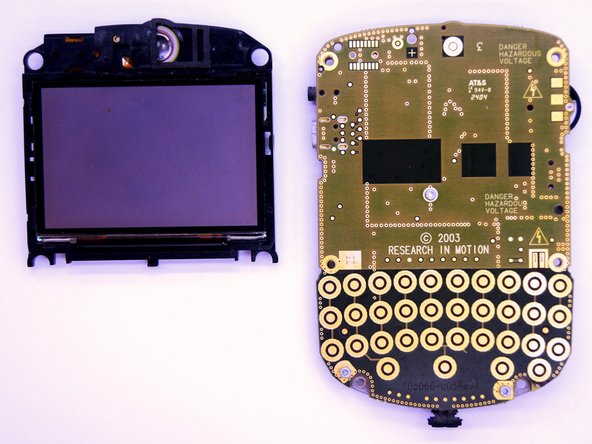
    • Use a Torx T6 screwdriver to remove the 3 1/8 inch screws shown.

    FixBotに聞いてみる
  10. BlackBerry 7280 Microphone Replacement: 手順 10、 1の画像 1
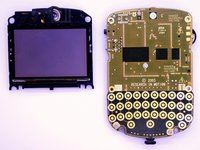
    • Remove the logic board with your hands.

    FixBotに聞いてみる
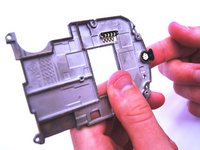
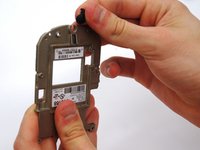
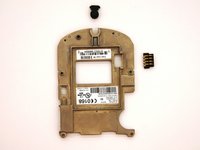
  11. BlackBerry 7280 Microphone Replacement, Microphone: 手順 11、 3の画像 1 BlackBerry 7280 Microphone Replacement, Microphone: 手順 11、 3の画像 2 BlackBerry 7280 Microphone Replacement, Microphone: 手順 11、 3の画像 3
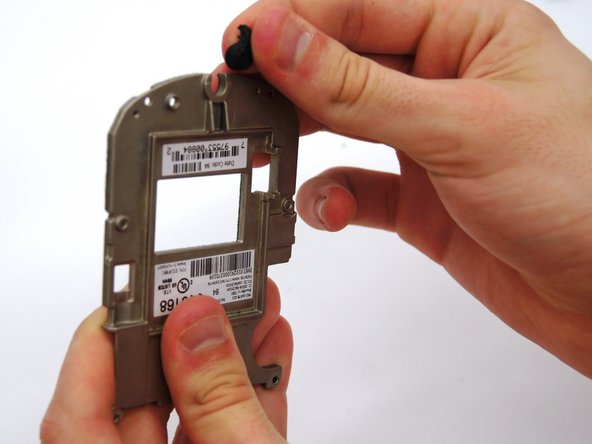
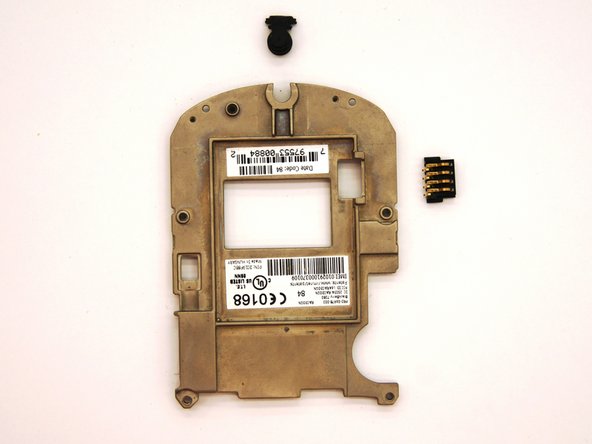
    • Remove the small black rubber microphone by sliding it off of the metal bracket.

    FixBotに聞いてみる
終わりに

To reassemble your device, follow these instructions in reverse order.

ある他の人がこのガイドを完成しました。

作成者

4人の作成者と共同で作成されました。

Andrew Catlin

メンバー登録日: 03/11/13

16 ポイント

3のガイドは作成済み

チーム

Clemson, Team 12-2, Benson Spring 2013 Clemson, Team 12-2, Benson Spring 2013人のメンバー

CLEM-BENSON-S13S12G2

4 メンバー

11のガイドは作成済み

1件のガイドコメント

Hi ! great tutorial ! do you know the reference name or number of the microphone that this blackberry uses ?

Thank you !

DearTom - 返信 共有

コメントを追加

統計データ:

過去 24時間: 1

過去 7 日: 5

過去 30 日: 62

今までの合計 538