はじめに
If the power button on your Amazon Kindle 8 is unresponsive or broken, use this guide to replace it.
The power button is important for turning the Kindle on and off and entering sleep mode. A faulty power button will prevent normal operation or cause the Kindle to remain on, which will drain its battery.
Before beginning, make sure the issue is with the power button and not a software issue by performing a restart and checking for software updates.
Be careful when handling internal components to avoid damaging surrounding parts.
必要な工具と部品
-
-
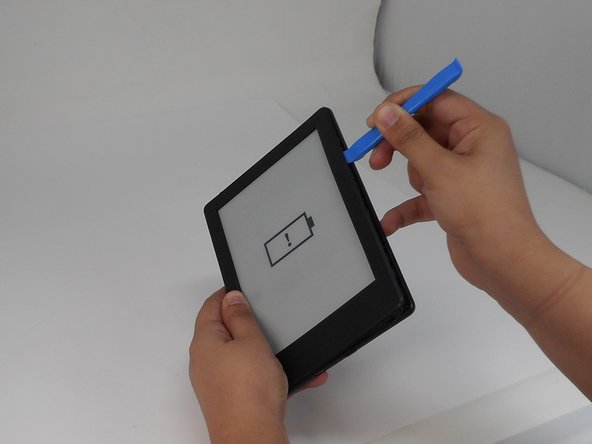
Insert the iFixit opening tool into any corner of the Kindle’s front cover.
-
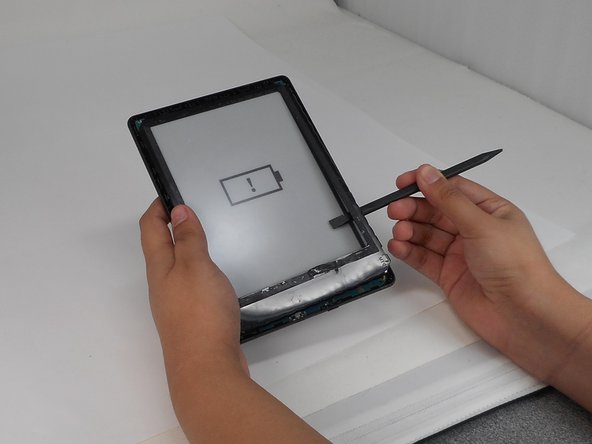
Gently slide the tool along the edges and carefully separate the front cover from the inner front cover.
-
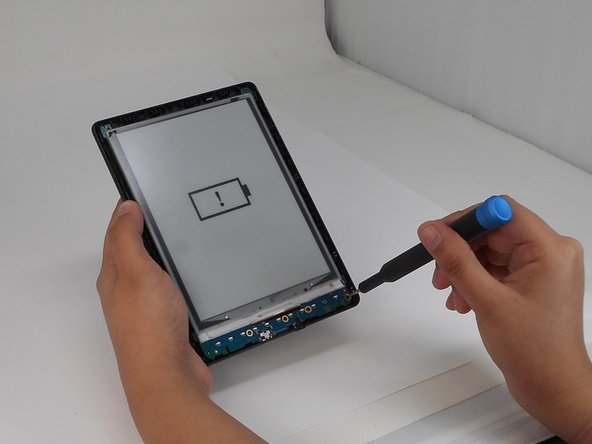
Lift front cover once all clips are disengaged.
-
-
-
-
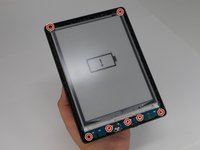
Use a T4 Torx screwdriver to remove the seven 3 mm screws around the perimeter of the device.
-
-
-
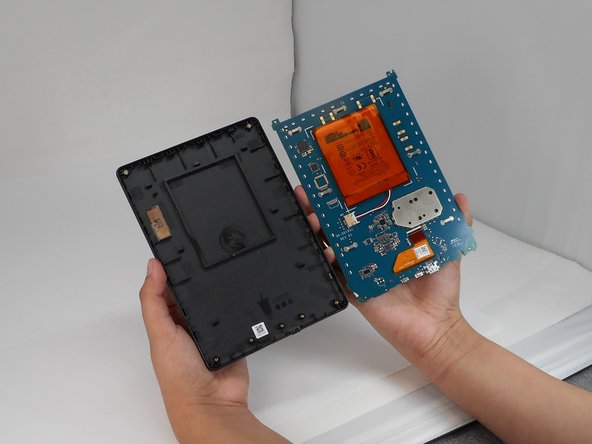
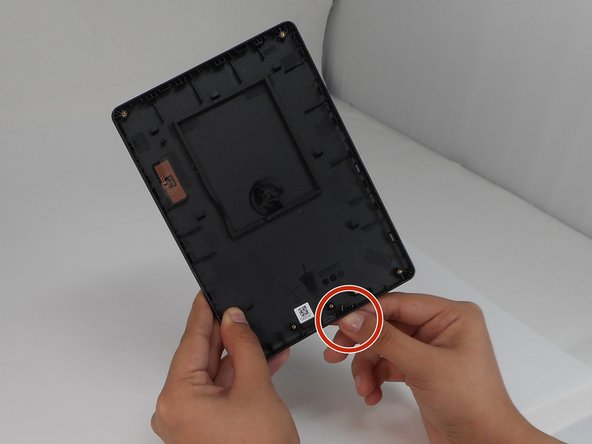
On the back cover, from the outside of the kindle, use your finger to push the power button through its hole.
-
Remove the power button.
-











To reassemble your device, follow the above steps in reverse order.
Repair didn’t go as planned? Try some basic troubleshooting or ask our Answers community for help.



チーム

University of Memphis, Team 1-5, Sneed Fall 2024 University of Memphis, Team 1-5, Sneed Fall 2024人のメンバー
UM-SNEED-F24S1G5
4 メンバー
8のガイドは作成済み
1件のガイドコメント
partial fix, that does not show how to remove and replace the button in the subject. Please integrate step-by-step guide.
