メインコンテンツにスキップ
リペアコミュニティに参加 - アカウントの作成

Alienware M14xR2 Optical Drive Replacement

必要な工具と部品

  1. Alienware M14xR2 Optical Drive Replacement, Battery: 手順 1、 1の画像 1
    • Turn the computer off.

    • Disconnect the charging cable from the computer.

    • Failure to unplug the charging cable could result in electric shock and serious injury.

    • Flip the computer upside down.

    FixBotに聞いてみる

    コメントを追加

  2. Alienware M14xR2 Optical Drive Replacement: 手順 2、 3の画像 1 Alienware M14xR2 Optical Drive Replacement: 手順 2、 3の画像 2 Alienware M14xR2 Optical Drive Replacement: 手順 2、 3の画像 3
    • Loosen the two 6.35 mm size 1 Phillips screws on the back cover.

    • The two screws are spring loaded and will not separate from the cover.

    • Slide the back cover towards you and then lift upwards to remove.

    FixBotに聞いてみる

    コメントを追加

  3. Alienware M14xR2 Optical Drive Replacement: 手順 3、 1の画像 1
    • Loosen the two 6.35 mm size 1 Philips screws attaching the battery to the laptop.

    • The two screws are clipped into the battery and will not detach.

    FixBotに聞いてみる

    コメントを追加

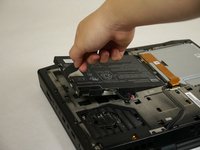
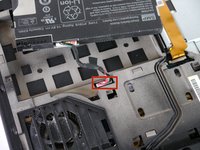
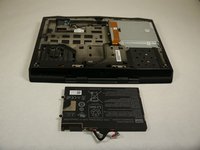
  4. Alienware M14xR2 Optical Drive Replacement: 手順 4、 3の画像 1 Alienware M14xR2 Optical Drive Replacement: 手順 4、 3の画像 2 Alienware M14xR2 Optical Drive Replacement: 手順 4、 3の画像 3
    • Pull up on the black tab on the battery to reveal the connection between the battery and laptop.

    • Pull up on the white connector to disconnect it from the laptop.

    • The battery is now free to remove from the laptop and can be set aside.

    FixBotに聞いてみる

    コメントを追加

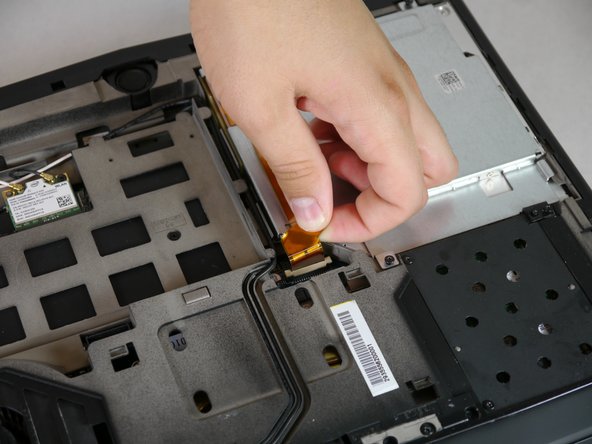
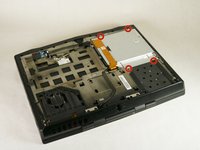
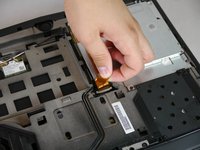
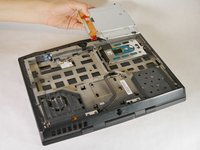
  5. Alienware M14xR2 Optical Drive Replacement, Optical Drive: 手順 5、 3の画像 1 Alienware M14xR2 Optical Drive Replacement, Optical Drive: 手順 5、 3の画像 2 Alienware M14xR2 Optical Drive Replacement, Optical Drive: 手順 5、 3の画像 3
    • Unscrew the four 6.35 mm size 1 screws.

    • Pull up on the end of the orange tab to detach it from the white connector.

    • Lift the optical drive up and out of the laptop and set it aside.

    FixBotに聞いてみる

    コメントを追加

終わりに

To reassemble your device, follow these instructions in reverse order.

キャンセル: このガイドを終了できませんでした。

ある他の人がこのガイドを完成しました。

作成者

5人の作成者と共同で作成されました。

Jordan Ramsey

メンバー登録日: 09/30/13

402 ポイント

1ガイドが承認済み

チーム

Cal Poly, Team 13-4, Forte Fall 2013 Cal Poly, Team 13-4, Forte Fall 2013人のメンバー

CPSU-FORTE-F13S13G4

5 メンバー

6のガイドは作成済み

0件のガイドコメント

コメントを追加

統計データ:

過去 24時間: 2

過去 7 日: 8

過去 30 日: 49

今までの合計 3,165