メインコンテンツにスキップ

8bitDo Ultimate C 2.4g Wireless Controller Battery Replacement

必要な工具と部品

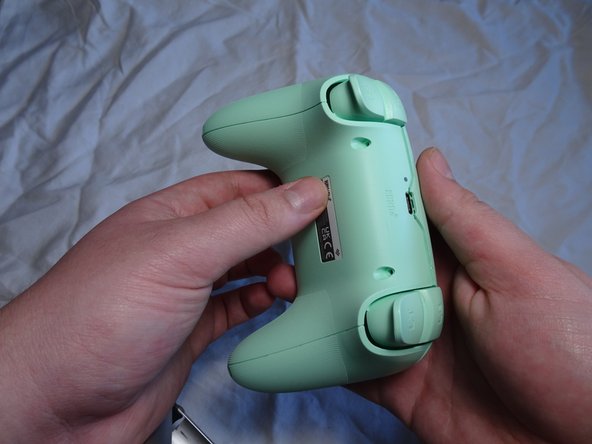
  1. 8bitDo Ultimate C 2.4g Wireless Controller Battery Replacement, Battery: 手順 1、 3の画像 1 8bitDo Ultimate C 2.4g Wireless Controller Battery Replacement, Battery: 手順 1、 3の画像 2 8bitDo Ultimate C 2.4g Wireless Controller Battery Replacement, Battery: 手順 1、 3の画像 3
    • Remove the four screws from the back cover of the controller using a T6 Torx screwdriver.

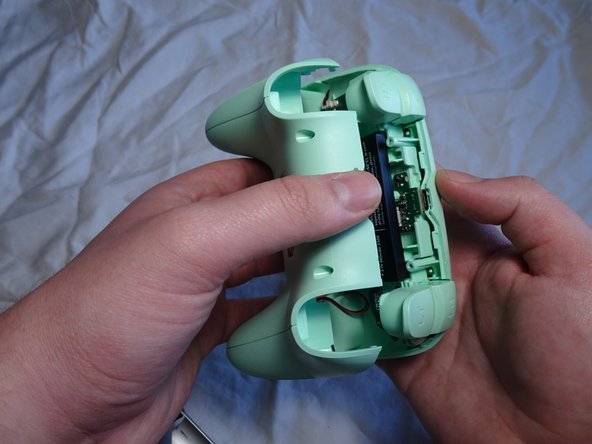
  2. 8bitDo Ultimate C 2.4g Wireless Controller Battery Replacement: 手順 2、 3の画像 1 8bitDo Ultimate C 2.4g Wireless Controller Battery Replacement: 手順 2、 3の画像 2 8bitDo Ultimate C 2.4g Wireless Controller Battery Replacement: 手順 2、 3の画像 3
    • Insert a Jimmy into the crevice of one of the controller's bottom grips and use it to follow the lining of the crevice around the whole controller.

    • Opting for a plastic wedge instead of other metal tools may be a more practical choice. Metal tools may bend and cause cosmetic damage.

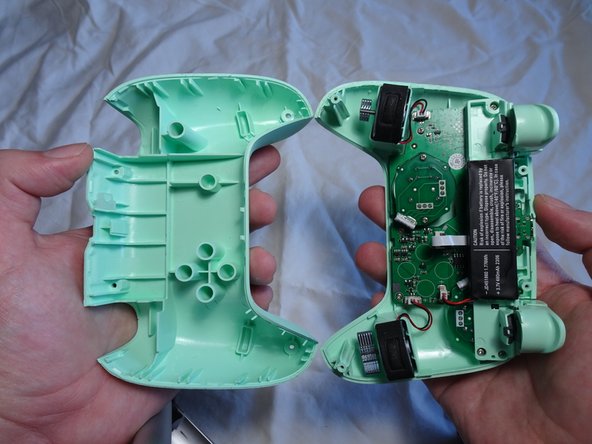
  3. 8bitDo Ultimate C 2.4g Wireless Controller Battery Replacement: 手順 3、 3の画像 1 8bitDo Ultimate C 2.4g Wireless Controller Battery Replacement: 手順 3、 3の画像 2 8bitDo Ultimate C 2.4g Wireless Controller Battery Replacement: 手順 3、 3の画像 3
    • Gently separate the front and back casing of the controller to expose the battery.

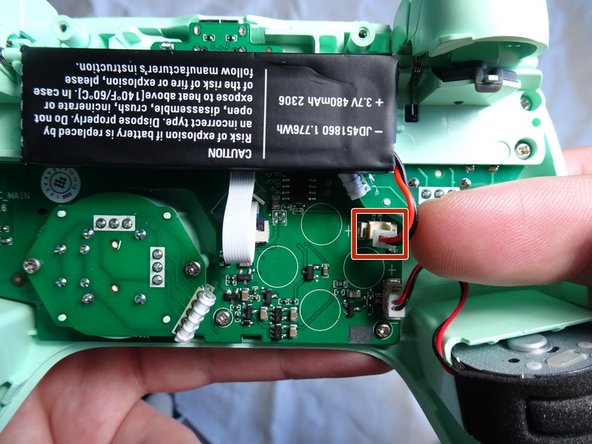
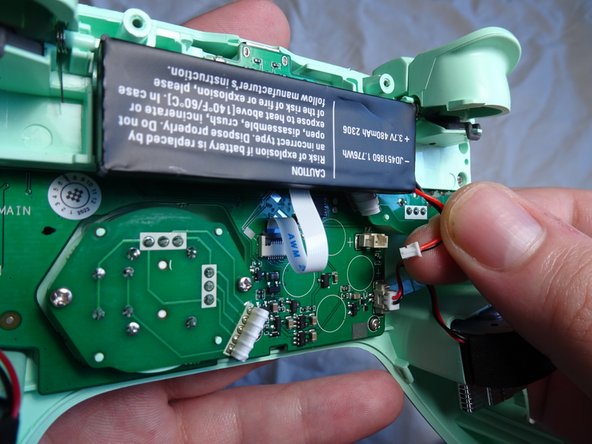
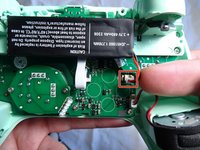
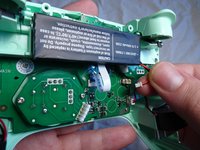
  4. 8bitDo Ultimate C 2.4g Wireless Controller Battery Replacement: 手順 4、 3の画像 1 8bitDo Ultimate C 2.4g Wireless Controller Battery Replacement: 手順 4、 3の画像 2 8bitDo Ultimate C 2.4g Wireless Controller Battery Replacement: 手順 4、 3の画像 3
    • Gently grab the white plastic front of the wire that is connected to the motherboard to detach it from its plug.

    • Be sure to only unplug the wire that connects the battery to the motherboard. No other wire needs to be unplugged for this specific replacement.

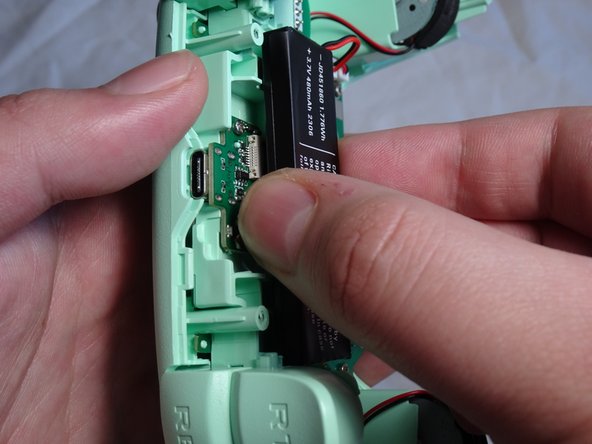
  5. 8bitDo Ultimate C 2.4g Wireless Controller Battery Replacement: 手順 5、 3の画像 1 8bitDo Ultimate C 2.4g Wireless Controller Battery Replacement: 手順 5、 3の画像 2 8bitDo Ultimate C 2.4g Wireless Controller Battery Replacement: 手順 5、 3の画像 3
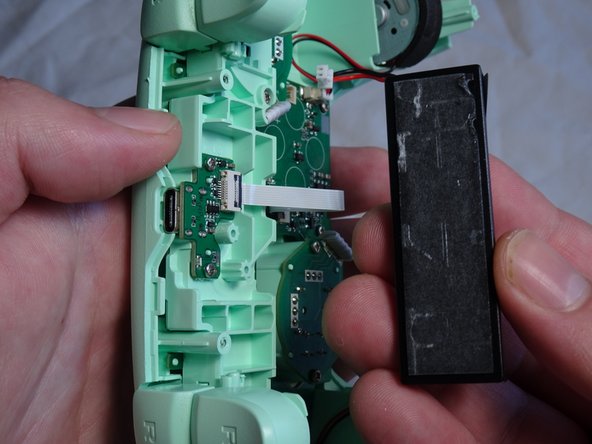
    • Remove the battery from its position.

    • There will be adhesive at the back of the battery that may raise concern. However, removing the battery will not damage it or the controller.

  6. 8bitDo Ultimate C 2.4g Wireless Controller Battery Replacement: 手順 6、 1の画像 1
    • Apply the iFixit stretch release adhesive to the back of the replacement battery and place the new battery in the same spot as the old one.

    • Make sure to plug in the new battery's wire into the controller's motherboard.

終わりに

To reassemble your device, follow these instructions in reverse order.

4 の人々がこのガイドを完成させました。

作成者

1人の作成者と共同作成されました。

letarian

メンバー登録日: 02/21/24

244 ポイント

1ガイドが承認済み

チーム

CSU Sacramento, Team 1-3, Laflen Spring 2024 CSU Sacramento, Team 1-3, Laflen Spring 2024人のメンバー

CSUSAC-LAFLEN-S24S1G3

1 メンバー

5のガイドは作成済み

4件のガイドコメント

Where did you boght the battery replacement? I'm trying to find it on the internet but no clues yet

Lucas Simões - 返信

Did some digging based on the specs listed in the picture (3.7V, 480mAh) and it appears that 303454 is the standard name for said specs, although not the same shape and size as the one pictured as they appear to be using a custom form factor. That said, it looks like there should be enough spare room in the controller to make it work, but I can't verify it myself as I'm only shopping for the controller at the time of writing. I was able to find a 303454 battery with the connector on Amazon for about $5, so no soldering should be required, and it looks thin enough to be compatible. They also have other capacities if you want to upgrade to 950 or 2,000mAh while you're at it. Let me know if you're able to try it!

egarcia1360 -

Hi, where can I get the new battery for replacement?

Juan Manuel - 返信

See my reply to Lucas above.

egarcia1360 -

コメントを追加

統計データ:

過去 24時間: 36

過去 7 日: 225

過去 30 日: 963

今までの合計 14,321