メインコンテンツにスキップ

8BitDo Ultimate Wired Buttons Replacement

必要な工具と部品

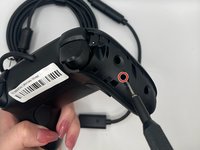
  1. 8BitDo Ultimate Wired Buttons Replacement, Buttons: 手順 1、 3の画像 1 8BitDo Ultimate Wired Buttons Replacement, Buttons: 手順 1、 3の画像 2 8BitDo Ultimate Wired Buttons Replacement, Buttons: 手順 1、 3の画像 3
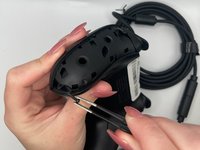
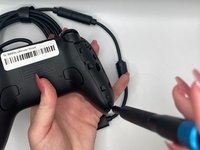
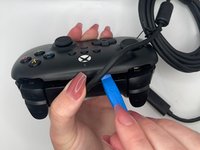
    • Orient the controller such that the back of the controller is facing you.

    • Insert an opening tool into the small opening on the back of the grip, and gently pry the grip cover away until it pops free.

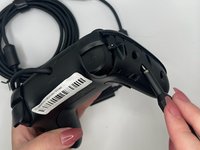
  2. 8BitDo Ultimate Wired Buttons Replacement: 手順 2、 3の画像 1 8BitDo Ultimate Wired Buttons Replacement: 手順 2、 3の画像 2 8BitDo Ultimate Wired Buttons Replacement: 手順 2、 3の画像 3
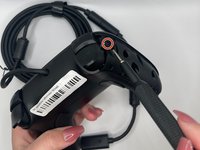
    • Pry the other grip panel off using the same method.

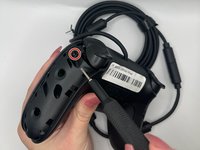
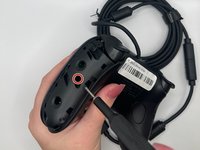
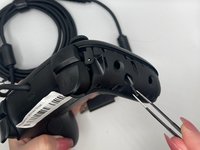
  3. 8BitDo Ultimate Wired Buttons Replacement: 手順 3、 3の画像 1 8BitDo Ultimate Wired Buttons Replacement: 手順 3、 3の画像 2 8BitDo Ultimate Wired Buttons Replacement: 手順 3、 3の画像 3
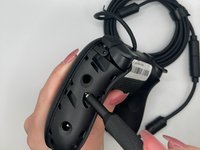
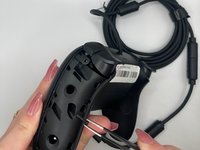
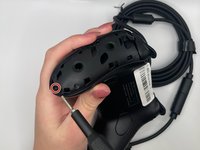
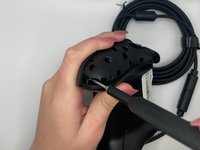
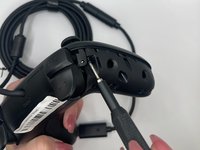
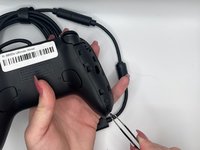
    • Use the TR6 Torx Security screwdriver to remove the top left 10.44 mm torx screw on the backside.

    • Use tweezers to help remove the screws (optional).

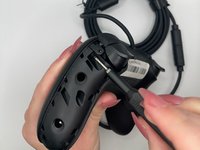
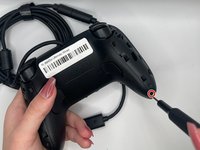
  4. 8BitDo Ultimate Wired Buttons Replacement: 手順 4、 3の画像 1 8BitDo Ultimate Wired Buttons Replacement: 手順 4、 3の画像 2 8BitDo Ultimate Wired Buttons Replacement: 手順 4、 3の画像 3
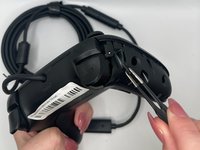
    • Use the TR6 Torx Security screwdriver to remove the middle left 10.44 mm Torx screw on the backside.

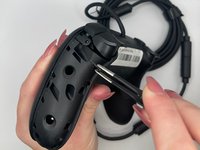
  5. 8BitDo Ultimate Wired Buttons Replacement: 手順 5、 3の画像 1 8BitDo Ultimate Wired Buttons Replacement: 手順 5、 3の画像 2 8BitDo Ultimate Wired Buttons Replacement: 手順 5、 3の画像 3
    • Use the TR6 Torx Security screwdriver to remove the bottom left 10.44 mm Torx screw on the backside.

  6. 8BitDo Ultimate Wired Buttons Replacement: 手順 6、 3の画像 1 8BitDo Ultimate Wired Buttons Replacement: 手順 6、 3の画像 2 8BitDo Ultimate Wired Buttons Replacement: 手順 6、 3の画像 3
    • Use the TR6 Torx Security screwdriver to remove the top right 10.44 mm Torx screw on the backside.

  7. 8BitDo Ultimate Wired Buttons Replacement: 手順 7、 3の画像 1 8BitDo Ultimate Wired Buttons Replacement: 手順 7、 3の画像 2 8BitDo Ultimate Wired Buttons Replacement: 手順 7、 3の画像 3
    • Use the TR6 Torx Security screwdriver to remove the middle right 10.44 mm Torx screw on the backside.

  8. 8BitDo Ultimate Wired Buttons Replacement: 手順 8、 3の画像 1 8BitDo Ultimate Wired Buttons Replacement: 手順 8、 3の画像 2 8BitDo Ultimate Wired Buttons Replacement: 手順 8、 3の画像 3
    • Use the TR6 Torx Security screwdriver to unscrew the bottom right 10.44 mm Torx screw on the backside.

  9. 8BitDo Ultimate Wired Buttons Replacement: 手順 9、 2の画像 1 8BitDo Ultimate Wired Buttons Replacement: 手順 9、 2の画像 2
    • Orient the controller such that the back of the controller is facing you.

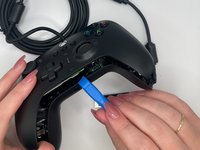
    • Insert an opening tool into the small opening between the front and back panels, and gently pry the back panel away to open the bottom clamps of the top panel of the controller.

  10. 8BitDo Ultimate Wired Buttons Replacement: 手順 10、 2の画像 1 8BitDo Ultimate Wired Buttons Replacement: 手順 10、 2の画像 2
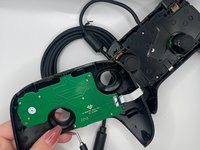
    • Insert an opening tool into the small opening between the front and back panel (top view) and pry away to remove the top half.

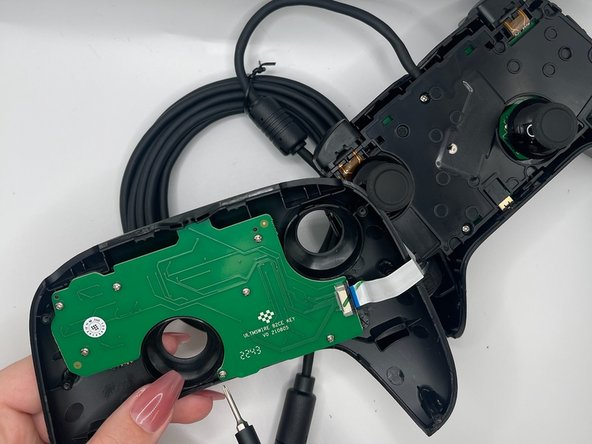
    • A ribbon cable connects the front and back portions of the controller.

  11. 8BitDo Ultimate Wired Buttons Replacement: 手順 11、 3の画像 1 8BitDo Ultimate Wired Buttons Replacement: 手順 11、 3の画像 2 8BitDo Ultimate Wired Buttons Replacement: 手順 11、 3の画像 3
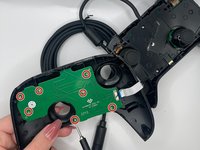
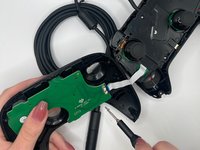
    • Use the Phillips #0 Screwdriver to remove all seven 6.14 mm Phillips screws from the button PCB.

  12. 8BitDo Ultimate Wired Buttons Replacement: 手順 12、 3の画像 1 8BitDo Ultimate Wired Buttons Replacement: 手順 12、 3の画像 2 8BitDo Ultimate Wired Buttons Replacement: 手順 12、 3の画像 3
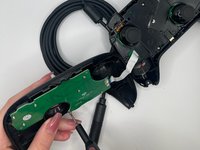
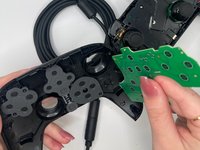
    • Remove the button PCB.

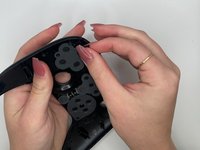
    • Pinch the silicone cover on the buttons to remove it, such that the buttons are exposed.

  13. 8BitDo Ultimate Wired Buttons Replacement: 手順 13、 3の画像 1 8BitDo Ultimate Wired Buttons Replacement: 手順 13、 3の画像 2 8BitDo Ultimate Wired Buttons Replacement: 手順 13、 3の画像 3
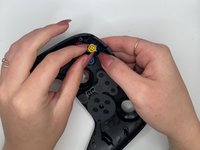
    • Simply using the force from your finger, push the button out of the housing.

    • Pull button out.

終わりに

To reassemble your device, follow these instructions in reverse order.

8 の人々がこのガイドを完成させました。

作成者

3人の作成者と共同で作成されました。

Tanvi Verma

メンバー登録日: 02/08/24

764 ポイント

2のガイドは作成済み

チーム

University of North Texas, Team 4-3, Harold Spring 2024 University of North Texas, Team 4-3, Harold Spring 2024人のメンバー

UNT-HAROLD-S24S4G3

3 メンバー

5のガイドは作成済み

2件のガイドコメント

From where to purchase spare parts, like buttons?

Mitko - 返信

I purchased mine from the official store: https://shop.8bitdo.com/collections/repa...

Zarlin -

コメントを追加

統計データ:

過去 24時間: 1

過去 7 日: 20

過去 30 日: 145

今までの合計 3,019