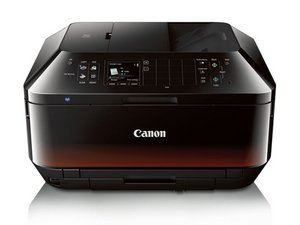

won't turn on and just turn off when started to print
it won't turn on

評価: 98.1千
 416
416
 296
296
 157
157
It sounds like a weak power supply, or the supply is just straight up failed. The problem is, unlike HP before they also put it inside the printer (notably the older ones where it was external, you fixed it with a new supply and tossed the bad one), you need to take the printer apart to get to it. I would see if you can get it open enough to check for visible issues like bad caps, or if it's a "non serviceable" module Canon sealed shut. I do see a lot of them on eBay with a cursory Google search for ~$30, so if it can be done without major disassembly I would try that first given something like this with the ease of doing it as a general rule on the Canon printers: https://www.youtube.com/watch?v=6iFvkevG... -- HP embeds it so horribly deep on the newer "e" models they went internal it's almost a deterrent to even bother.
If that doesn't help, it's the main PCB - that's genuinely an EOL issue as you can't really find them and to avoid WIC disparity issues given you do not know the percentage of the WIC on the board, you will need to replace the board, all of the pads (primary, borderless and service station), then either live with the S/N and pagecount mismatch and just reset ALL OF THE PADS to 0% WIC usage, export and transfer it to the new board (if you even can), or replace the EEPROM from the broken board with the data (usually it's a 8 legged EEPROM, Winbound and others) and transfer it to the replacement PCB to avoid the WIC reset and keep the old pad data. Resale isn't an issue with inkjets - the PC/SN error mismatch is a bigger issue with high-volume lasers people WANT to buy used - but some cheapo inkjet or DRM-infested HP+ laser printer is one where they have a desk-to-bin lifecycle, and the PC means nothing. Nobody wants them; the market decided that when the HP+ limitations became infamous.
このアンサーは役に立ちましたか?
過去 24時間: 0
過去 7 日: 2
過去 30 日: 32
今までの合計 32
