

 28
28  17
17  8
8 Troubleshooting a Fan that's Always at Full Speed.
... Continuing from a bunch of previous questions we are now at the final issue of a fan that is always at full speed even in sleep mode. Attached are a host of reports from various fan control apps. It has to be an issue with a sensor but we cannot find it after testing voltages (Likely missed one as we are still learning). Unit initially came in for a non charging issue which we have now fixed (Solved) Charging issue (Fading Green Light Only)).
@oldturkey03 Maybe related: Why is there a 'Jumper' wire? For what purpose?
No output Knock on effects from a Faulty TBP & still appears on apple diagnostics
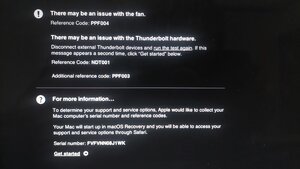
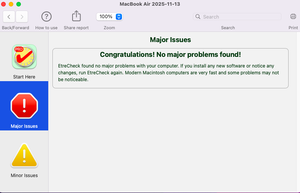
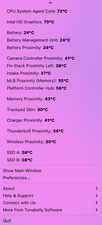
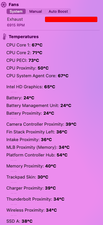
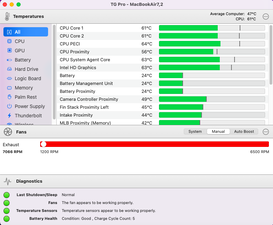
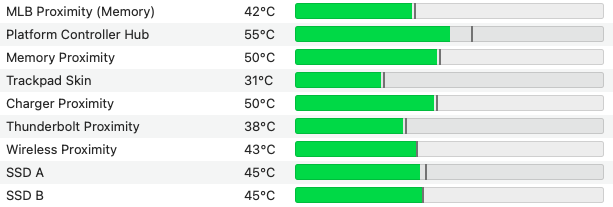
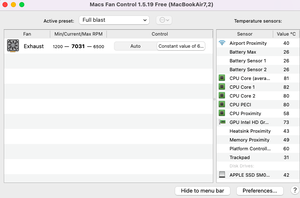
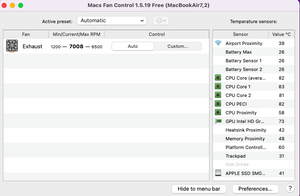
CoconutBattery (For @danj)
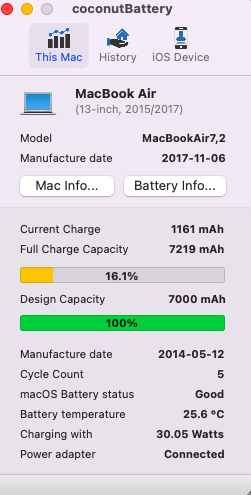
Any ideas appreciated & donations are always welcome :)



9 件のコメント
@livfe check your FINSTACKSNS_ALERT_L line since that is the temp sensor line for the Finstack Temp, so from the thermal sensor to the SMC (which then goes into protection mode and ramps up the fan if it reports High). Since TG Pro shows it to be "Exhaust" I would expect this to be an issue with the air (Thermal) sensor on the I/O board (or cable/connector). You also want to check U5800 (since you do have the schematic you know where to find it;-) if a different IO board/cable does not resolve it.
oldturkey03 さんによる
@oldturkey03 Swapped out the I/O Board and the cable for another and the fan is still running high..... tomorrow to look into the other things. Thanks for the tips!
livfe さんによる
@livfe you know that will all lead you right back to the SMC. Errors like this are the most frustrating to troubleshoot. Best of luck to you and hope that this MBA is going to work out for you soon.
oldturkey03 さんによる
@oldturkey03 We should just replace the SMC and see if that solves it? Anyone interested to have a 'working holiday' out here? lol
livfe さんによる
@livfe if nothing else check R5210 and see if you got something as simple as a failed resistor. Thanksgiving Turkey at your place :-)
oldturkey03 さんによる
4件以上のコメントを表示