
メインコンテンツにスキップ

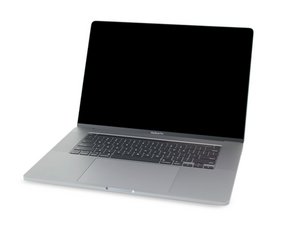
MacBook Pro 16インチの解体情報と修理ガイドです。2019年11月に発売されました。モデル番号はA2141とEMC3347です。

Replaced battery . Laptop still not working

I just went through the pain staking task of replacing my battery only to discover my laptop STILL won’t power on.

Just a bit of background: I got the “service recommended” message regarding my battery. I was traveling so there were a couple of days my laptop didn’t get charged which resulted in the battery completely dying. I purchased the replacement battery and kit and tried turning it on after giving it a couple of hours to recharge and it’s still not working!

How can I troubleshoot? Or do I have to take the whole laptop apart again?

この質問に回答する 同じ問題があります

この質問は役に立ちましたか?

スコア 0
コメントを追加

1 件の回答

At this point you need to dig deeper into the logic board circuitry to locate the failure. Did you follow the guide here? MacBook Pro 16インチ 2019 バッテリーの交換 I would review the ribbon cable connections as one may not be set correctly or the ribbon cable is damaged as in the case of the MacBook Pro 16" BMU Flex Cable which often gets messed up.

With a copy of the schematics and board view drawings you should be able to locate and test the power rails to make sure power is present and at the correct voltage.

You'll not like to hear this, there is a potential bigger issue which could be present as some systems power logic can fry the Flash (NAND) chips when it fails. Here's deeper info on this HELP :( MacBook Pro 16” 2019 won’t turn on, but trackpad is responsive

このアンサーは役に立ちましたか?

スコア 0

1件のコメント:

Hi Dan, thanks for this feedback. I gave myself a day before trying to resolve the issue again. I’m now worried that the battery power connector may have touched the board while I was putting it back together. I’m hoping that isn’t the case. I’m charging it now. We’ll see.

さんによる

コメントを追加

回答を追加する

Glodean C さん、ありがとうございました!
統計データ:

過去 24時間: 0

過去 7 日: 1

過去 30 日: 4

今までの合計 43