
メインコンテンツにスキップ

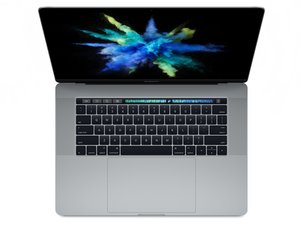
モデル番号A1707。 2017年6月に発売されたこのMacBook Proは、最大3.8 GHzのTurbo Boost搭載の最大2.8 GHzクアッドコアIntel Core i7プロセッサーまでのKaby Lakeプロセッサーを搭載しています。

Battery replaced now computer won't turn in

I replaced my MacBook Pro battery for a second time. After 2-3 years the iFixit battery needed changing (bloated).

After completing the repair this time, the computer won't turn on at all. It gets warm, but holding down the power button does nothing.

When I got to the end of the repair the locking flap on the ZIF connector for the battery board data cable came off. It was slightly askew and when I tried to push it back into position it came off.

Everything else went fine. Could the ZIF Connector issue be stopping the computer from coming on?

MacBook Pro 15" Touch Bar 2017 バッテリーの交換

この質問に回答する 同じ問題があります

この質問は役に立ちましたか?

スコア 0
コメントを追加

1 件の回答

最も参考になった回答

Yes, the ZIF connector issue could be causing the problem! The cable needs to be installed into the ZIF connector and the ZIF connector needs to be latched down in order for the battery to be recognized by the system. My guess is that the battery's not being recognized and your charger isn't providing enough power to power on the device. Recommendation would be to get a replacement ZIF connector and then try to replace the one that fell off. It can be tricky to replace those, but it's doable with fine tweezers, a steady hand, and a magnifying glass. Good luck!

このアンサーは役に立ちましたか?

スコア 1

2 件のコメント:

Thanks Zach. I have a magnifying glass and am going to try and reattach it today. Luckily I didn't lose it. Follow up question, I understand the holes at the bottom need to slot onto the pins, but does it matter which side of the ZIF connector faces in and out, or are both sides the same?

さんによる

It does matter—if you install it the wrong way it won't latch down correctly when you try to latch it.

さんによる

コメントを追加

回答を追加する

Robert Such さん、ありがとうございました!
統計データ:

過去 24時間: 0

過去 7 日: 3

過去 30 日: 6

今までの合計 76