メインコンテンツにスキップ

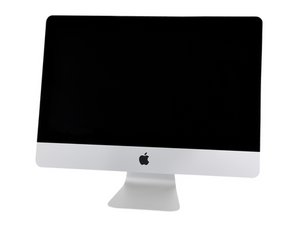
A2116 / 2019 / 3.6 GHz quad-core i3, 3.0 GHz 6-core i5, or 3.2 GHz 6-core i7 プロセッサ、発売日は2019年3月19日です。

Display is not working after SSD Upgrade

Hello. So I just upgraded my iMac (21.5 4K 2019) with an SSD

How can I tell if either display cables on the iMac LCD is bad? My iMac display won't turn on after doing the SSD upgrade and reconnecting the LCD to the logic board. I'm using an external display and everything is working except for the iMac display. If I go to settings - display the built-in display is recognize. But again nothing shows up in the screen - not even the apple logo when turning it on.

Also the Facetime Camera is working.

この質問に回答する 同じ問題があります

この質問は役に立ちましたか?

スコア 0
コメントを追加

1 件の回答

Hi @carlossosa72884
I'm not sure of the problem here since you did an upgrade but you probably damaged the display or it's cables while you upgraded the SSD, Since your computer recognizes the built in display the wires should be working so the display may have to get replaced.

Let me know of any developments

このアンサーは役に立ちましたか?

スコア 0

2 件のコメント:

Hi @ihave0idea.

Thanks for the quick Reply.

So I tried disconnecting the black power cable. Not the eDP cable but the other one, to see if anything change, and I got the same behaviour. No display, Display shows up in Settings and Facetime Camera works.

Also I checked the LED Lights on the Logic board and 4/5 turns on. I believe the 5th light (the one that does not turn on) is the display backlight/power.

iMac won't boot, black screen and no external display

So not sure if that's the damaged cable.

さんによる

HI @carlossosa72884

Thanks for replying, Like i said before. You may have to replace the LCD panel on the mac

さんによる

コメントを追加

回答を追加する

Carlos Sosa さん、ありがとうございました!
統計データ:

過去 24時間: 0

過去 7 日: 2

過去 30 日: 13

今までの合計 146