
メインコンテンツにスキップ
リペアコミュニティに参加 - アカウントの作成

Repair guides and support for wireless and wired Apple keyboards.

Can't re-insert caps lock keycap

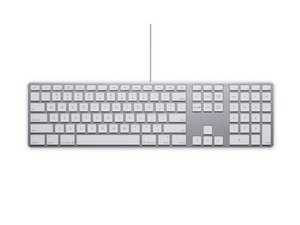
On my wired aluminum iMac keyboard, I've been gently cleaning years of tiny dust-bunnies from underneath various keycaps that have become less responsive. When I removed the caps lock keycap to get underneath, I found it has a little metal bar and two plastic pieces. No matter how I configure it, it won't snap back nicely into place like the other keycaps. Anyone know a link to a photo of how it's supposed to look so I can snap it back in? Or lucidly explain how to do it? Thanks.

回答がありました! 回答を表示 同じ問題があります

この質問は役に立ちましたか?

スコア 0
2 件のコメント

I have the same problem -- I can also see how the wire bar inserts into the 'eyes' but the key does not click into place.

さんによる

Jessa - Sounds like the keycap is damaged ;-{

さんによる

コメントを追加

1 件の回答

ベストアンサー

Review this it should help explain things: Keycap removal & fitting

このアンサーは役に立ちましたか?

スコア 3

4 件のコメント:

Thanks so much for replying to my query. Unfortunately, this doesn't show the caps lock keycap, which is the one I'm having a problem snapping back in.

さんによる

the wire snaps in on one side and just slides on the other.

さんによる

There are two little "eyes" that extend up from the keyboard. The two ends of the wire bar slide nicely into them but when you press down, the keycap does not snap into place. There has to be some configuration of the wire bar with the two pieces of plastic that allow it to snap in. That's why I was hoping there was a photo or a diagram somewhere that showed it. I've searched and searched but can find nothing.

さんによる

Sounds like the keycap is damaged ;-{

さんによる

コメントを追加

回答を追加する

John Browner さん、ありがとうございました!
統計データ:

過去 24時間: 0

過去 7 日: 1

過去 30 日: 9

今までの合計 2,712
